For most sales teams, the proposal exists outside the CRM. It is created elsewhere, sent out, and then the opportunity record just stays there even though the deal is progressing. Operations have no way of knowing whether the buyer has opened it, who else is looking at it, or whether it’s about to close. That is precisely the type of gap that RevOps is intended to eliminate.
What you end up with is having to re-enter data that you already possess in Salesforce, CRM records that are two steps behind what is occurring in real time, and pipeline reports that are slow to accumulate data, which could already be outdated. The proposal step is what causes most of these issues, and it doesn’t have to be with the right integrations.
How can RevOps teams streamline proposal workflows through CRM integration?
By integrating proposal software with Salesforce or HubSpot, RevOps teams can simplify their proposal workflows. The proposals are based on up-to-date deal information and when a buyer accepts them, the results are then synchronised back with the record.
The benefits include:
- Eliminating the need for manual data re-entry
- Ensuring the CRM remains accurate
- Accelerates the process of sending proposals
- Provides operations with a clear understanding of the status of each deal
Where things tend to go wrong
It generally begins with a minor task. When a salesperson needs to send a proposal, they open a different tool and begin copying over the customer’s name, the company information, and the pricing from the opportunity record. The first input may not matter as much, but over a quarter, the whole team loses hours and ends up with a CRM that they aren’t confident enough to fully trust.
If a change occurs during a deal, the representative updates the proposal. Whether they remember to update the CRM is a separate issue. When the buyer finally accepts the offer, somebody must log back in to update the stage of the deal.
This isn’t about reps cutting corners. It’s about a process that was never designed to keep two tools in sync. And for RevOps, the result is always the same: data you can’t completely rely on, and pipeline visibility appears more optimistic than accurate.
What a connected workflow looks like
When the workflow is more streamlined, data moves in both directions. The proposal is based on the information that is already in the CRM, and the results are updated whenever the deal progresses. This connected workflow can be supported with Qwilr’s Salesforce integration.
Reps can generate a proposal straight from their Salesforce records. This includes opportunities and associated contacts, accounts, or leads, and fields can autofill from the record, so that there’s no retyping. When the buyer accepts, the deal stage can update and, depending on your Salesforce setup, the activity logs to the timeline and the signed PDF saves back to Salesforce.
For the full setup, see How to Integrate Proposal Workflows with Salesforce.
Qwilr’s HubSpot integration works the same way. Proposals are built from the deal, contact, and company records, and accepted outcomes sync back without the rep having to touch the CRM.
For ops, the practical win is a CRM that stays current through the proposal stage without anyone manually maintaining it. For reps, it’s a proposal ready to go in a few clicks from the record they’re already in.
Keeping templates and pricing under control
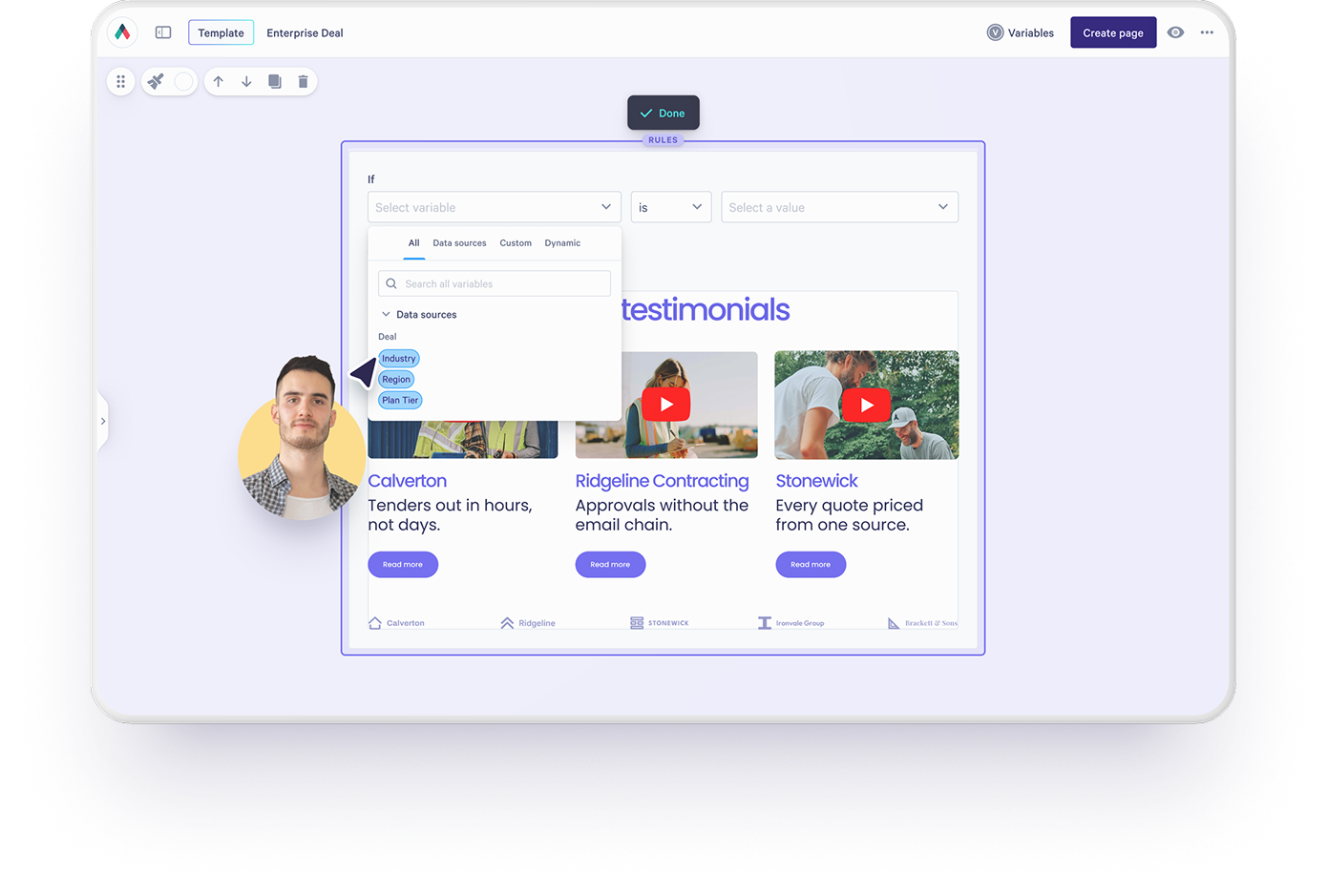
When representatives prepare proposals in a different tool without safeguards, the situation can get out of control. Pricing can become inconsistent; previous positioning can end up in customer-facing documents; or a discount could be sent out unintentionally.
To avoid such issues, ops teams can use proposal automation in their workflow to better manage templates and pricing centrally. Reps work from approved structures, CRM fields pull in automatically, and what goes to the buyer reflects current pricing and messaging, not whatever the rep had saved locally.
ExtensisHR and HR Collaborative are good examples of what this looks like in practice: proposals built in minutes rather than hours, and a lot less duplicate work.
How the Qwilr MCP AI connection adds to the picture
Many RevOps teams are now considering how AI can fit into their workflow, and the Qwilr MCP provides a practical solution in the case of proposals.
The MCP server lets reps and ops teams create proposals and check buyer engagement directly from Claude, ChatGPT, or whatever AI assistant they’re using. If that assistant is also connected to the CRM, it can pull deal details in too. Instead of switching tabs to check whether a proposal has been opened, a rep can just ask their AI agent. Instead of pulling up a deal record to kick off a new proposal, they can do it from the same tool they’re already in.

Connect your proposals to your CRM
Create proposals based on the records from Salesforce or HubSpot, synchronise the accepted line items back to the deal, and check your engagement using the Qwilr MCP through your AI assistant.
One trusted workflow
It doesn’t have to be a gap in your revenue process for the proposal step. If your CRM is properly linked with your proposal tool, then proposals become part of the same data flow as all the other elements, rather than being a separate process running in its own tool that members of ops can’t see.
For RevOps leaders this means pipeline data they can trust, fewer manual handovers within the team, and a process that sales representatives follow since it is genuinely easier to adhere to than to go around it.
You can schedule a demo or sign up for a free trial to see how it connects with your CRM.
About the author

Isabella Cerini-Palozzo|Copywriter & Content Specialist
Bella is a SEO copywriter and content specialist with a background in law, before transitioning into marketing and content. She helps brands grow visibility and drive action through clear messaging and search-led content (blogs, website copy, and social), with a focus on GEO/SEO, strategy, and conversion. A lifelong storyteller with an early passion for screenwriting, she brings narrative craft to everything she creates - and when she’s not writing, you’ll find her teaching yoga or enjoy a dip in the ocean.