

Most B2B sales teams have the same problem. The CRM holds the deal data. A separate tool builds the proposal. A PDF gets emailed across. Someone must manually update the CRM to reflect what happened.
Almost all the time a proposal costs a team is spent either side of the writing, gathering the inputs before and updating the record after. That is the part a CRM connection removes, and it is why the integration matters more than the editor. On Zoho, that extends to automating CRM tasks off the back of the page.
What is CRM proposal software?
CRM proposal software plugs into your CRM so your team can build, send, track and update proposals straight from the deal record, without switching tools or re-entering details. Proposal activity such as views, acceptances and signatures flows back into the CRM automatically, so the deal record reflects what the buyer did, not what someone remembered to type in.
Here are five ways it reduces friction across the deal lifecycle.
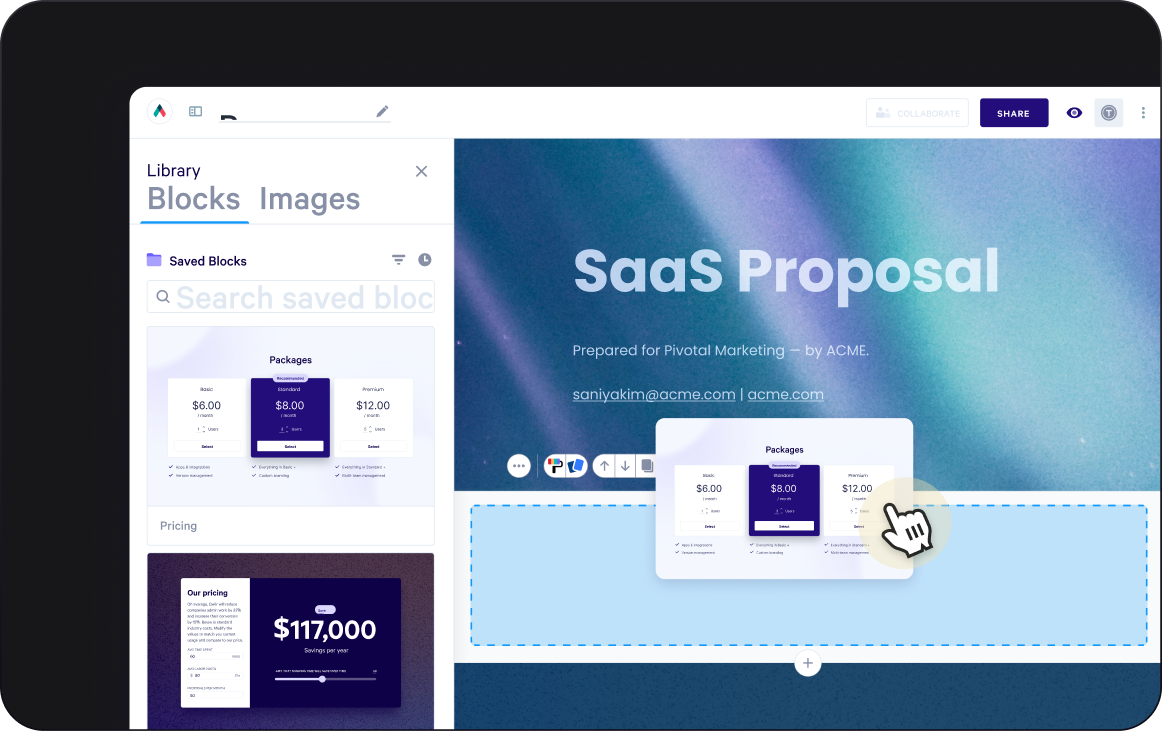
1) Faster proposal creation with CRM integration and AI assistance
Time goes missing here not because reps can't write, but because they repeat the same work across deals and chase the same inputs from different systems. Pulling those inputs from the CRM directly, whether that is HubSpot, Salesforce, Zoho or Microsoft Dynamics, is what removes the repetition.
Two different things fix that, and it helps to keep them separate. Automation handles the data accuracy, so field mapping and workflow triggers pull the right numbers off the deal record without anyone retyping them, while AI takes on the structure and the first draft. Both still need a human review before anything reaches a buyer, and neither of them should be deciding pricing, discounting, deal strategy or buyer intent.
Approved templates and locked content blocks give enablement teams control over what goes into proposals without slowing the process down.
A practical workflow looks like this:
- A rep opens a deal in their CRM.
- They generate a proposal from the deal record.
- CRM fields populate the right sections, from company and contact through to deal value and line items.
- AI drafts a first-pass narrative where the deal calls for one.
- The rep reviews, edits and confirms pricing and terms before sending.
Worth knowing before you build a process on it: if the deal changes in your CRM after the proposal has been created, the page does not pick that up on its own. You regenerate it from the record or edit the quote in place.
Rules-based engines take this a step further. Qwilr's Smart Proposal Engine gives the rep a short guided form of drop-downs and text fields, then configures the content, pricing and structure from those answers, so the proposal follows your sales rules rather than the rep's memory of them. Connected sources fill what they can, and AI pulls the relevant detail out of call transcripts and meeting notes. It works with Salesforce, HubSpot, Microsoft Dynamics, Pipedrive and Zoho CRM today, with Attio, HighLevel and monday CRM on the way.
Each proposal it generates draws on your automated document creation credits, so it suits teams sending at volume rather than a handful of deals a month.
Qwilr has saved each sales rep an average of 1 hour per deal closed. Since implementing Qwilr, we have closed over 2,000 deals, saving us over 2,000 hours of time that we can invest in additional sales activities.
Neil de Jesus, Director of Business Development, Resi
Explore Qwilr's AI Proposal Generator and the proposal template library.
2) A better buyer experience with interactive proposals instead of static PDFs
A PDF sent as an attachment creates a hurdle before the buyer has read a word. They download it, open it in a viewer, work out how to share it internally, and eventually find a way to send something back.
Interactive proposal software delivers the proposal as a web page instead. The buyer clicks a link and it opens in their browser on any device. If pricing changes after sending, the rep updates the live page and the buyer's link reflects it, with no resend and no second version floating in the thread.
I love the live link. It's been really helpful to be able to make changes on the fly and not have to resend a bunch of documents. It's a much better customer experience than someone needing to look through multiple versions to find the most current one.
Robert Brooks, VP, Sales, Lambda
That format also carries things a PDF cannot, including embedded video, interactive pricing tables and content the buyer can act on rather than just read, and it shows up in the outcomes. Across an analysis of 1,064,667 proposals, Qwilr found that proposals with interactive elements saw acceptance rates up to 2x higher than static ones. For a buying team working through a proposal without a rep in the room, the format ends up doing part of the selling.
See how interactive proposals work in practice.
3) Fewer steps from consideration to purchase with interactive pricing, e-signature and payment
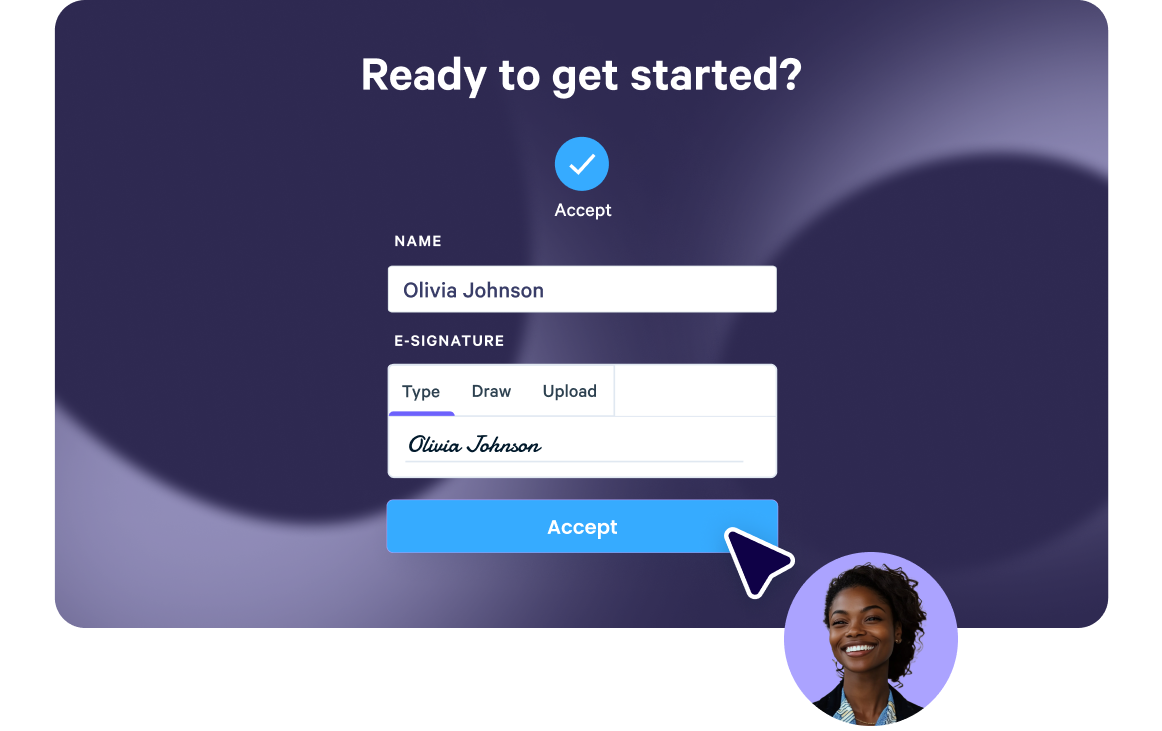
The gap between a buyer deciding to proceed and a deal being marked closed is often longer than it needs to be. Dynamic pricing tables let buyers select packages inside the proposal, with the rules set by the sales team. Once everything is agreed, the buyer can sign and, if needed, pay in the same place.
Qwilr supports e-signatures and payments through QwilrPay, so a buyer can accept and pay without a separate invoicing round. Where the sale closes on a quote rather than a negotiated contract, that removes a handoff at exactly the point in the deal where you want momentum rather than a pause.
4) More informed follow-up with proposal engagement analytics and buyer activity notifications
Most proposal follow-up is guesswork. A rep sends a PDF, waits a few days, then sends a “just checking in” email that the buyer ignores, and nobody on either side knows whether the proposal was ever opened or who read it.
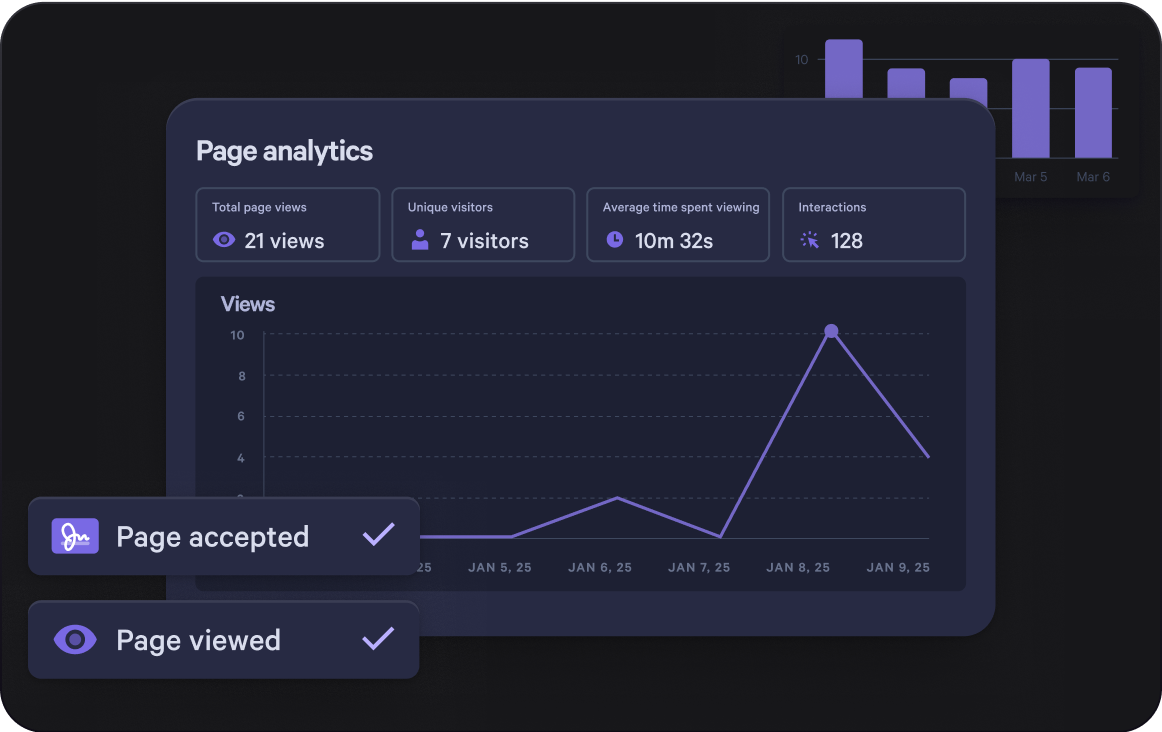
Interactive proposals close that gap, because the page reports back. When a buyer opens it the rep is notified, and time spent on each section is logged. In HubSpot and Salesforce, view and acceptance events post to the record's timeline and the signed audit-trail PDF files itself against the record, switchable in HubSpot and on by default in Salesforce. The section-level detail stays in Qwilr's analytics.
That data turns out to be a real predictor rather than a comfort blanket. In the same analysis of over a million proposals, those viewed for more than four minutes were accepted 41% of the time, against 3.5% for proposals viewed for under a minute, and when at least two additional people opened one within the first five days the acceptance rate nearly doubled.
That turns follow-up into something specific:
- If a buyer keeps returning to the pricing section, walk them through the options before they have to ask.
- If the proposal has not been opened after three days, check whether it reached the right person.
- If a second and third stakeholder start viewing, offer a short alignment call. Acceptance rates nearly double once two more people are in.
See how buyer engagement analytics work.
5) End-to-end CRM workflow automation from proposal sent to closed won
Pulling contact fields into a template is useful, but it is only the starting point, and the bigger benefit comes when proposal activity starts triggering rules-based automation inside your CRM.
Before you hit send:
- Build the proposal straight from the deal.
- Populate an approved template with the right deal details, so nobody is copying numbers across by eye.
- Route any discount past your threshold for approval inside the CRM.
- Create the standing admin tasks automatically, whether that is legal review or finance sign-off.
While the buyer is reading:
- Log proposal activity against the deal, so the CRM stays accurate.
- Notify the rep when the buyer engages, for example when they spend time on pricing.
- Update the deal as the proposal progresses.
Once they say yes:
- Move the deal forward when the page is accepted, declined or expires. This runs through Qwilr's Automations rather than the integration itself, and can set the stage, the close date and the amount.
- Sync the deal amount and line items so they match what the buyer selected rather than what was originally quoted. Salesforce calculates opportunity amount from line items, so where products already sit on the opportunity it is the line items that update.
- Trigger the post-sale steps straight away, from onboarding emails through to handover tasks and invoice creation.
In HubSpot that means workflows tied to deal properties and activity, while in Salesforce it means Flows handling the updates and the downstream actions, and for teams running several systems Zapier extends the same idea into other platforms. The principle holds either way: keep the CRM as the system of record, and let proposal activity update it through defined triggers.
What Qwilr's HubSpot and Salesforce integrations each support
| HubSpot | Salesforce | |
|---|---|---|
Build a proposal from the record | Deal, company or contact | Opportunity |
CRM data auto-populated | Yes | Yes |
Nested and related-record variables | Yes, including the owner of an associated company | Yes, multi-hop across objects |
Smart Proposal Engine | Yes, since Aug 2026 | Yes, since Sep 2026 |
Call transcripts and meeting notes as a source | Yes | Yes |
View and acceptance events on the record | Yes, switchable in settings | Yes, on by default |
Signed audit-trail PDF filed against the record | Yes, as a note on the deal | Yes, in Files |
Stage, amount, close date and line item updates on acceptance | Yes, via Automations | Yes, via Automations |
Deal field updates run through Qwilr's Automations rather than the integration itself, so they are set up separately from the connection. All of this describes the current integrations rather than the legacy versions, so check which one your org is on. Read more about Qwilr and HubSpot and Qwilr and Salesforce, or see how proposals work from a HubSpot deal record.
What to look for in CRM proposal software
Assess these capabilities against your actual workflow rather than a generic feature list:
| Capability | The question to ask | Why it matters |
|---|---|---|
CRM integration depth | Can you generate a proposal from a deal record, and does activity find its way back automatically? | One-way field population still leaves someone updating the CRM by the end of the week. |
Workflow automation | Can proposal events trigger task creation, notifications or stage updates without anyone touching the CRM? | This is the difference between a proposal tool and a connected process. |
Templates and governance | Can you build a library of approved templates and lock the sections that must stay consistent? | Otherwise brand and pricing control sits with whoever built the deck last. |
Interactive delivery | Does the proposal open in a browser with no download, and read well on a phone? | Your buyer forwards it internally. Assume the next reader is on mobile. |
Dynamic pricing | Can buyers configure packages inside the proposal, with rules and thresholds on your side? | Turns a pricing question into a selection instead of an email thread. |
E-signature and payment | Can a buyer sign without leaving the proposal, and pay at acceptance if that suits you? | Each handoff at the decision point is somewhere a deal can stall. |
Engagement analytics | Do you find out when it's opened, which sections held attention, and whether it was forwarded? | Determines whether follow-up is timed or guessed. |
If you want a ranked comparison of platforms rather than integrations, start with our guide to the best proposal software.
Ready to take the admin out of your proposals?
If your sales process is slowed by manual proposal work, disconnected tools, or CRM records that lag behind where a deal really stands, Qwilr is worth a look. It combines interactive proposals, CRM automation and AI-assisted creation to connect the process from first send through to post-sale.
It won't replace sales judgment, but it will take the admin off the top of it, so the week goes on the deals instead.
Explore how Qwilr works, compare plans, or browse proposal templates to see what your team could be sending.
About the author

Isabella Cerini-Palozzo|Copywriter & Content Specialist
Bella is a SEO copywriter and content specialist with a background in law, before transitioning into marketing and content. She helps brands grow visibility and drive action through clear messaging and search-led content (blogs, website copy, and social), with a focus on GEO/SEO, strategy, and conversion. A lifelong storyteller with an early passion for screenwriting, she brings narrative craft to everything she creates - and when she’s not writing, you’ll find her teaching yoga or enjoy a dip in the ocean.
Frequently asked questions
Proposal software that runs off the deal record rather than beside it. The useful test when comparing tools is which direction the data moves: most integrations pull CRM fields into a template, and far fewer write proposal activity back to the deal. Only the second kind keeps your CRM accurate without someone maintaining it.
Qwilr's Smart Proposal Engine builds proposals from Salesforce, HubSpot, Microsoft Dynamics, Pipedrive and Zoho CRM, with Attio, HighLevel and monday CRM on the way. On Salesforce and HubSpot it can also draw on call transcripts and meeting notes, not just the CRM fields.
Partly, and the difference matters. In both HubSpot and Salesforce, view and acceptance events post to the record's timeline and the signed audit-trail PDF files itself against the record, as a note on the deal in HubSpot and under Files in Salesforce. Section-level detail, such as how long a buyer spent on pricing, stays in Qwilr's analytics rather than the CRM. Check which of the two a platform means before you build reporting on it.
On our own data, yes. Across 1,064,667 proposals, those viewed for more than four minutes were accepted 41% of the time, against 3.5% for proposals viewed for under a minute. When at least two additional people opened a proposal within the first five days, the acceptance rate nearly doubled.