

Sick of copy-and-pasting deal details from Dynamics into your proposals?
We’re not surprised. It's slow and easy to get wrong.
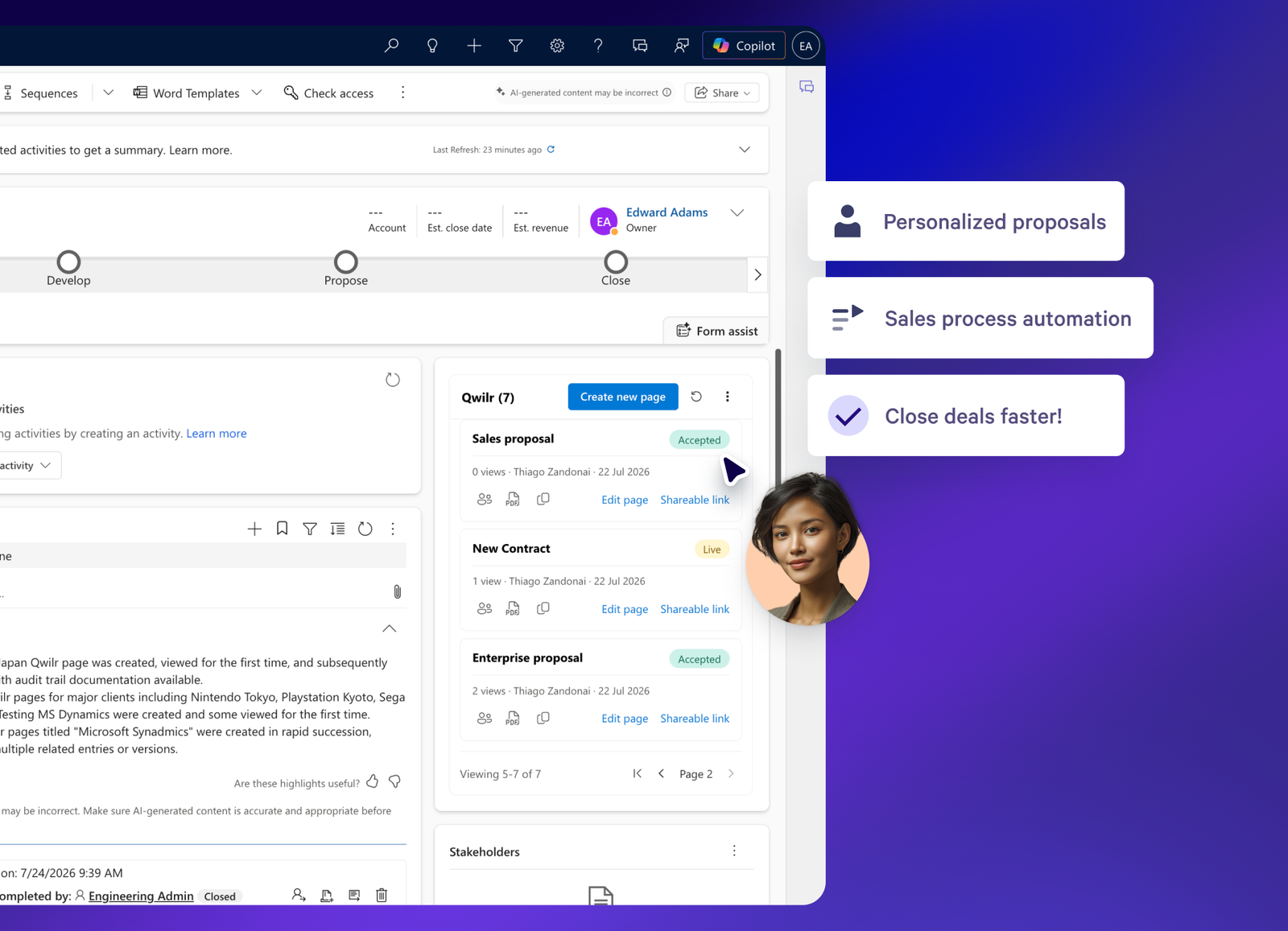
But we’re here to help! We’ve built new Microsoft Dynamics 365 integration that lets your team create, send, and track interactive proposals right from Dynamics, with your CRM data automatically pulled in.
What's new?
Connect Qwilr to Dynamics and your Opportunity, Account, and Contact data is available right where you need it, inside your proposals.
- Create personalized proposals in one click: Pull data straight from your Dynamics Opportunities, Accounts, and Contacts into ready-made proposal templates.
- Personalize at scale with the Smart Proposal Engine: Connect your Dynamics data to the new Smart Proposal Engine and your CRM fields can populate variables across your proposals automatically, alongside your meetings notes or call transcripts, all within your existing sales rules.
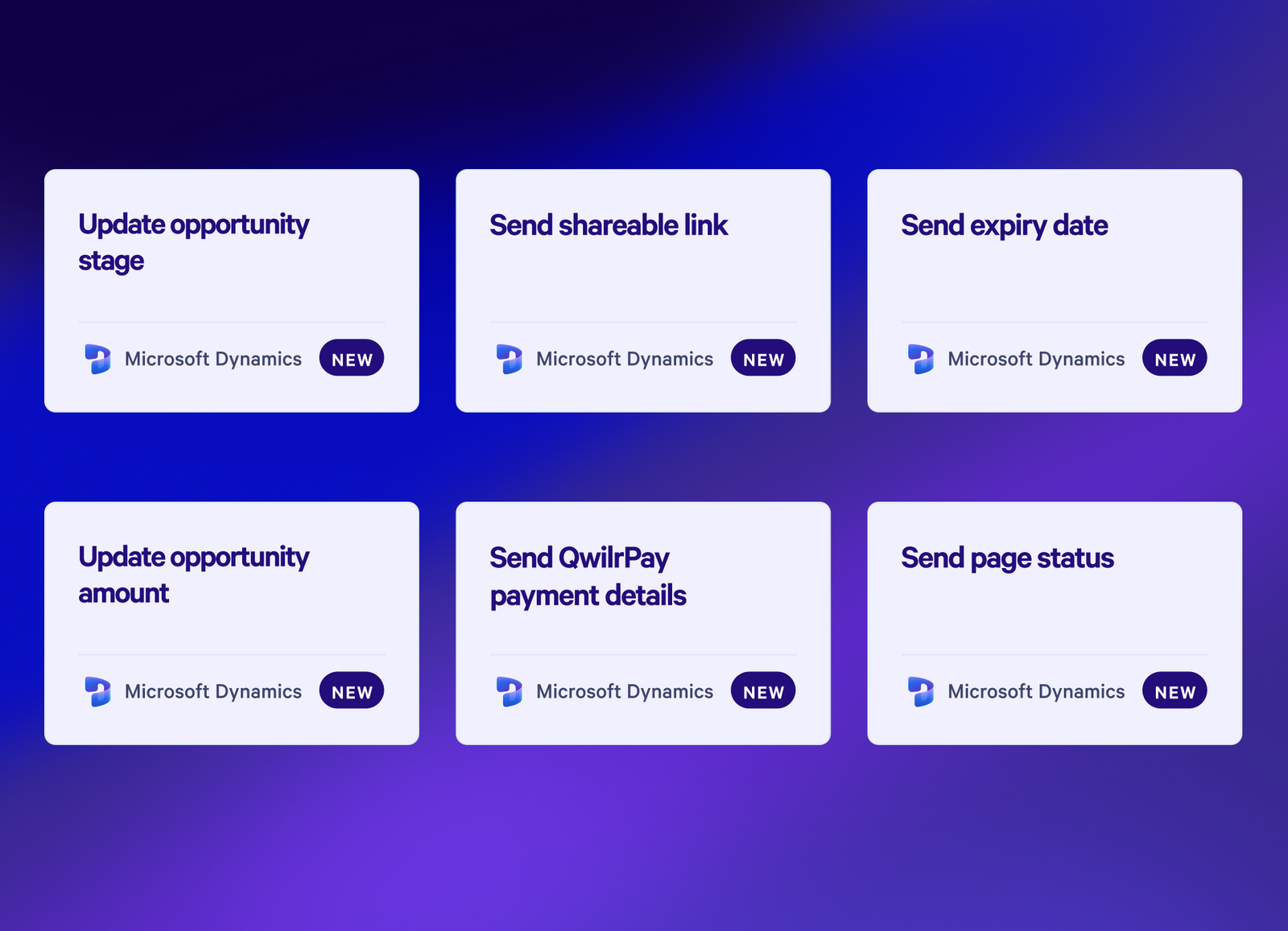
- Keep your CRM up to date, automatically: As a deal moves forward, Qwilr updates your Opportunities in Dynamics. Whatever is in CRM matches whatever is in your proposal, every time.
- Track every proposal from the Opportunity record: See linked Qwilr pages, page details, and share links straight from the Opportunity record, and know when a buyer's viewed or signed without leaving Dynamics.
- Automate your closed/won admin: Once a deal closes, set up Qwilr automations to write page events and data straight back to Dynamics, and kick off onboarding emails, invoices, or payment reminders automatically.
Why does this matter?
- Reps move faster. No more wasted hours on personalizing proposals or post-close busywork
- Buyers have better experiences. Proposals are automatically tailored to each buyer, making them more relevant and engaging
- Manual errors are reduced. Proposals go out with the right pricing and deal details every time, no copy-paste mistakes
- Smoother workflows. Reps can send and track proposals without leaving Dynamics
Getting started
- Head to the Qwilr integrations page and connect your Dynamics account.
- Link your templates to Dynamics objects and set up your variables.
- Create your first proposal straight from an Opportunity.
Do you have questions?
Head to our help documentation to learn more, or chat to our team if you'd like a hand getting set up.
One thing to note: the Microsoft Dynamics integration is available on our new Growth and Scale plans, and on our old Enterprise plan.
About the author

Guy Hall|Head of Product Marketing at Qwilr
Guy leads product marketing at Qwilr – tackling things like positioning, messaging, sales enablement and more. Guy has a background in content and communications, and has worked across a variety of industries including tourism, telecoms and tech.