
Win the advisory work you pitched for
Put the scope, fees and sign-off for each engagement in one branded proposal, built from the template every partner in the firm works from.
4.6 out of 5 from 936 G2 reviews

Rated on G2 for contract management, e-signatures and easy admin




Publish one template every office sends from

One template across every office
Keep your terms and liability wording fixed while partners tailor the scope and fees for each client.

Fee options the client can choose
Present advisory services as packages, optional add-ons or recurring fees. Clients choose what fits, and what they selected lands on the record.

Know when to follow up
See when a proposal is opened and how far the client read, so you can follow up while the opportunity is still warm.
How the proposal works
One firm, in every office
Admins manage the approved template and can lock the sections partners should not change.
Scope, deliverables and fees stay flexible where partner judgement matters.
Explore the content library
Advisory, packaged and priced
Package advisory work as tiers, optional services or recurring fees. Clients choose what they need and the total updates automatically.
Support one-off or recurring fees, monthly or annual pricing, and quantity-based rates.
Explore quotes and payments
Know when the client is engaged
Get an email when a client first opens the proposal and see how long they spent on each section. Turn on email verification and each reader confirms their email before the page opens, so you know who to follow up with.
Explore buyer insights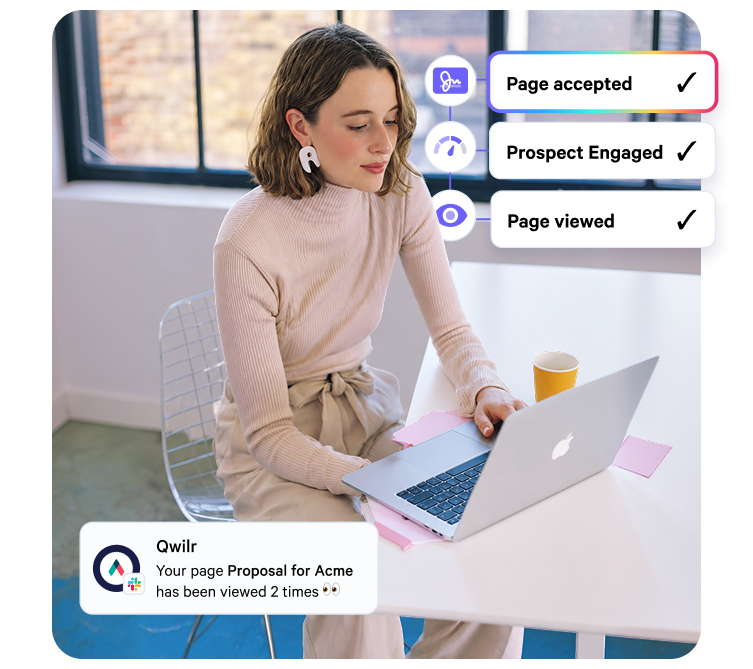
Accepted and on the client file
Clients accept in the same page, with optional deposit collection through Stripe.
Once accepted, the proposal locks. The audit trail records the name, email and company of the person who accepted, along with any answers to your acceptance form.
Explore e-signature
What Qwilr replaces, and what it sits beside
Qwilr handles the proposal workflow and sits beside the systems you already use to run the practice.
Start with an accounting proposal template
Free to use, and easy to adapt into your firm's own approved version.
Browse all templates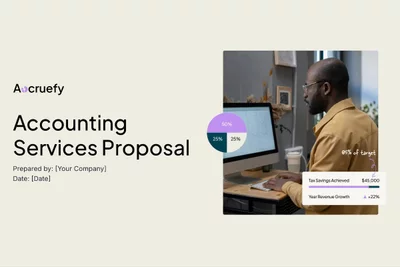



Worth reading next
Guides from the Qwilr blog for accounting and advisory firms.
How to write an accounting services proposal
How to scope the engagement, structure fees and cover the sections clients care about.
How to write an audit proposal
What an audit committee looks for, and how to answer it before they ask.
How to write a bookkeeping proposal
Packaging recurring compliance work so the price holds through the year.

Questions accounting firms ask
Proposal software for accounting firms produces the document a firm sends to win work: scope, deliverables, fees and terms, with acceptance inside the same page. Accounting practices, advisory firms, bookkeepers and audit teams use it for everything from a compliance engagement letter to an audit proposal or a competitive advisory pitch. You can see when the client opened it and how long they spent on each section, and once accepted the page can't be edited.
An accounting proposal should cover the client's situation, the services in scope, deliverables and deadlines, the team, the fee structure and the terms of engagement. Advisory proposals also need to show the outcome the client is paying for. The accounting services proposal template gives you a starting structure.
Not the wording you have locked. Only admins can edit templates, and they decide per template whether a partner can view it or also edit it. A locked block can be added to any proposal, but only an admin can change what it says, so scope, deliverables and fees stay open while the liability wording stays fixed. See how team permissions work.
Qwilr connects natively to HubSpot, Salesforce, Pipedrive, Zoho CRM and Microsoft Dynamics 365, and the full list is on the integrations page. A practice management system needs a custom connection. Name your practice system on the first call and we will talk through what that involves.
Qwilr is built for the proposal you send to win work against other firms, such as an advisory mandate or a transaction services pursuit, where how the document reads and how the fees are presented shape the outcome. It can sit alongside Ignition or another tool you already use for recurring compliance letters. The roundup of proposal software for accountants compares the main options.