

Manual work, like customizing collateral or updating CRM fields, slows sales teams down and pulls them away from activities that actually generate revenue.
Every minute a rep spends manually moving a deal along in Zoho CRM is a minute they're not spending on the conversations that drive deals forward.
Plus, these tasks can often lead to costly, human errors.
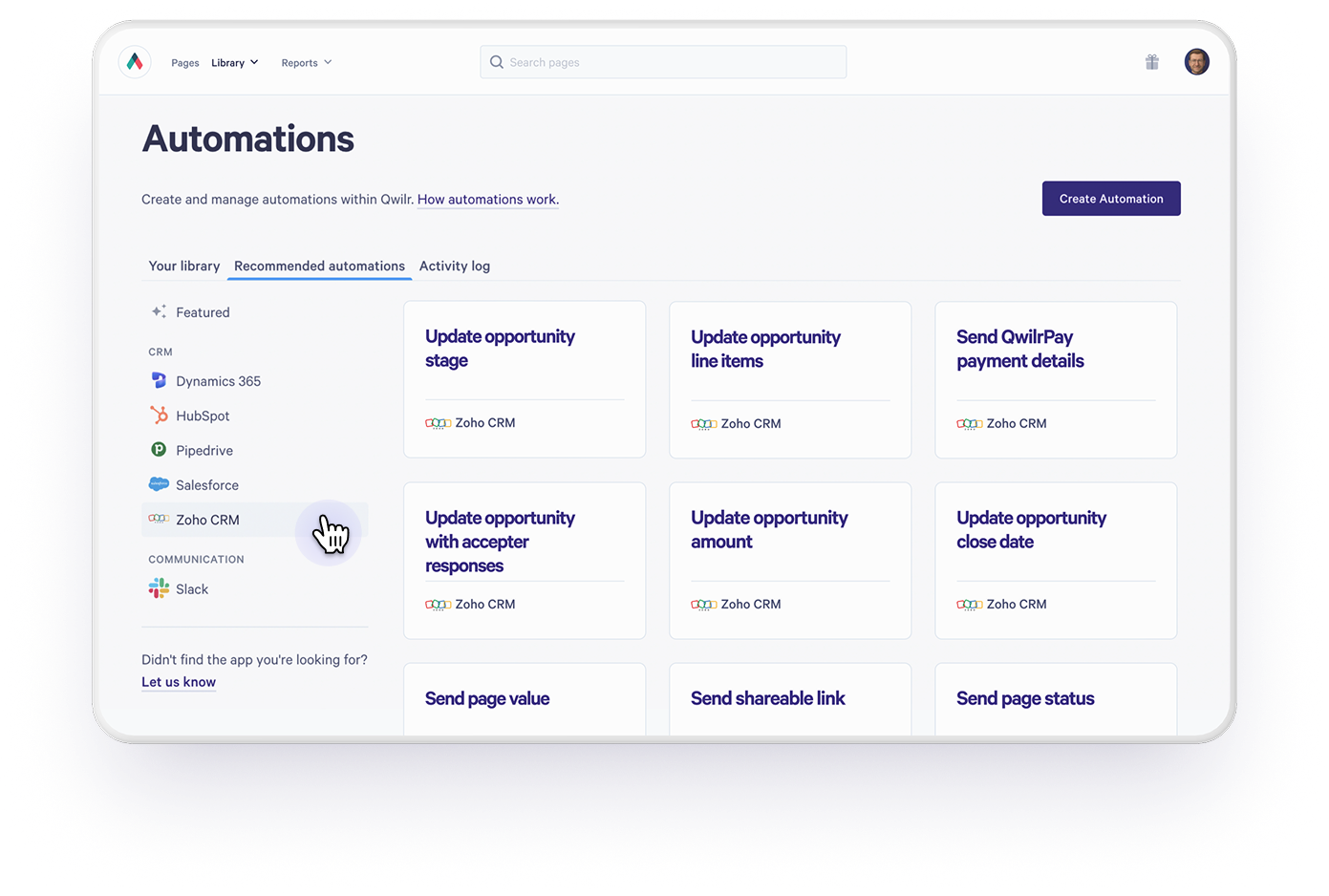
That's why we're excited to announce Zoho Automations: a series of new ways to connect your Qwilr proposals to workflows inside your Zoho CRM.
What's new
You can now use Qwilr page events (like when a page is set live, accepted, viewed, etc.) to trigger updates and automations in Zoho.
For example, you can set up an automation that updates a Deal stage in Zoho when your Qwilr page is accepted.
No more toggling between tabs to update a Deal by hand, and no more deals going stale in your pipeline because nobody remembered to update the stage.
Under the hood, every Qwilr page now exposes a set of live data fields you can map straight onto your Zoho CRM Deal record.
Once those fields are syncing, Zoho's own Workflow Rules take it from there, updating records, notifying reps and moving deals through your pipeline automatically.
Endless possibilities
Our automations for Zoho plug into their Workflow Rules, the possibilities are really only limited by how creative you want to get.
A few of the ways teams are already putting it to work:
Keeping the pipeline honest when pages expire
Nothing skews a forecast like a Deal sitting in "Proposal Sent" three months after the proposal expired.
With Zoho Automations, you can set an automation that says: when a Qwilr page expires, automatically move the associated Deal to Closed Lost.
Or, if your team wants a rep to have one more look before writing it off, route it into a custom "Proposal Expired" stage first.
Either way, your pipeline reflects reality without anyone lifting a finger.
Triggering follow-ups and next steps the moment a page is accepted
When a prospect accepts a Qwilr page, their name, email, organization and any custom form responses can sync straight into the matching fields in Zoho.
From there, a Workflow Rule can kick off whatever comes next: generating an invoice, enrolling the new customer in an onboarding sequence, or firing a personalized welcome email using Zoho's own mail merge fields.
The handoff from "deal won" to "customer onboarded" happens automatically, in the background, while your reps move on to the next opportunity.
Setting tasks for reps automatically
You can’t automate everything away and often a well-timed human touch is needed to get a deal over the line.
With our Zoho automations, you can trigger a Workflow Rule that creates a task for the Deal owner whenever a page is declined, expires without a response, or sits unviewed for a set number of days.
It's a simple way to make sure nothing falls through the cracks, without adding another manual check to your reps' to-do list.
Scratching the surface
These three examples are just a starting point.
Any automation you can build in Zoho’s Workflow Rules can now be triggered directly from a Qwilr page.
Start automating manual work today
Automations aren’t a nice-to-have anymore. They’re what lets sales teams do more with less effort.
If you're already sending proposals and quotes with Qwilr, turning on Zoho Automations takes just a few minutes.
Check out these help documents to get started.
Zoho Automations are not included on our Starter plan.
About the author

Guy Hall|Head of Product Marketing at Qwilr
Guy leads product marketing at Qwilr – tackling things like positioning, messaging, sales enablement and more. Guy has a background in content and communications, and has worked across a variety of industries including tourism, telecoms and tech.