
Sick of wasting time, dragging your team’s proposals into folders?
Or reminding them to tag their pages properly?
Keeping your Qwilr account tidy is one of those jobs nobody signs up for.
It’s no fun, it never stops, and it’s the first thing to slip when things get busy.
Now Qwilr can take care of it for you.
With our internal automations, you set simple rules once, and Qwilr can move pages to folders and adds tags when something specific happens to a page.
Your team stays focused on selling. We keep your account organised.
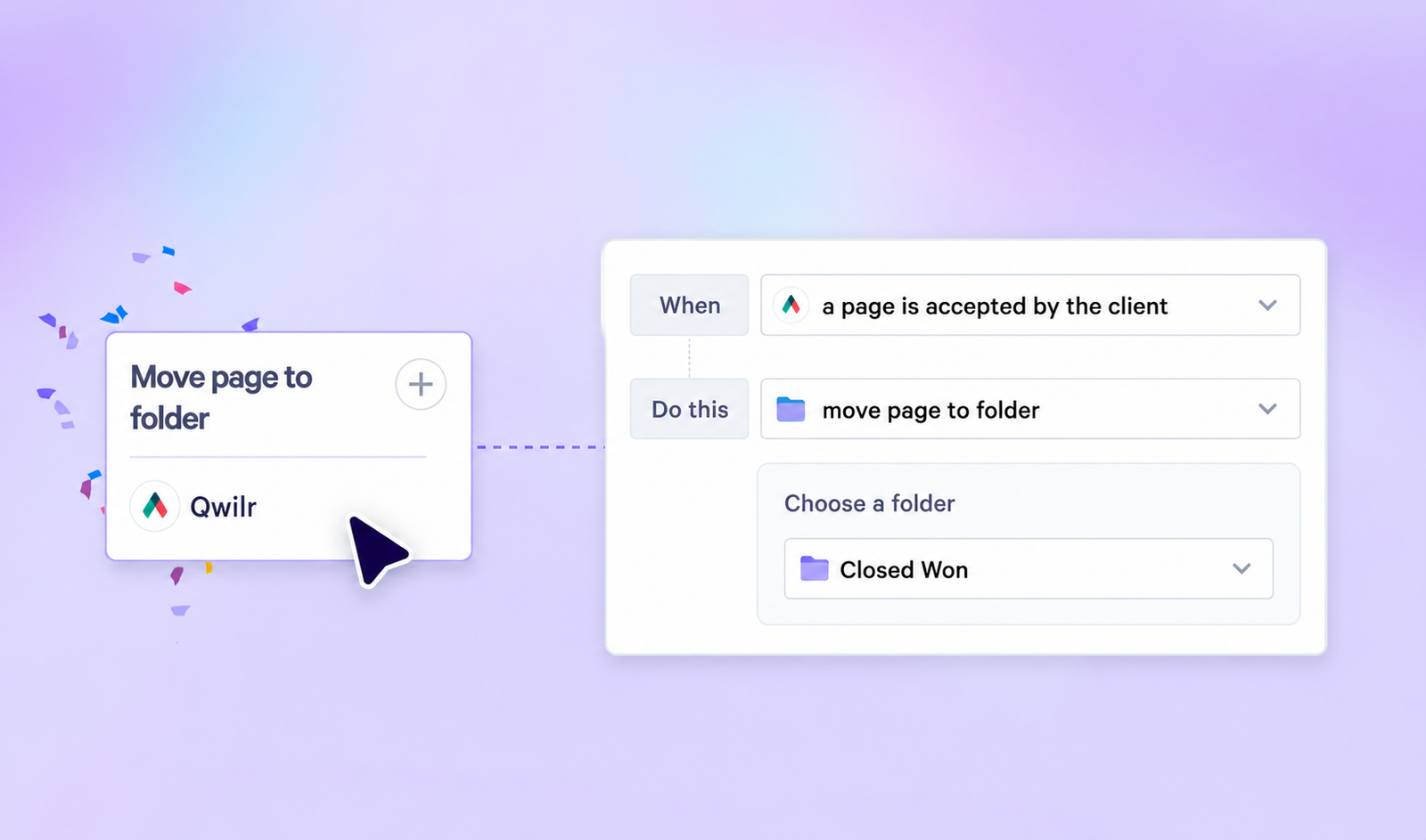
How automations work
Each automation has two parts:
- A trigger: the moment something happens to a page, like when it’s created or viewed for the first time. (You can choose from 15+ triggers.)
- An action: what Qwilr does next. Move the page to a folder, add a tag, or both.
Set it up once and it runs in the background from then on.
File pages as deals move forward
Build a rule for each moment that matters in your sales process, and your pages will move through your folders on their own as deals progress.
For example, when a page is viewed for the first time, move it to your “In play” folder.
Or, when a page is accepted, move it to your “Signed” folder.
Tag pages without relying on anyone’s memory
When a page is created, tag it straight away.
Tags only help if everyone uses them the same way and, with our in-app automations, you can ensure they’re applied the same way every time.
Set different rules for different teams
Not every team works the same way.
You can limit an automation to pages owned by specific people, so your enterprise team, your SMB team or your APAC reps can each follow their own rules.
Why it matters
- Less admin: no more filing and tagging pages by hand
- A tidier account: pages end up where they belong every time
- Clearer visibility: see where every deal stands at a glance
How to get started
- Open the Automations library.
- Create a new automation and pick a trigger, like “page created” or “page viewed for the first time.”
- Choose your action: move the page to a folder, add tags, or both.
- If you only want the rule to apply to some people’s pages, choose those page owners.
- Save it. Qwilr takes care of the rest.
Log in and set up your first one. Got questions? Chat to our team or check out our help docs.
Only admins can create and manage automations. Internal automations are only available on Starter, Growth and Scale, or if you were paying for API access on Business or Enterprise.
About the author

Guy Hall|Head of Product Marketing at Qwilr
Guy leads product marketing at Qwilr – tackling things like positioning, messaging, sales enablement and more. Guy has a background in content and communications, and has worked across a variety of industries including tourism, telecoms and tech.