Your quotes are where deals are won or lost.
You shouldn’t have to compromise on how they’re built or designed.
We've rebuilt quoting in Qwilr with exactly this in mind, giving you more control over how your pricing is laid out, styled and calculated.
We’re rolling out these quoting upgrades progressively. If you don’t see them in your account yet, don’t worry. They’ll be with you soon.
What’s changing?
Previously, you could only display your pricing in one fixed section (the Quote Block) with your total always at the bottom.
Now, we’ve split the Quote Block into three separate components:
- Quote Sections for pricing in a table
- Plan Cards for pricing options shown as cards
- Quote Totals for showing a summary of what's owed
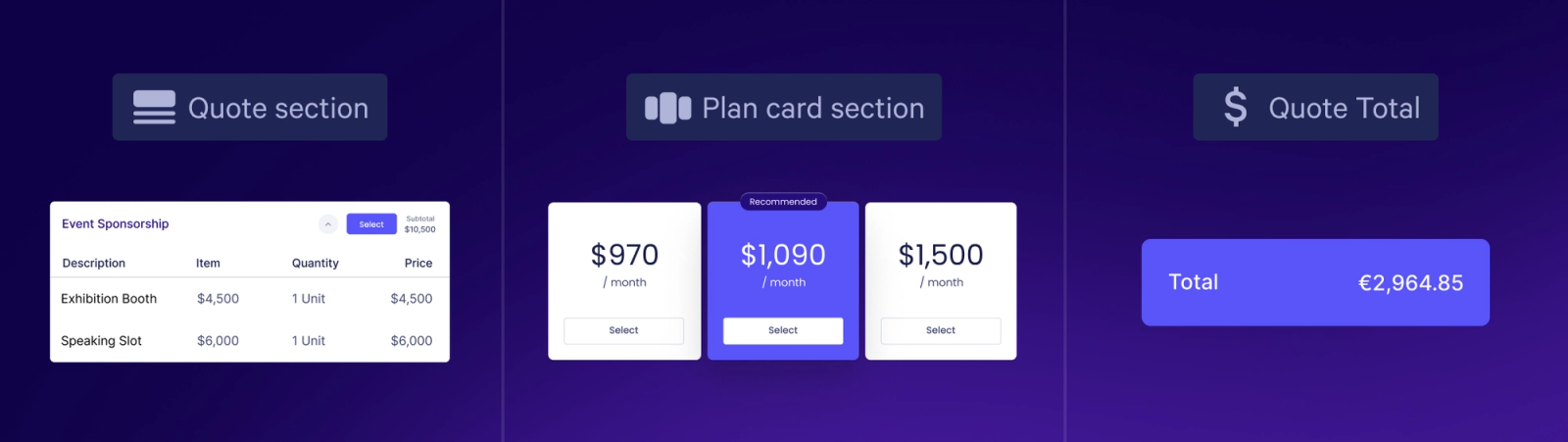
You can place, style and set up each one on its own, so pricing can sit anywhere on your page, including right next to the content that explains or contextualizes it.
To add one to your page, just hit the "+" in any block and select it from the Pricing section.
With this change come plenty of other benefits, from design control to more sophisticated discounting and tax.
Make your case at the point of price
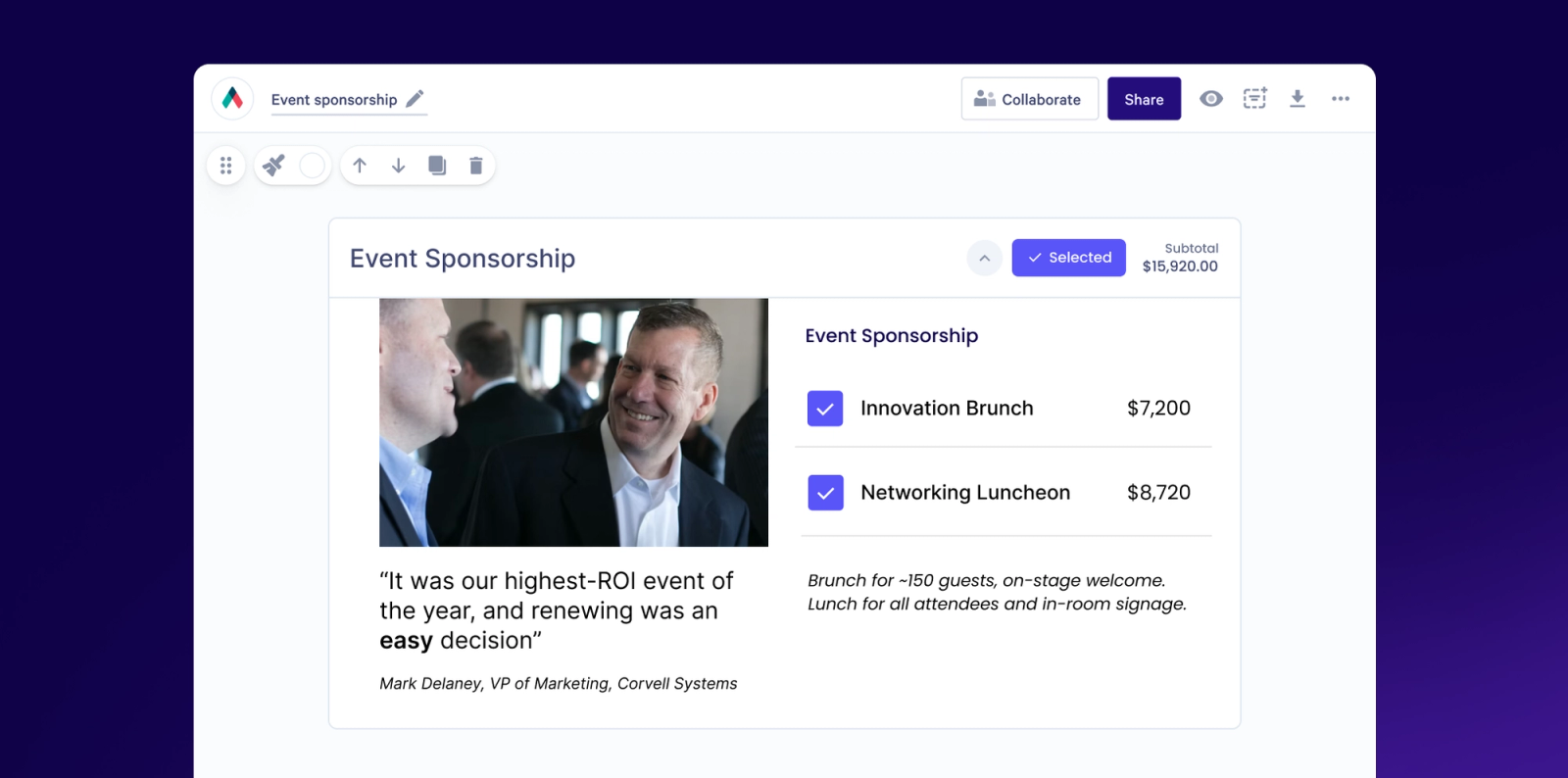
Over the years, we’ve had tons of feature requests from customers who wanted to display images next to their quotes, to help communicate exactly what they’re offering.
Thanks to the new flexible placement of these quote components, this is now possible.
Plus, Quote Sections can now support freeform content alongside line items, including images, text and more.
You’re able to show your buyer what they’re buying, explain its value and handle objections, right at the moment when they’re looking at your price.
More ways to discount and more control over tax
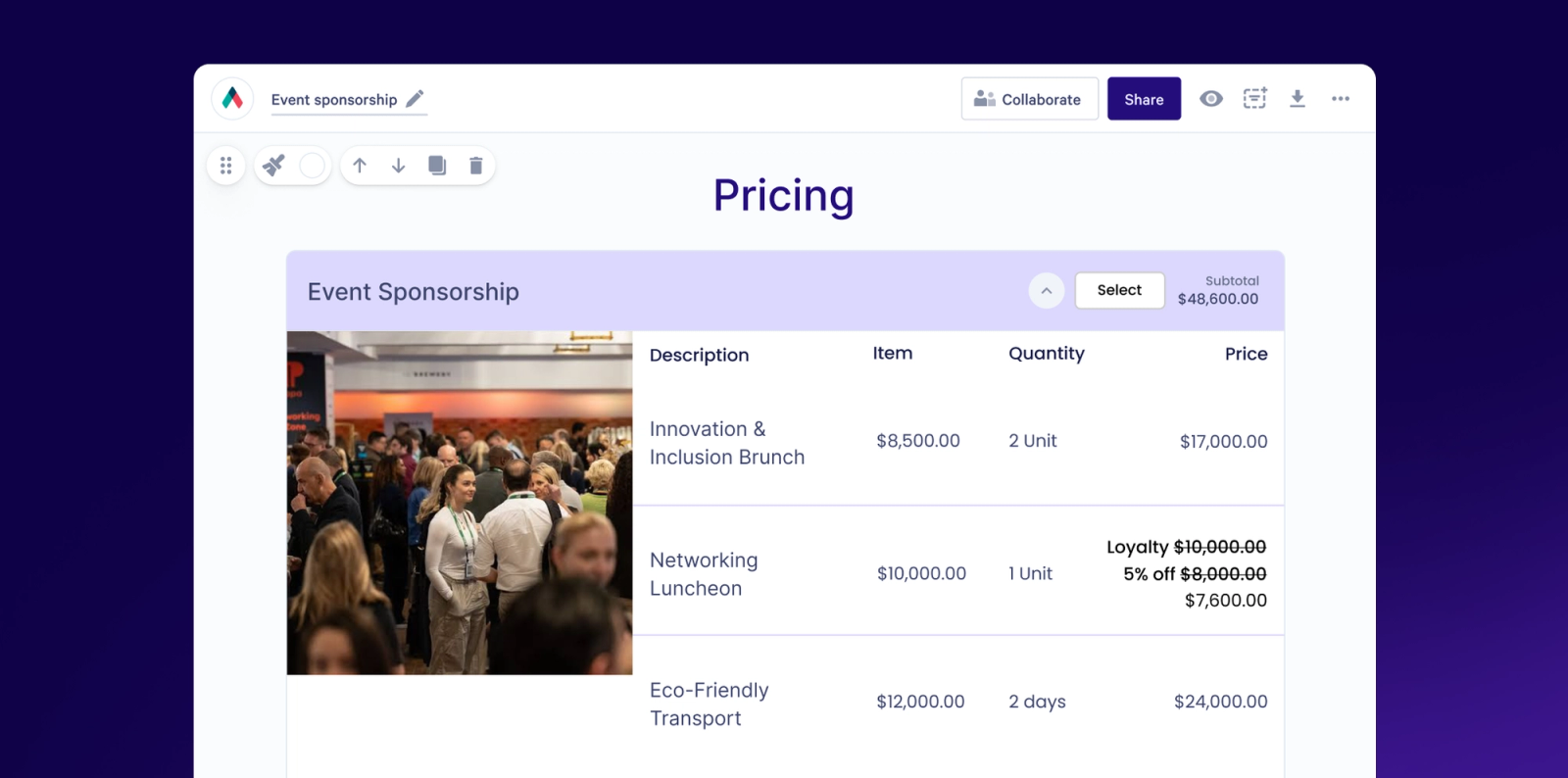
With more flexibility comes the ability to apply discounts to individual line items, sections and totals.
You can stack several discounts (at the same level or different levels), and choose the order they apply in.
The same controls apply to tax, and we've refined how tax is calculated, so even the most complex quotes add up accurately every time.
You can now show your price exactly the way you’ve discussed it with your buyer, without workarounds or manual math.
Style every piece to match your brand
You can style each quote component on its own, from header and background colors to borders and highlights.
Your pricing now looks like the rest of your proposal, and like your brand.
Volume pricing with as many tiers as you need
Variable line items are now called “volume cost”, and they can hold multiple price tiers.
Set each threshold as "at least" or "more than" a given quantity.
For example, charge $100 per unit by default, $90 at 10 or more, and $80 at 20 or more.
The more your customers buy, the better the price, and the math is done for you.
Totals that work for your buyer
Quote Totals aren't stuck at the bottom of the quote anymore.
Put them anywhere, show a total for one block or for the whole page, and choose whether recurring costs count toward "due today."
Make it super easy for buyers to understand exactly what they're paying for, and when.
Build your quoting rules into proposal creation
Teams on Scale can apply “if this, then that” rules to their templates, so things like individual line items or whole quote sections only show when they’re relevant to the deal.
For example, if it’s a new customer, you can show the setup fee. Or, if the deal is for over 50 seats, show the premium support package.
Reps don't have to remember what to include, so quotes go out faster with fewer errors.
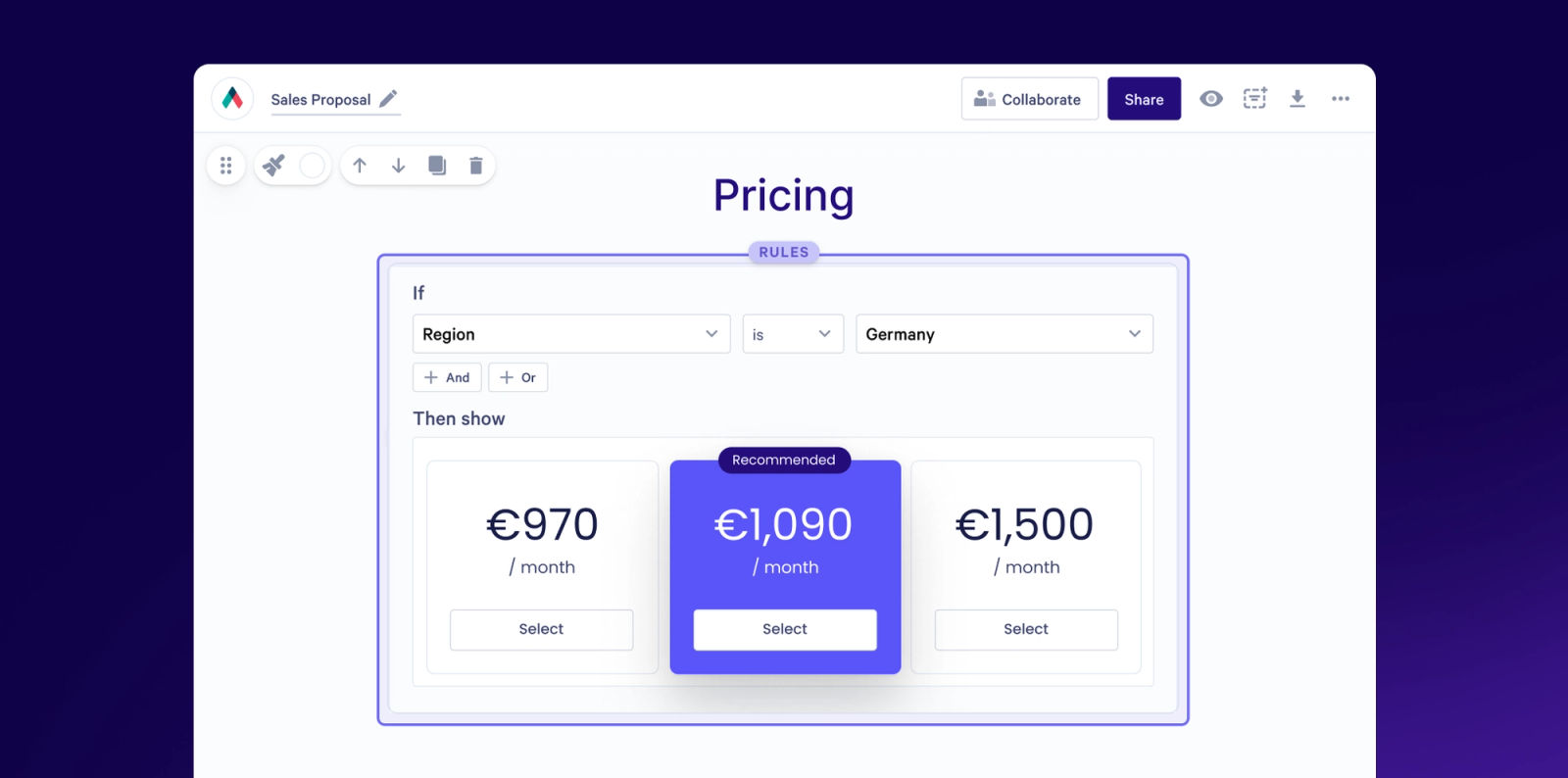
Conditional quoting is available on the Scale plan.
Why it matters
- Clearer and more persuasive pricing. Buyers get the context they need while they're weighing up your numbers.
- Complex deals made simple. Volume tiers, stacked discounts and flexible tax, with no workarounds.
- Layout freedom. More creative control over how your quotes, and your whole proposal, look.
- Quotes that feel like you. Pricing matches the rest of your proposal and your brand.
- The right quote, every time. Your pricing rules are built into the template, not left to memory.
Give it a go
Log in and start building your next quote!
Check out these help docs to see how it all works or chat to our team if you'd like a hand getting set up.
We're rolling this out in stages from the week of October 5, so you may not see it in your account straight away. Keep an eye out, it's on its way.
About the author

Guy Hall|Head of Product Marketing at Qwilr
Guy leads product marketing at Qwilr – tackling things like positioning, messaging, sales enablement and more. Guy has a background in content and communications, and has worked across a variety of industries including tourism, telecoms and tech.