If the headline of this post caught your attention, you’re likely in one of two camps: You’re a sales rep dealing with a heavy quoting load and wondering if there’s a better way, or you’re simply curious whether sending 30 on-brand quotes a week without burning out is even possible.
Before you scroll down looking for a quick fix, we’d like to let you know that it’s possible. Teams are already doing it and not by working longer hours or cutting corners, but by building quoting systems that actually support the way they sell.
And that’s where we’ve seen what Morgan J. Ingram, well-renowned sales coach, once said play out time and again: “Reps that wake up with a plan will always win over the ones that are winging it.”
This article is the plan. We’ll walk you through exactly how to quote at scale without sacrificing brand, clarity, or your sanity.
The quoting system that makes speed and brand work together
A recent Salesforce study found that nearly 70% of sales professionals feel overwhelmed by their workload.
Sending out quotes isn’t always the biggest task on paper, but it often becomes the most draining in practice, more so when you’re juggling live calls, chasing pricing approvals, following up on redlines, and still trying to hit your sales quota.
Essentially, what teams lack is a clear structure. And while most teams don't set out to build chaotic quoting systems (it just happens over time), the hidden costs compound faster than you'd think.
Here's what unstructured quoting actually costs a team that aims to send 30 quotes weekly:
- Time drain: 20 hours/week on formatting and fixes = 1,040 hours annually ($52,000 in rep time)
- Deal delays: 3 extra days per quote = 12% of prospects go cold before they see your proposal
- Error rate: 1 in 5 quotes has pricing/terms mistakes = 300 trust-damaging errors annually
- Win rate: Inconsistent brand drops close rates 6% = 90 lost deals (worth $2.25M at $25K ACV)
- Admin overload: Your ops person spends 70% of time on version control instead of strategic work
These aren't one-time costs. They compound weekly. While your team fights formatting, competitors are having pricing conversations. While you fix version conflicts, deals are cooling off.
Turns out, the fix is simpler than most teams think, and it comes down to getting these eight things right:
1. Locked layout that protects the brand
Most sales reps aren’t designers. They don’t know your brand’s hex codes or the difference between Helvetica and your company’s approved typeface, and honestly, they shouldn’t have to. Their job is to sell, not stress over formatting.
When templates are fully editable, reps naturally make small adjustments to move faster, but those changes create off-brand moments with fonts shifting, logos nudging out of place, and tables getting misaligned. And eventually, quotes start to look noticeably different depending on who sent them. If you think it’s a moot point, think again. According to a Marq report on brand consistency:
- 32% of businesses say brand consistency has increased revenue by 20% or more
- 35% reported growth between 10–20%
A locked layout removes that risk. It gives reps a clean, consistent foundation to work from, one that reflects your brand every time, without adding extra work. And for the buyer, it creates a much smoother, more professional experience.
“Although we were able to create and send quite decent quotes using Word or InDesign templates, switching to Qwilr has enabled us to do it faster, and the enhanced look and feel makes for a much better client experience.”
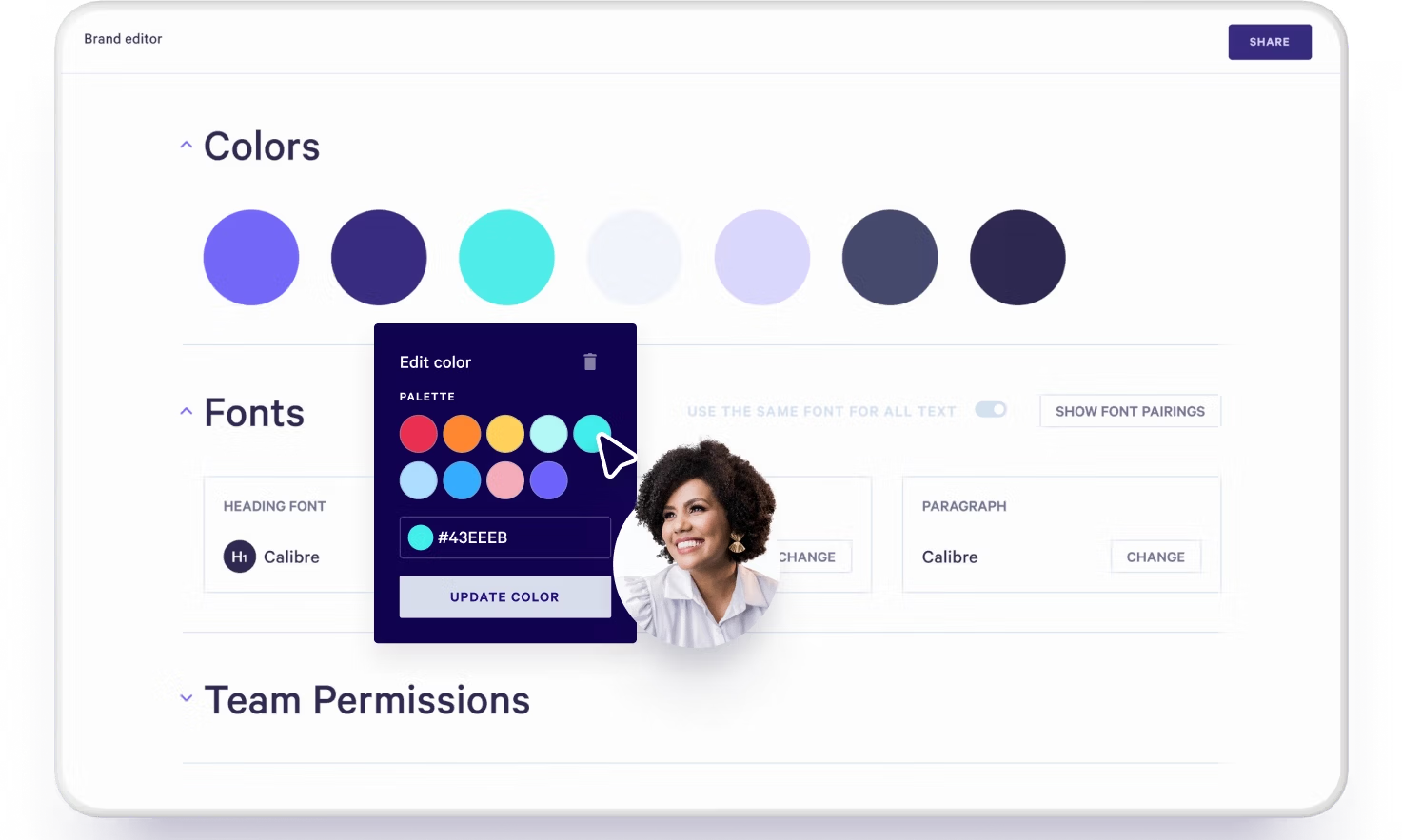
With Qwilr, you can lock down key brand elements — fonts, colors, headers, spacing — so brand consistency is built in from the start. Reps only customize what matters for the deal. Everything else stays polished, consistent, and exactly where it should be.
2. Guided personalization without breaking structure
So you might be thinking: if everything’s locked, how will my sales team actually move forward?
And it's a fair question, but the goal isn’t to lock everything. It’s to remove the parts that shouldn’t change, so reps can focus on the parts that should.
A strong quoting system gives your team clear, editable zones: places where they can confidently personalize details like the client name, scope of work, optional notes, or any deal-specific terms. The rest, such as branding, layout, and pricing structure, stay protected in the background.
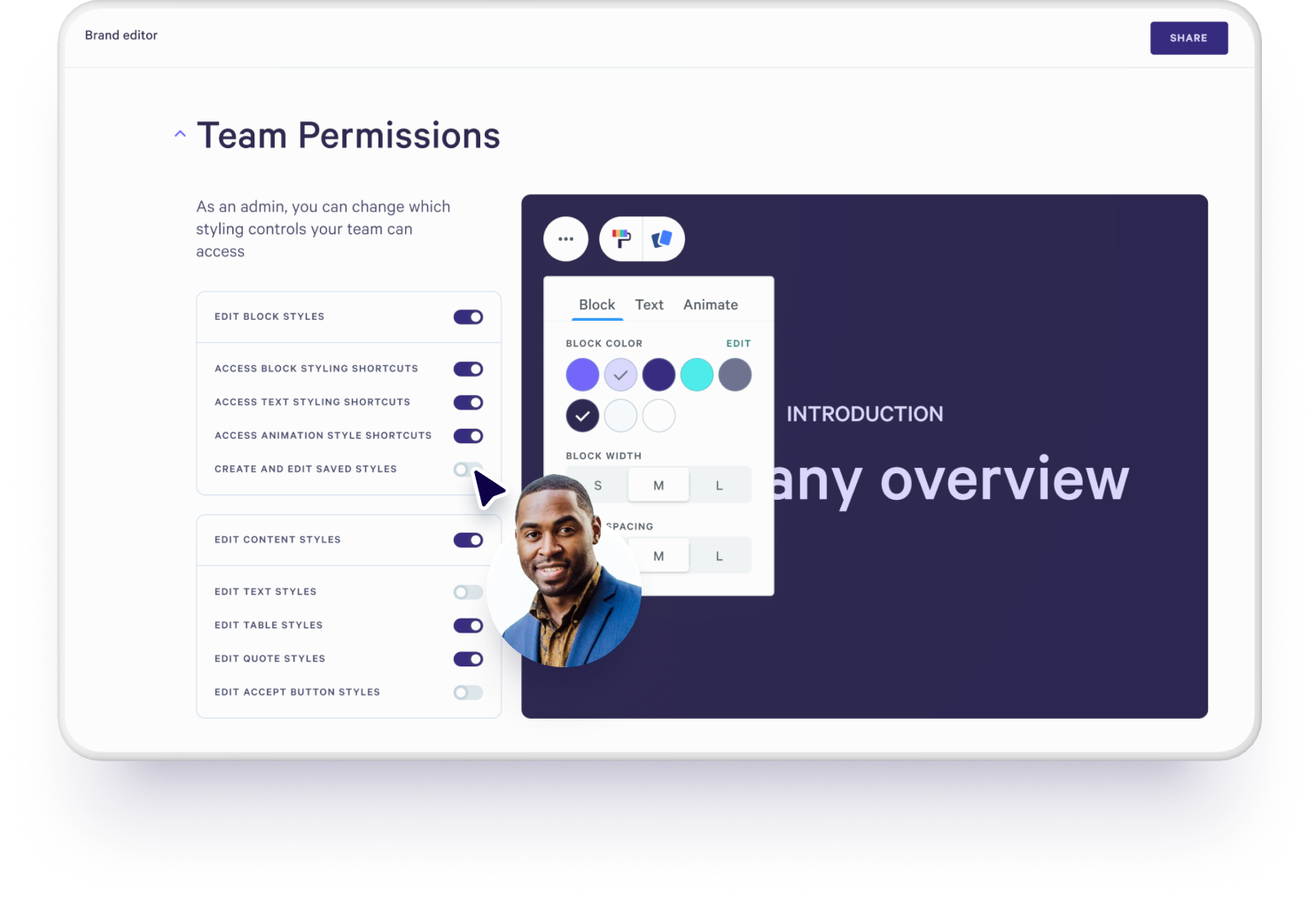
Essence of Email, a US-based ad agency and a Qwilr customer, followed this approach to maintain brand consistency with their quotes. Xiaohui, its founder, shared:
“Qwilr has brought consistency and structure to our sales workflow when it comes to creating proposals and on-boarding clients. We now have a library of dynamic templates set up with our brand colours and fonts to maintain consistency and can quickly fine-tune them as new leads come up.”
In a nutshell, this step gives reps the structure to move faster, with fewer mistakes, without putting consistency or compliance at risk.
3. Built-in approvals that don’t slow reps down
Approval processes are necessary, but they don’t need to be a bottleneck. The key is setting up guardrails that keep deals moving without compromising on quality or brand.
For example, you might create fast-lane rules, i.e., proposals under $50k that only use pre-approved content, go through a lightweight 30-minute review. Or, instead of everything routing through leadership, you empower senior reps to do peer reviews.
And if your team uses Qwilr, there’s another way to simplify the loop: in-line comments.
Instead of switching between email threads or Slack messages, managers can leave comments directly on a Qwilr proposal and add notes to the exact section that needs feedback, whether it’s a pricing block, scope note, or introduction paragraph.
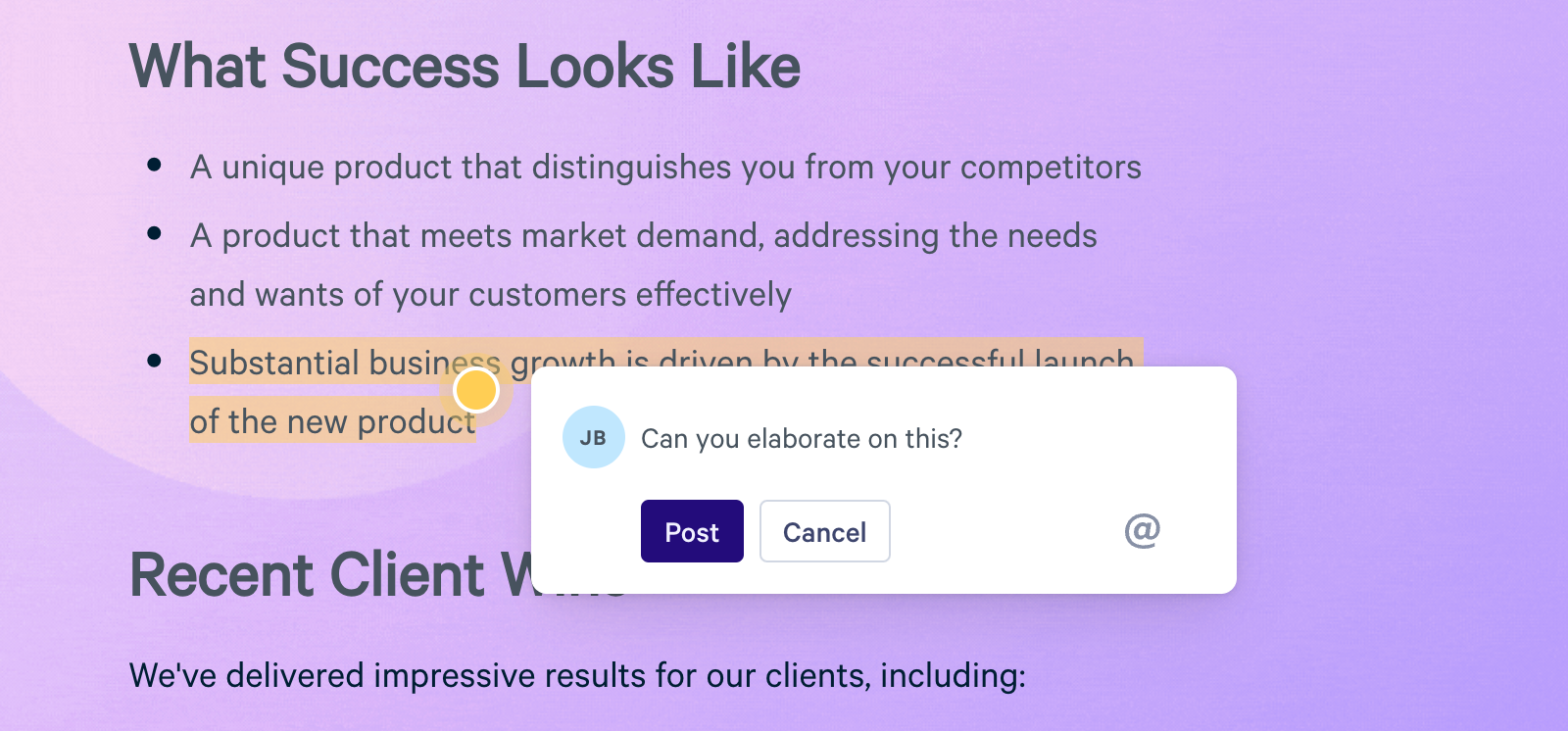
Reps can tag teammates, respond in-line, and get notified when someone replies, facilitating cleaner feedback, faster decisions, and less back-and-forth, all without losing visibility or breaking your workflow.
4. Reusing what’s already approved
Earlier, we talked about giving your sales team the flexibility to personalize without breaking structure. But just as important is knowing which parts of a quote should never be touched, because some sections are too critical to risk rewriting.
When these get tweaked (even slightly), it introduces risk, slows down deals, and chips away at brand consistency.
That’s why it helps to define a few non-negotiable blocks of content that stay locked, stay accurate, and stay aligned across every proposal. For example:
- Legal-approved cancellation or refund clauses
- Standard pricing explanations
- Compliance or security information
- Boilerplate onboarding steps
- Statements that reflect your brand stance (e.g., never referencing competitors directly)
- Customer logos and case study blurbs in a set format
Once these are in place, reps can move faster within the boundaries, with confidence that what they’re including is already approved and polished. Take a consulting firm, for example. If every proposal includes a timeline disclaimer that’s been vetted by legal, why risk retyping it?
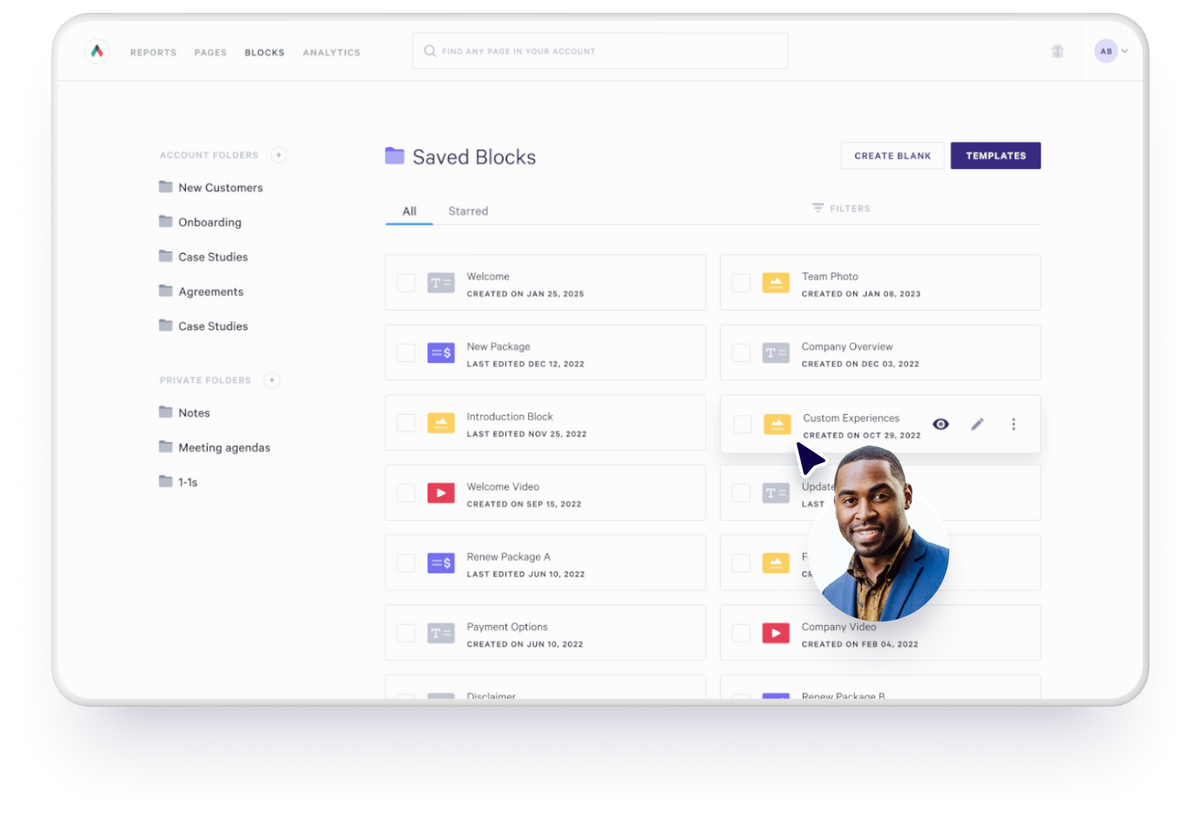
With Qwilr, this is handled through reusable content blocks. You can create blocks for legal, commercial, or brand-critical content, lock them from editing, and drop them into any quote or proposal. It’s a small shift, but one that makes quoting faster, safer, and more scalable as your team grows.
5. Fewer, smarter templates
When quoting gets messy, many teams try to address it by adding more templates. One for this product line, one for that use case, one each for the reps who “do things a bit differently.”

But more templates usually create more confusion. What actually works is the opposite: fewer, purpose-built templates that cover your core quoting scenarios.
Most teams only need three or four. Take a consulting firm, for example. Their quoting setup might include: a general sales proposal, a custom onboarding quote, a renewal agreement, and one enterprise template for more complex service packages. That’s it. Everything else gets handled through customization, not duplication.
It’s the exact same process that the team at Symmetry Media adopted. Instead of using multiple templates, they narrowed down their approach. James Carr, one of its Executive Producers, shared:
“We have built six templates for different tiers of production and tailor them as a new job comes up. We can easily include a personal message from one of our company heads, and a breakdown of the creative execution of the project, including how the film will be shot and the type of cameras, lighting, and music that will be used.”
6. Build a shared proposal library (that improves your whole team, not just one rep)
The best proposals don’t just win deals but teach your sales team what great looks like. But that only happens if you capture and share what’s working.
Start by maintaining a central library of successful proposals. Tag them by industry, deal size, or product type, and go beyond storing the final page. Add internal notes that explain why each proposal worked: Was it the CTA structure? A smart visual embed? A standout explanation of your value prop?
This shared proposal library becomes a reference point for every rep, especially new starters. Instead of guessing how to position a bundled deal or reworking something from scratch, they can pull proven examples and adapt confidently, within approved guidelines.
You can also run proposal clinics to reinforce this system. Weekly sessions work well for new starters, while a monthly rhythm suits seasoned reps. The goal isn’t to critique line-by-line, but to spot patterns: sections that regularly get flagged in review, custom asks that could be templatized, or messages that consistently resonate.
Over time, this builds shared confidence, fewer last-minute rewrites, and faster shipping!
7. Ship faster quotes by embedding context, not just content
In every team, certain proposal sections trip reps up or create client confusion — whether it’s how pricing is structured, what’s included in onboarding, or how your product compares to others. You’ve probably already seen this during proposal clinics or internal reviews.
Instead of re-explaining things in every call or email, give reps ready-to-go video snippets that do the heavy lifting. Think of it as a modular video library: your sales engineer walks through the integration timeline, your CEO introduces the vision, or your legal team clarifies the usage rights.
Unlike static PDFs or Word docs, Qwilr lets you embed rich media, so the proposal doesn’t just say what you do, it shows it. That added context helps clients make decisions faster, reduces unnecessary revisions, and keeps approvals moving.
8. Remove manual errors with CRM-driven quoting
Earlier, we covered what should be personalized and what shouldn’t. But when volume increases, even the “safe” personalization work starts to feel risky. One small mistake with variables such as names, company details, and deal values, when copied from the wrong place, can make the whole quote lose credibility.
The fastest way to reduce errors in high-volume quoting is to remove manual input altogether. That’s where CRM integrations come in. When your quoting tool is connected directly to your CRM, personalization happens automatically and accurately.
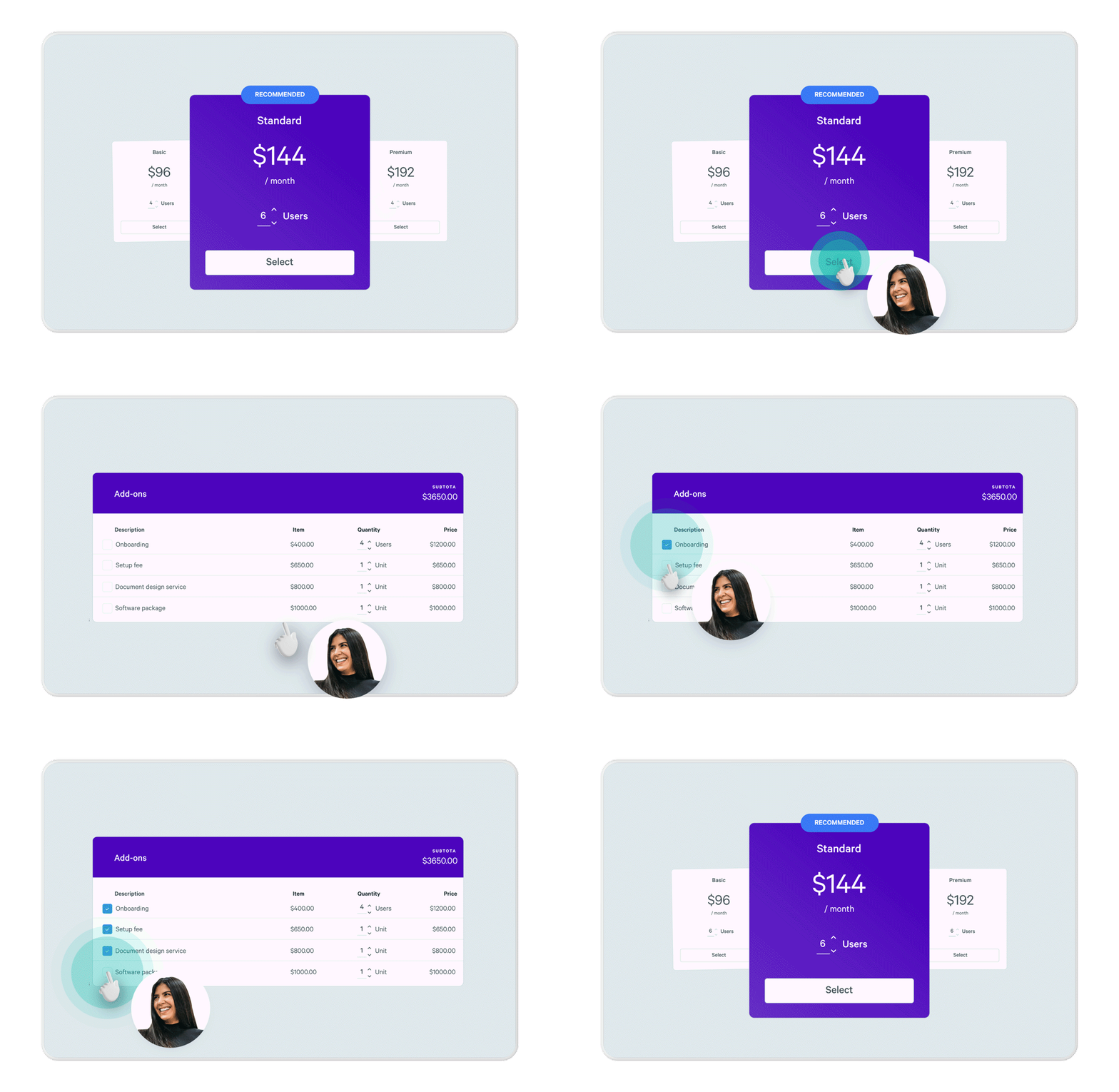
Details are pulled directly from the source of truth, rather than copied and pasted across documents. That’s something the team at Beyond Times Square, a Qwilr customer, experienced firsthand. As Danni Mei, Marketing Manager, shared:
“Small things like typos in proposals can be catastrophic. And back when the team used Microsoft Word, it wasn’t uncommon for proposals to have mistakes. Reps would copy and paste a paragraph and easily miss something. It didn’t look good for our luxury clients because it’s a clientele looking for seamless service with precision.”
By pulling data directly from their CRM into Qwilr proposals, the team reduced manual handling, improved accuracy, and protected the experience their clients expect.
Now that you've seen each building block, here's how they transform your entire quoting operation:
| Area | Without structure | With structure |
|---|---|---|
Brand consistency | Depends on the rep as layout and style often drift | Locked design, brand-safe by default |
Quoting speed | Slows down due to formatting, edits, and approvals | Faster with templates, clear inputs, and fewer edits |
Personalization | Inconsistent, as reps change more than they need to | Guided as reps only edit what matters |
Approvals | Manual, last-minute, often skipped | Baked-in, lightweight, and easy to follow |
Error risk | High, as outdated templates, version confusion | Low as centralized control and version tracking |
Rework | Is frequent as quotes often need cleanup before sending | Is minimal as quotes are ready to go out of the box |
Rep confidence | Low mostly, as they second-guess structure and brand requirements | High as there’s no guesswork, and they can focus on the deal |
Buyer experience | Inconsistent — formatting errors and layout issues | Professional, clean, and easy to engage with |
Automation | Manual copy-paste from varied sources | Deal data auto-populated from CRM |
You don’t need more hustle. You need a better quoting workflow
You've seen the building blocks. Now picture your team actually using them.
Here's what changes:
- Reps sell instead of format, spending time on deal strategy, not font selection
- Quotes become predictable and it’s the same quality whether it's the first quote Monday or the 30th on Friday
- Mistakes drop to near-zero, avoiding any ambiguity and no more apology emails to prospects
- Brand drives revenue as close rate lift and compounds into millions
- Knowledge flows upstream as winning language gets captured and shared, not lost in someone's laptop
You don’t need more hustle, but a quoting infrastructure that scales with your team. Want to see how this could look for your org and how Qwilr can help? Book a demo, and we’ll help map it out.
About the author

Taru Bhargava|Content Strategist & Marketer
Taru is a content strategist and marketer with over 15 years of experience working with global startups, scale-ups, and agencies. Through taru&co., she combines her expert skills in content strategy, brand management, and SEO to drive more high-intent organic traffic for ambitious brands. When she’s not working, she’s busy raising two tiny dragons. She's on a first-name basis with Mindy Kaling.