
Sales reps spend a large portion of their day on administrative work—updating contact records, writing follow-up emails, and creating proposals—instead of talking to customers and closing deals.
Sales automation software handles these repetitive tasks automatically. Tools like HubSpot track customer information, Woodpecker sends follow-up emails on schedule, and Qwilr turns proposals that used to take hours into something you can send in minutes.
This guide covers 10 automation platforms that help sales teams spend less time on paperwork and more time with customers.
Key Takeaways
- Sellers spend a lot of time on administrative tasks, many of which can be set on autopilot using specific software.
- There is an overwhelming number of sales automation software tools on the market, so it’s imperative that you choose tools or an automation platform that is right for your team, structure, and processes.
- When investing in sales software, consider the return on your investment; how many more deals can you close by automating parts of your sales process and freeing up sales team members’ time to focus on higher-value tasks?
| Tool | Best For | Pricing | G2 Rating |
|---|---|---|---|
Apollo.io | B2B prospecting and lead generation | Starting at $0/month | 4.7/5 |
Woodpecker | Cold email outreach with deliverability control | Starting at $0/month | 4.5/5 |
Outreach.io | Full-cycle sales teams with complex workflows | No public pricing available (contact sales) | 4.3/5 |
HubSpot Sales Hub | All-in-one CRM, outreach automation, and pipeline management | Starting at $0/month | 4.4/5 |
Pipedrive | Visual pipeline management and deal tracking | Starting at $14/month per user | 4.3/5 |
Calendly | Automating meeting scheduling | Starting at $0/month | 4.7/5 |
Vidyard | Video outreach and engagement tracking | Starting at $0/month | 4.5/5 |
Gong | AI-driven revenue intelligence and call insights | No public pricing available (contact sales) | 4.8/5 |
Qwilr | Proposal automation and contract signing | Starting at $35/month per user | 4.6/5 |
Clari | Forecasting and pipeline inspection | No public pricing available (contact sales) | 4.6/5 |
SiftHub | Automating RFPs | No public pricing | 4.6/5 |
*Price as of December 2025
What is sales automation software?
Sales automation software handles repetitive tasks throughout the sales process, like updating CRM records in Salesforce, sending email sequences, logging calls, and creating proposals. These tools work for both inbound and outbound sales.
This type of sales software includes:
- CRM platforms that generate weekly reports automatically
- Email tools that send cold outreach at scale
- Dialers that automate calling workflows
- Proposal software like Qwilr that pulls client data from your CRM to create customized quotes
Some marketing automation tools also support sales activities.
How do you choose the right sales automation software solution?
Sales reps spend only 28% of their week actually selling, according to Salesforce's 2024 State of Sales report. The rest of their time goes to administrative work, data entry, and internal meetings. Choosing the right automation tools can shift hours back to customer conversations.
Your team's needs, selling approach, and budget will determine which tools make sense. According to Sales Hacker's State of The Tech Stack 2024, companies with under 250 employees typically use three to four sales tools, while larger organizations (250-1,000+ employees) use 5 or more. Company size is the strongest predictor of tech stack complexity.
Choose automation tools based on:
- Your biggest time drain: If reps spend hours on manual outreach, start with email automation like Woodpecker. If proposals take too long, add Qwilr to cut creation time from hours to minutes.
- Pipeline health: Healthy pipeline but slow closing? Add proposal automation. Empty pipeline? Focus on prospecting tools and lead generation platforms first.
- Team size and structure: Small teams (under 25 reps) benefit most from tools that automate repetitive tasks. Large teams with few managers need conversation intelligence tools like Gong for scalable coaching.
- Integration requirements: Tools should connect with your existing CRM (Salesforce, HubSpot) to eliminate duplicate data entry and keep information flowing automatically.
Features to look for in a sales automation software solution
Possibly the three most important features to look for when choosing sales automation software for your team are:
- Salability
- Integrations
- Ease of use
Possibly the three most important features to look for when choosing sales automation software for your team are:
- Scalability
- Integrations
- Ease of use
Scalability
Sales teams change size frequently through growth, restructuring, or budget shifts. Your automation tools need to flex with these changes.
That flexibility isn’t theoretical. In HubSpot’s 2025 State of Sales, 67% of teams describe themselves as “very” or “extremely” adaptable, and 68% say lead quality has actually improved over the last year, even with macro uncertainty. Your stack needs to scale up and down with the team and stay lean enough to handle higher-quality pipeline without drowning reps in manual work.
Ask vendors:
- Can we add or remove licenses month-to-month, or are we locked into annual contracts?
- How does pricing change as we scale from 25 to 50+ users?
- What happens to our data and workflows if we need to downsize?
- Do you provide dedicated support during transitions (onboarding new reps, migrating data)?
Tools with responsive customer support teams make scaling significantly easier, whether you're growing rapidly or adjusting to leaner operations.
Integrations
Sales automation tools should connect seamlessly with your existing tech stack, especially your CRM.
| Integration Type | Why It Matters | Example |
|---|---|---|
CRM Sync | Eliminates duplicate data entry, ensures accuracy | Qwilr pulls client data from Salesforce to auto-populate proposals |
Marketing-to-sales | Track which campaigns generate closed deals | HubSpot Marketing Hub connects to Sales Hub to show lead source through to revenue |
Email and calendar | Automates scheduling and communication logging | Calendly syncs with Gmail and Outlook for instant meeting booking |
Non-native connections | Bridges gaps between tools | Zapier connects platforms that don't integrate directly |
Poor integrations force reps to enter the same information multiple times, creating friction that kills adoption. That shows up in the data too: sellers say better sales–marketing alignment improves lead quality more than anything else (41%), but “difficulty sharing data with each other” is one of the biggest blockers.
Strong integrations between your CRM, proposal generation tool, and outreach platforms result in unlocking higher-quality leads for the team.
Ease of use
Sales reps adopt tools that save them time immediately. The faster someone can start using a platform and see results, the more likely it becomes part of their daily workflow.
According to Gong, 92% of sellers already feel AI saves them time, but improvements in win rates only show up when tools are easy enough to use daily.
Look for:
- Intuitive interfaces that require minimal training
- Quick setup processes (hours, not weeks)
- Clear documentation and responsive support
- Mobile access for reps working in the field
Our pick of the 10 top sales automation software
Whether you're looking to boost sales team’s productivity by automating email sequences, reduce proposal creation time from hours to minutes, or use AI to analyze sales calls for coaching insights, these 10 sales automation tools eliminate repetitive work and help reps spend more time with customers.
1. Apollo.io: Best for B2B prospecting and lead generation
G2 rating: 4.7/5
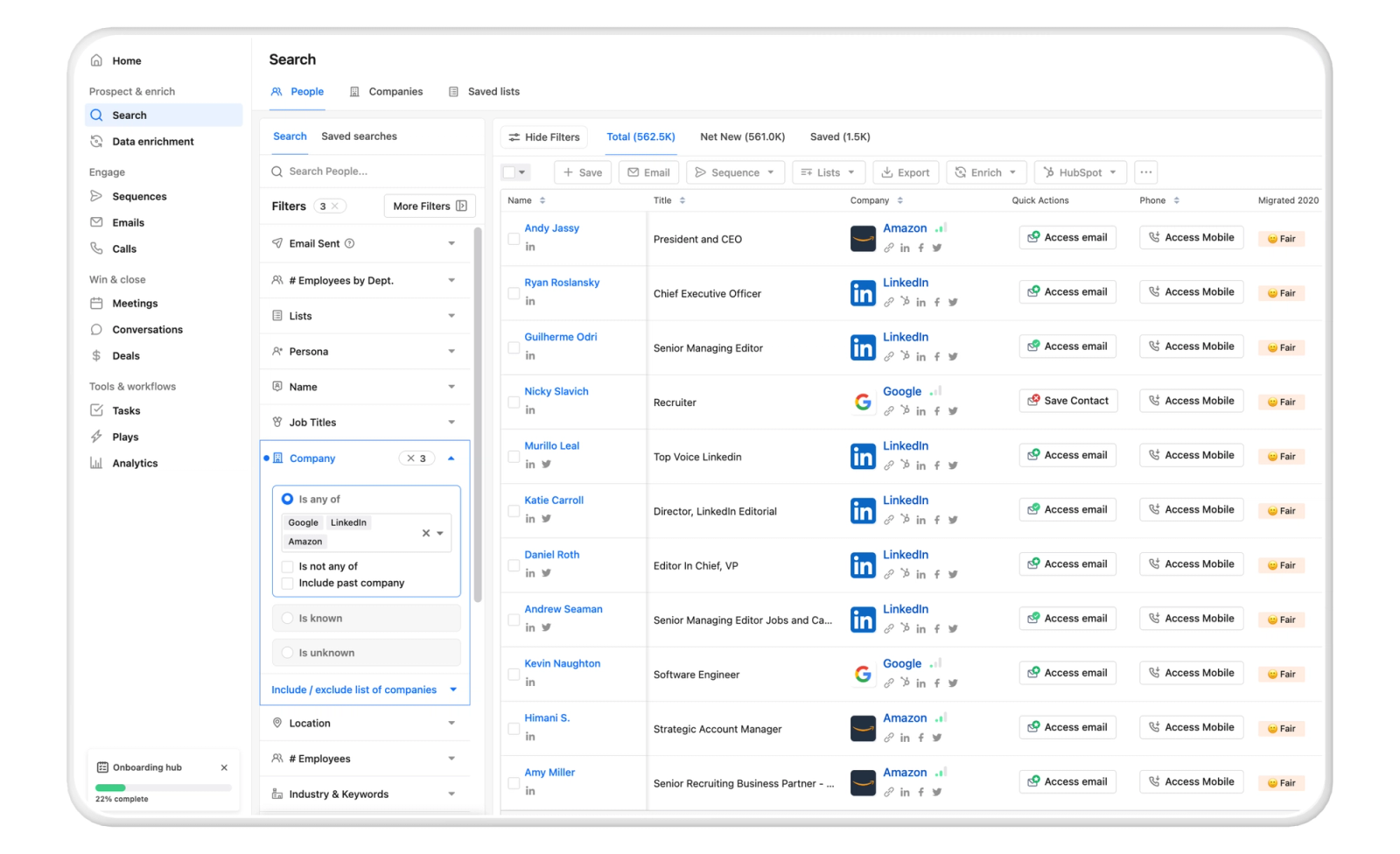
Apollo.io automates B2B prospecting and outbound outreach. The platform searches a database of 250+ million contacts and 60+ million companies, then automatically enriches records with verified email addresses, direct phone numbers, and LinkedIn profiles.
Sales teams set search criteria—job title, company size, industry, location, technology stack, funding rounds—and Apollo builds prospect lists automatically. The platform then runs email sequences that send personalized outreach, track opens and clicks, and create follow-up tasks when prospects respond.
Standout features
- Job change alerts and intent data: Apollo monitors when contacts change roles or companies and flags accounts showing buying signals like funding announcements, technology adoption changes, or hiring patterns.
- Lookalike company search: Upload your best customers and Apollo identifies similar companies based on employee count, industry, technology stack, and growth patterns.
- AI call summaries and conversation intelligence: Apollo automatically generates summaries of all calls your team has had with a contact or account.
- Multiple dialer numbers with smart rotation: Manage and rotate multiple phone numbers based on territory or campaign.
Pricing
- Free: $0/month for unlimited users
- Basic: $49/month per user (billed annually) and $59/month (billed monthly)
- Professional: $79/month per user (billed annually) and $99/month (billed monthly)
- Organization: $119/month per user (billed annually) and $149/month (billed monthly)
Pros and cons
| Pros | Cons |
|---|---|
Extensive database with over 275 million contacts, advanced filters, and intent data for precise lead targeting. | Data quality issues, such as outdated emails, incorrect titles, and high bounce rates |
Multichannel automation including email sequences, LinkedIn, calls, and AI personalization to boost outreach efficiency. | Higher pricing that may strain smaller teams, plus a learning curve for complex features. |
Seamless CRM integrations, real-time analytics, and lead scoring for better pipeline management and performance tracking. | Mixed customer support experiences and occasional challenges with advanced functionality requiring extra training |
G2 review: ”Apollo.io makes prospecting incredibly efficient by combining lead database, email outreach, sequencing, and workflow automation in one platform. The contact data is easy to filter with advanced search criteria, and the UI is clean, fast, and intuitive.
The built-in email sequences and LinkedIn automation save a ton of time, and integrations with CRMs streamline the entire outbound workflow. Tracking (opens, replies, click rates) is clear and helpful.” (Review collected by and hosted on G2.com.)
Verdict
Apollo works well for volume prospecting in industries where the contact data is reliable. The Chrome extension saves time when building lists from LinkedIn, and the CRM sync prevents double data entry. For teams prospecting in specialized industries like healthcare, manufacturing, or government sectors, verifying contact information through additional sources makes sense before launching campaigns. I also believe the platform provides good infrastructure for finding contacts and running sequences, but messaging quality still depends on what you write.
2. Woodpecker: Best for cold email outreach with high deliverability control
G2 rating: 4.5/5
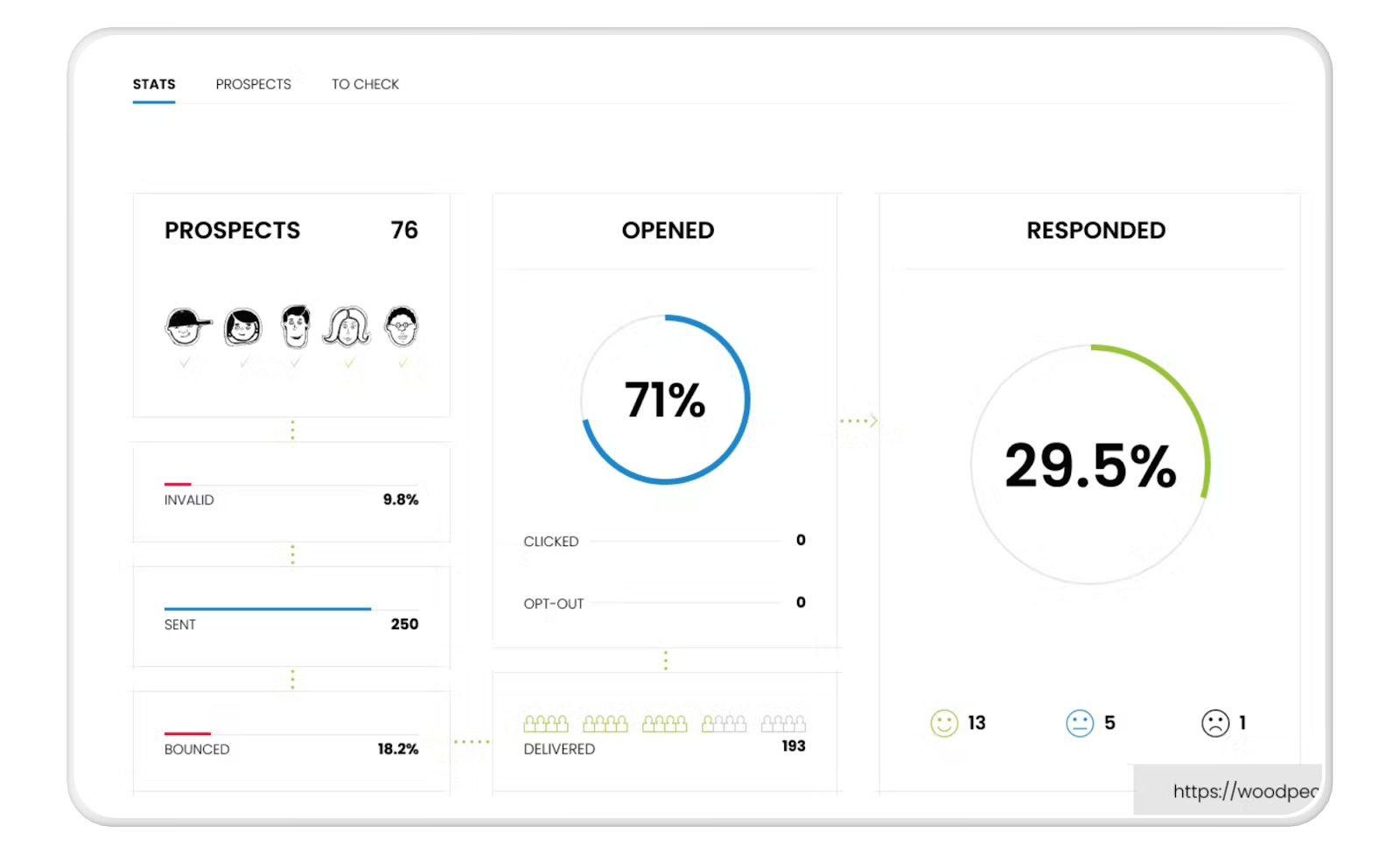
Woodpecker is a cold email automation platform built for sales teams, founders, and agencies that need to send personalized outreach at scale without hurting deliverability. It helps users run multi-step email sequences, personalize messages automatically, and monitor inbox health—all from a single interface.
The platform detects when prospects reply—even if they don't change the subject line—and categorizes responses by sentiment, helping reps prioritize positive replies and urgent questions.
Primary use cases: Running cold outreach campaigns, sending personalized email sequences, following up automatically, and protecting deliverability for outbound sales.
Standout features
- Personalized email sequences: Automatically insert custom fields (name, company, title, niche details) into cold emails to make outreach feel personal at scale.
- Bounce Shield™ protection: Limits daily sending and controls the pace of emails to prevent accounts from hitting provider send limits. Reduces the risk of domain damage and protects sender reputation.
- Deliverability Monitor: Includes real-time alerts for unusual bounce rates, inbox placement issues, or domain warming needs.
- Reply detection & sentiment grouping: Automatically detects replies—even if prospects don’t change the subject line—and categorizes them, helping reps prioritize positive or urgent responses.
Pricing
- Free trial: 7 days or 50 cold emails—whichever comes first
- Starter: $29/month (billed annually) or $35/month (billed monthly) for 500 contacted prospects
- Growth: $126/month or $188/month (billed monthly) for 10,000 contacted prospects
- Scale: $903/month or $1,354/month (billed monthly) for 100,000 contacted prospects
- Max (Enterprise): $6,666/month or $9,999/month (billed monthly) for 100,000 contacted prospects for unlimited prospect contacts with custom features and dedicated support
Pros and cons
| Pros | Cons |
|---|---|
Excellent deliverability protection (Bounce Shield + monitoring) | No native calling, social, or multi-channel engagement |
Strong personalization and sequence automation | Better suited for cold email than full sales-engagement workflows |
Built-in reply detection and campaign analytics |
G2 review: “I like that Woodpecker not only automates my messaging but also gives a possibility to customize the first message for one particular prospect. As a result, even though my campaigns are automated, they still have a personal touch.” (Review collected by and hosted on G2.)
Verdict
Woodpecker protects deliverability but can't fix poor targeting or messaging. The Bounce Shield keeps emails from bouncing, but delivered emails don't automatically mean engaged prospects. The platform also doesn't coordinate outreach across multiple contacts at the same company—you manage each person's sequence separately, which can lead to awkward situations where three people from your team contact the same account.
I’d recommend using Woodpecker when you've already figured out who to contact and what to say. The deliverability features help protect your sending reputation, which matters for cold outreach. But the platform won't write effective sequences for you or tell you if your targeting makes sense. It handles the technical side of sending emails at scale, not the strategic side of deciding whether those emails are worth sending.
3. Outreach.io: Best for full-cycle sales teams with complex workflows
G2 rating: 4.3/5
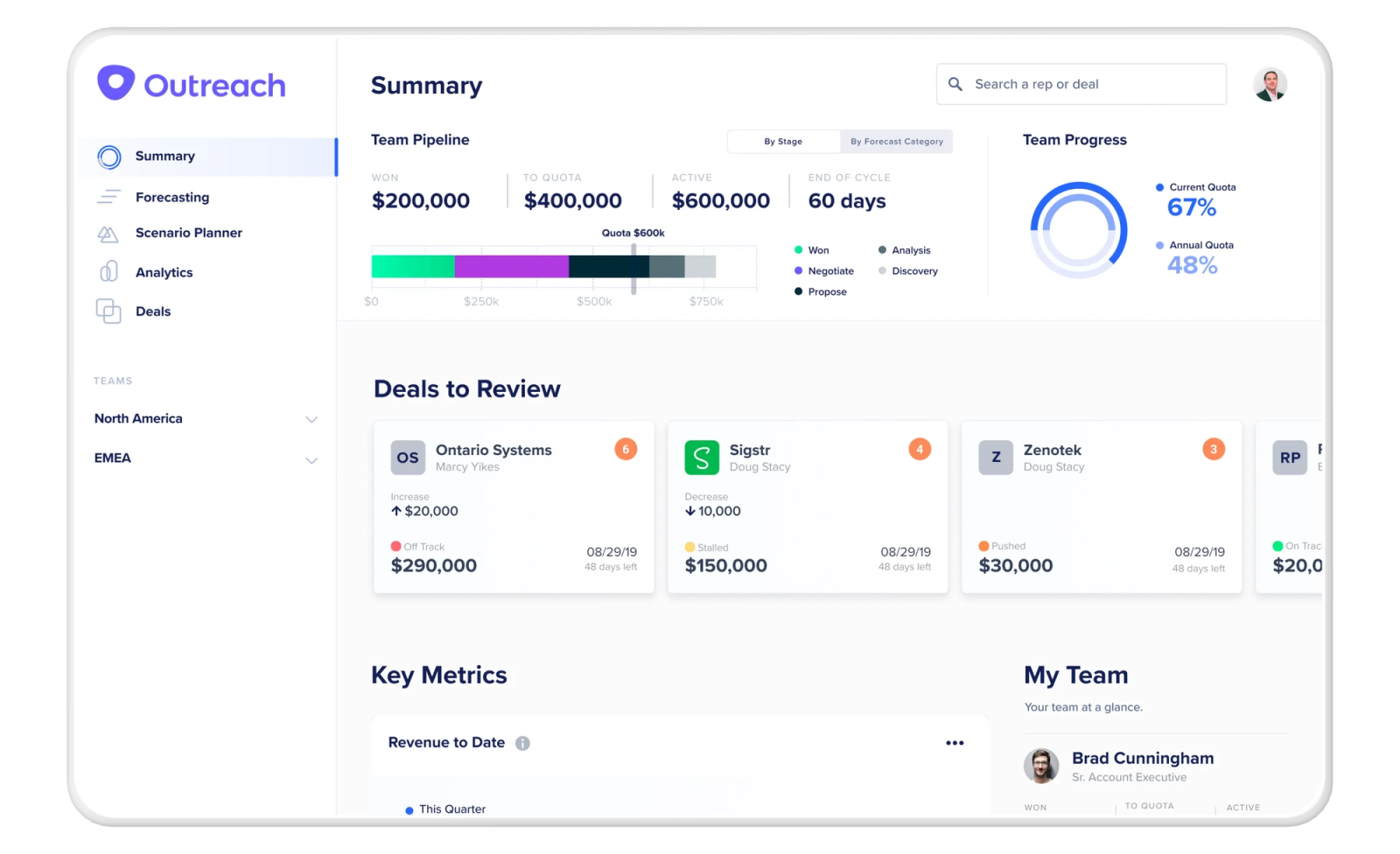
Outreach.io is a sales-engagement and revenue-workflow platform designed to help sales organizations manage the entire sales cycle from outreach to deal close so they can increase deal velocity.
Sales teams build automated cadences that combine emails, call reminders, and LinkedIn touches with follow-ups triggered by prospect behavior like email opens or link clicks. The platform records calls, transcribes conversations, and analyzes performance across the team to identify what messaging works and where deals stall.
Primary use cases: Automating outreach and follow-ups (email, calls, LinkedIn), managing pipelines and deals, forecasting revenue, coach-enabled sales calls, and coordinating multi-channel engagement for inbound and outbound efforts.
Standout features
- Automated sales sequences/multi-touch outreach: Supports multi-step cadences (sequences) that combine outreach through email, calls (and other channels where supported), with automated follow-ups, reminders, and branching depending on prospect behavior.
- Sales engagement across channels: Enables reps to manage outreach across email, calls, and presumably other mediums.
- Call and activity tracking with conversation intelligence: Records and logs meeting calls and other outreach activity, enabling transcription, performance tracking, and analysis.
Pricing
No public pricing available - Outreach does not publish pricing on its website. All costs require contacting sales for custom quotes based on team size and features needed.
Pros and cons
| Pros | Cons |
|---|---|
Covers most stages of the sales cycle: outreach, engagement, calls, meetings, deal tracking, forecasting—reducing need for multiple tools | No publicly available pricing—requires contacting sales for quotes, which can complicate budgeting |
Good fit for medium-to-large sales teams with complex workflows or multi-channel engagement needs | Might be overkill for small businesses or teams only needing simple email outreach or basic CRM integration |
Powerful analytics and reporting give leaders a comprehensive view of pipeline health and rep performance |
G2 review: “From the sales side of the product, Outreach seems to be quite efficient for prospecting. The sequence, templates, snippets are user-friendly. Hence, it creates less friction for sales to waste less time on redundant work and focus more on the quality of the protection.” (Review collected by and hosted on G2)
Verdict
Outreach works well for standardized sales processes but struggles when your approach needs flexibility. Teams with consultative processes or custom approaches per customer often spend time trying to make Outreach fit their needs instead of the other way around. The analytics also show a lot of data without always making it clear what matters most.
I also think Outreach makes sense for larger teams running similar playbooks across many reps. The automation handles routine tasks well, and the coaching features help managers train teams at scale. For smaller teams or sales processes that vary significantly by customer, the platform's structure can feel restrictive.
4. HubSpot Sales Hub: Best for automating outreach, pipeline management, and CRM workflows
G2 rating: 4.4/5
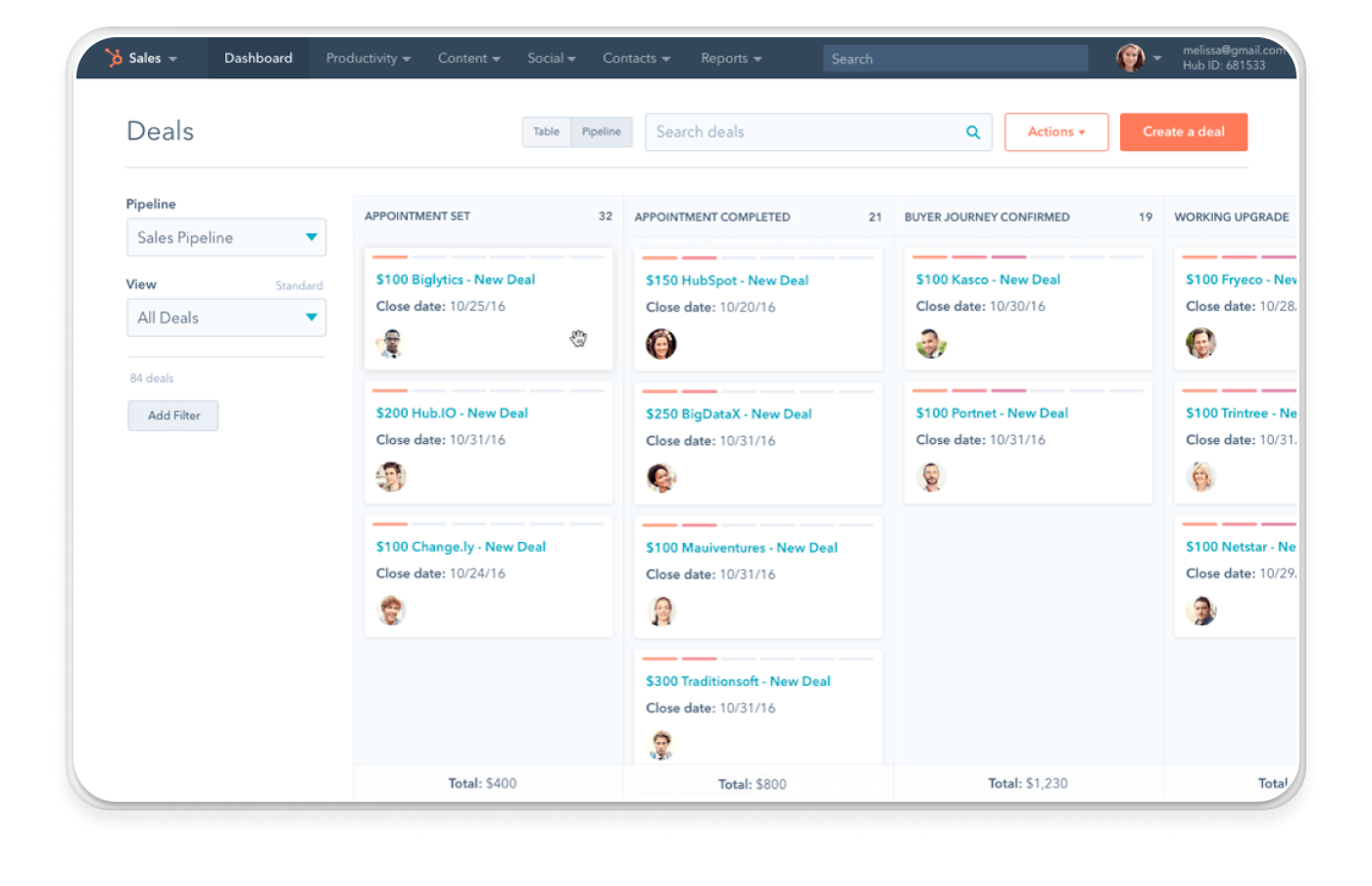
HubSpot Sales Hub is an all-in-one CRM platform that helps small and scaling sales teams automate outreach, manage pipelines, and track every customer interaction in one place. It unifies contact management, email automation, meeting scheduling, follow-up tasks, and deal tracking, making it ideal for teams that want a single system to run their entire sales process.
Task automation creates follow-ups after calls, assigns leads based on territory or company size, updates deal stages when proposals get sent, and sets reminders for check-ins. The platform sits inside the broader HubSpot ecosystem, so marketing data including form submissions, email engagement, and website activity flows into the CRM automatically.
Primary use cases: Managing contacts and deals, automating email sequences and follow-ups, logging customer interactions, scheduling meetings, and giving leadership visibility into pipeline health and rep productivity.
Standout features
- Centralized CRM for contacts, companies, and deals: Store customer data, log activity automatically, and track every touchpoint without switching tools. Deal boards visualize the entire pipeline and help teams spot bottlenecks and forecast more accurately.
- Email templates, sequences, and automated follow-ups: Create personalized outreach sequences that send automatically based on triggers like opens, clicks, or time delays.
- Task automation and workflow triggers: Automate repetitive tasks such as assigning leads, updating deal stages, setting reminders, or creating follow-ups after calls or meetings.
- Native sales + marketing alignment: Because Sales Hub sits inside the broader HubSpot ecosystem, marketing data (forms, email engagement, website activity) flows into the CRM.
Pricing
- Free tools available: Core CRM, meeting scheduler, email tracking, simple pipelines
- Sales Hub Starter: $20/month
- Professional: $100/month
- Enterprise: $150/month
Pros and cons
| Pros | Cons |
|---|---|
Free CRM with strong foundational tools | Advanced automation features locked behind higher-tier plans |
Automates outreach, follow-ups, and pipeline workflows | Can become expensive as team size scales |
Deep alignment between sales and marketing teams | Some customization limitatSome customization limitations compared to enterprise CRMsions compared to enterprise CRMs |
G2 review: “HubSpot Sales Hub sticks out for its ease of use and intuitive interface. Setting up pipelines, dealing with contacts, and tracking deals is straightforward. Implementation is smooth I was capable of get the basic setup strolling speedy while not having a good deal technical assist. I use it daily to control my contacts, track offers, and automate repetitive responsibilities, which continues my workflow regular and organized.” (Review collected by and hosted on G2.com.)
Verdict
HubSpot Sales Hub handles straightforward sales processes well but becomes challenging when requirements get complex. The workflow builder manages simple sequences, but conditional logic based on multiple variables can be harder to implement. Teams with territory-based routing, custom qualification steps, or deal stages that vary by product sometimes need workarounds.
HubSpot makes sense for smaller teams with relatively standard sales processes. The free CRM handles basic needs, and the Starter tier adds useful automation for growing teams. For organizations with complex sales operations requiring extensive customization, the platform's structure might become limiting over time.
5. Pipedrive: Best for visual pipeline management and deal tracking
G2 rating: 4.3/5
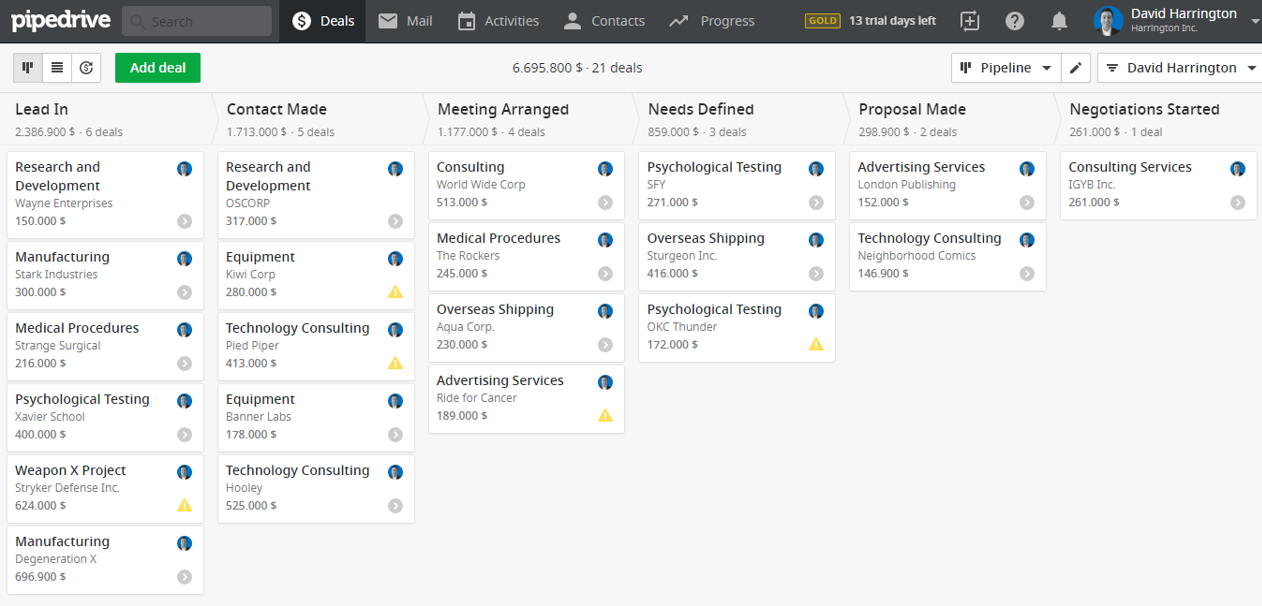
Pipedrive automates sales pipeline management through visual deal boards and workflow automation. Sales teams track deals across customizable stages using drag-and-drop interfaces, set up automated follow-ups triggered by deal movement, and manage activities through centralized task lists.
The CRM platform connects to email accounts through two-way sync, allowing reps to send tracked emails, schedule meetings, and log calls directly from deal records. Workflow automation creates tasks, sends emails, and updates deal stages automatically based on triggers like stage changes, time delays, or contact actions.
Standout features
- Visual drag-and-drop deal boards: Track deals across customizable stages using Trello-style kanban boards that keep opportunities visible and easy to move as they progress.
- Workflow automation for recurring tasks: Create automated actions triggered by stage changes, time delays, or contact actions—automatically send emails, create tasks, or update deal stages.
- Activity-based selling focus: Built around activities (calls, meetings, emails) rather than just contacts, helping reps stay focused on what needs to happen next to move deals forward.
- Email integration with two-way sync: Send tracked emails, schedule meetings, and log calls directly from deal records while syncing all communication back to the CRM automatically.
Pricing
- Lite: $14/user/month (billed annually) or $19/user/month (billed monthly)
- Growth: $24/user/month (billed annually) or $34/user/month (billed monthly)
- Premium: $49/user/month (billed annually) or $64/user/month (billed monthly)
- Ultimate: $69/user/month (billed annually) or $89/user/month (billed monthly)
14-day free trial: Test all Premium plan features without credit card required.
Add-ons (additional monthly costs):
- LeadBooster (chatbot + web forms): $32.50/company/month
- Campaigns (email marketing): $16/company/month for up to 1,000 subscribers
- Projects (project management): Pricing varies by plan
- Web Visitors (visitor tracking): $41/company/month
- Smart Docs (document management): Included free on Premium and Ultimate plans
Pros and cons
| Pros | Cons |
|---|---|
Simple, intuitive interface with visual drag-and-drop pipelines that mimic Trello, keeping deals top-of-mind and easy to advance. | Limited built-in lead generation compared to tools like Apollo, requiring external sources for prospects. |
Quick setup and user-friendly design, ideal for small teams replacing spreadsheets, with strong contact management and labeling for organization. | Reporting lacks depth for complex needs, with customization often needing add-ons or third-party apps. |
Effective workflow automation for tasks, emails, and leads, plus high marks for opportunity management | Pricing scales up quickly for larger teams, and some advanced automations demand setup time or expertise |
G2 review: “I find Pipedrive amazing to work with due to its automation flow and user-friendly interface, making it easy to maneuver through the system. It's a great asset for my company, and I'm excited to build on the capabilities we’ve already started implementing. I particularly appreciate how effortlessly the stages within Pipedrive flow and how it facilitates easy communication with my entire team, ensuring clarity about our ideal stages. The integration capabilities of Pipedrive are also excellent, seamlessly connecting with tools like Slack, Aircall, and Postman, which makes our workflow smooth and interconnected.” (Review collected by and hosted on G2.com.)
Verdict
Pipedrive's visual pipeline works well for straightforward sales processes but becomes limiting when deal complexity increases. The platform assumes deals move linearly through stages, which doesn't always match reality when multiple decision-makers get involved or when deals require parallel workstreams.
In that case, Pipedrive makes sense for teams that prioritize visual deal tracking and need straightforward automation. For teams with complex sales processes involving multiple stakeholders or custom routing logic, the platform's structure might feel restrictive. And budget carefully—the advertised $14/month rarely reflects actual costs once you add email sync, automation, and necessary add-ons like lead capture tools.
6. Calendly: Best for automating meeting scheduling and reducing back-and-forth
G2 rating: 4.7/5
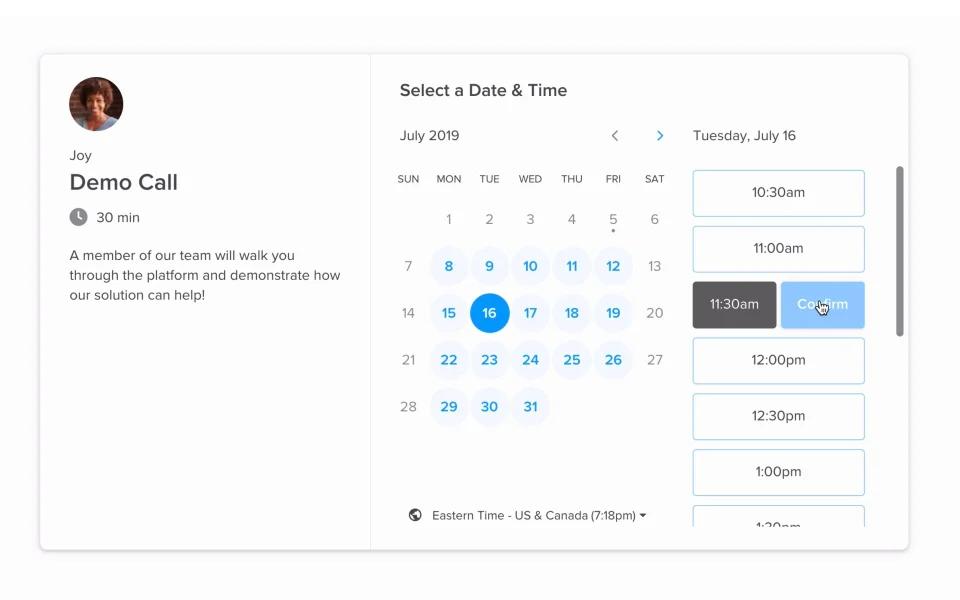
Calendly automates the scheduling process by letting prospects book meetings directly based on your real-time availability. Sales teams can share a booking link that automatically handles time zones, availability, meeting types, and video conference setup.
The platform connects to Google Calendar, Outlook, and iCloud to prevent double-booking. Prospects answer qualifying questions through routing forms before booking, helping teams filter leads and assign them to the correct rep or meeting type based on company size, industry, or product interest.
Primary use cases: Scheduling intro calls, demos, discovery meetings, onboarding calls, and follow-up appointments with qualified leads.
Standout features
- Real-time calendar syncing: Connects to Google Calendar, Outlook, iCloud, and other calendars to prevent double-booking and ensure prospects only see available time slots.
- Routing forms for lead qualification: Prospects can answer qualifying questions before booking, helping sales teams filter leads and route them to the correct rep or meeting type.
- Round-robin and team scheduling: Sales teams can distribute meetings evenly across SDRs or automatically assign calls based on availability, minimizing admin work for managers
Pricing
- Free: Basic scheduling
- Standard: Paid tier with expanded integrations
- Teams: $20 per user/month (monthly billing)
- Enterprise: Starts at $15,000 per year
- Annual billing saves 20%
Pros and cons
| Pros | Cons |
|---|---|
Eliminates manual scheduling and significantly reduces email back-and-forth | Most automation features require paid tiers |
Automatically generates meeting links and reminders | Limited customization on the free plan |
Scales well for SDR teams with round-robin routing | Routing and team features can get expensive for larger teams |
G2 review: “What I like best about Calendly is how simple it makes scheduling. Instead of endless email exchanges, I can just share my link and let others pick a time that works for them. The integration with Google Calendar is seamless, and I appreciate the reminders it sends - it reduces no-shows. It feels professional, saves time, and creates a smooth experience for both me and the people booking with me.” (Review collected by and hosted on G2.com.)
Verdict
Calendly optimizes scheduling speed but changes the dynamic of relationship-building. Sending a booking link early in a conversation can feel transactional, particularly with senior buyers who might expect more personal outreach. The tool also makes it easy to fill your calendar quickly without strong qualification—prospects can book meetings even when email questions might have filtered them out.
I believe it’s great for inbound leads who've already expressed interest and want to book time quickly. For cold outreach to senior buyers, offering specific times manually can show more consideration.
7. Vidyard: Best for automating video outreach and engagement tracking
G2 rating: 4.5/5
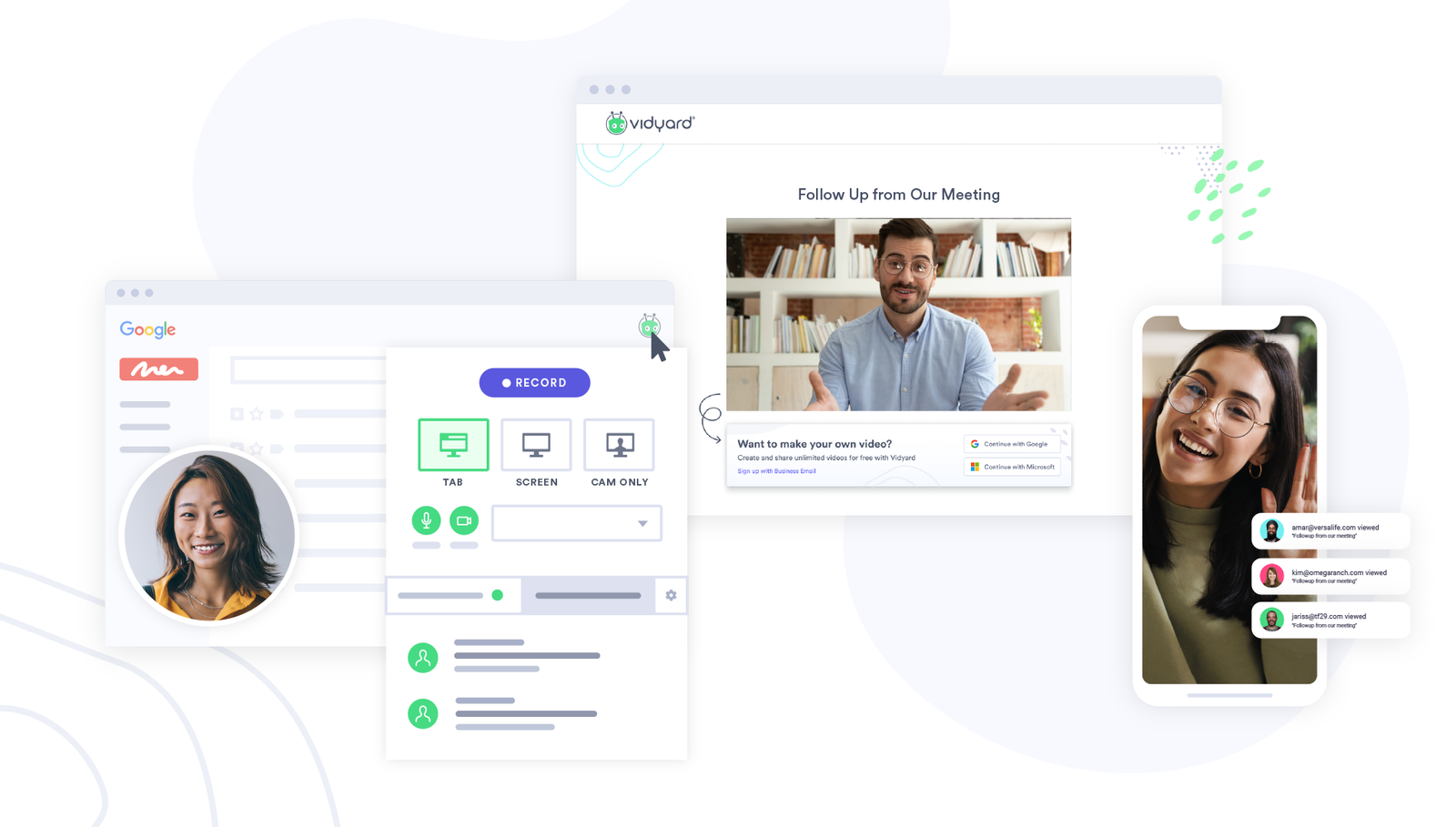
Vidyard helps sales teams automate video outreach by recording personalized messages, sharing them at scale, and tracking how prospects engage with them. Sales reps can use Vidyard to create quick webcam or screen-share videos and automatically embed them into sequences, follow-ups, and outbound campaigns.
Personalization tools automate custom thumbnails, add calls-to-action at the end of videos, and customize landing pages without manual editing. Video hubs also store demo libraries, onboarding content, and product explainers that get shared automatically based on deal stage.
Primary use cases: Asynchronous video outreach, demo walk-throughs, proposal overviews, onboarding videos, and automated video steps inside sales sequences.
Standout features
- Automated video insertion into sales sequences: Integrates with sales engagement tools like Outreach and Salesloft, allowing reps to automatically insert videos into multi-step outreach cadences.
- Viewer tracking & engagement analytics: Automatically notifies reps when a prospect watches a video, how long they watched, and which parts they rewound or skipped.
- Personalization tools (CTAs, thumbnails, landing pages): Automate personalized thumbnails (e.g., holding a prospect's name on a whiteboard), add calls-to-action at the end of a video, and customize landing pages without manual editing.
- Video hubs for scalable content: Store demo libraries, onboarding videos, FAQs, and product explainers in one hub and share them automatically with leads based on deal stage or buyer needs.
Pricing
- Free plan available with basic recording and sharing
- Paid plans start around $89/month for more branding, analytics, and personalization
- Advanced plans for teams include CRM integration, video hubs, and enterprise-level automation
- Pricing varies by seat and feature set
Pros and cons
| Pros | Cons |
|---|---|
Automates video outreach inside existing sales workflows | Some advanced automation and analytics locked behind higher tiers |
Real-time engagement alerts improve follow-up timing | Requires reps to be comfortable on camera |
Works well for product-led and demo-driven sales teams | Best results depend on integration with an engagement platform |
G2 review: “Vidyard has made sending personalized videos way easier for both prospecting and internal communication in my team. When I'm reaching out to new leads, embedding a quick video in an email breaks the ice much better than cold text. I can track who watched, which makes follow ups smarter. and the integration is solid, plugging Vidyard into tools like Gmail or Salesforce keeps everything in one place and saves me a ton of juggling.” (Review collected by and hosted on G2.com.)
Verdict
Vidyard assumes video improves engagement across all buyer types and situations, but that's not always the case. Some buyers prefer visual demonstrations they can watch on their schedule. Others would rather read brief text summaries than commit time to watching videos. The engagement tracking shows viewing behavior, but interpreting what that behavior means requires context.
In that case, I’d recommend it for product demonstrations and situations where visual walkthroughs add clear value. Recording explanations once and sharing them with multiple prospects saves time compared to repeating the same demo on individual calls. For cold outreach or situations where text would work just as well, the time investment in creating videos might not pay off. The platform performs best when the video format genuinely fits the message you're trying to deliver.
7. Gong: Best for AI-driven revenue intelligence and call insights
G2 rating: 4.8/5
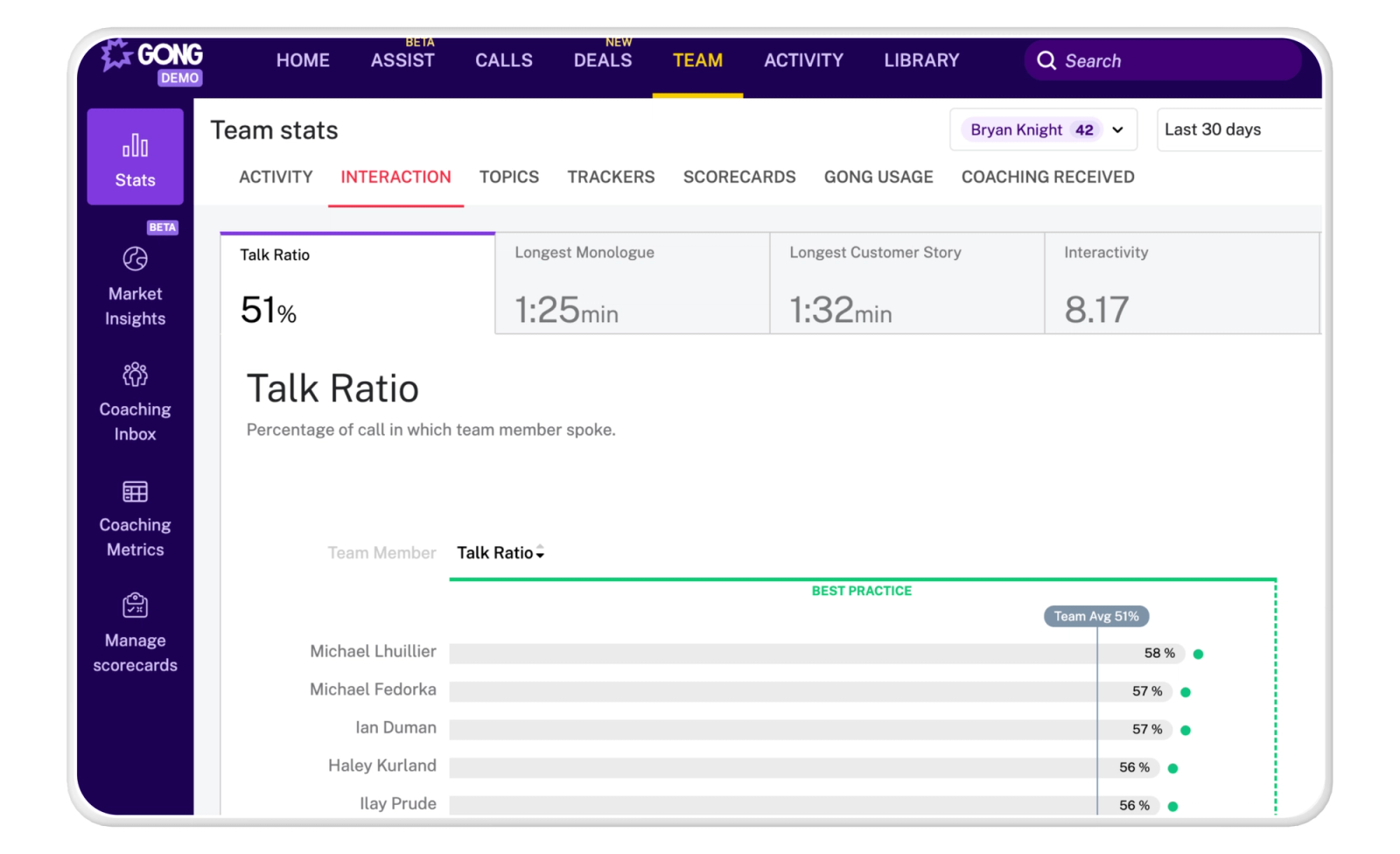
Gong turns customer interactions into actionable insights by automatically capturing and analyzing every call, email, and meeting across the sales process. The platform uses AI to understand what’s happening in deals, how reps are performing, and where revenue teams can improve.
Sales teams record calls automatically, and Gong transcribes and analyzes talk ratios, objections raised, pricing discussions, next steps mentioned, and customer sentiment. Managers identify top-performing behaviors—like how effective reps handle discovery or pricing conversations—and build coaching programs based on real interactions.
Primary use cases: Analyzing sales calls, emails, and meetings; coaching reps with data-backed feedback; identifying deal risks; understanding pipeline health; and uncovering insights that improve win rates and shorten sales cycles.
Standout features
- AI-powered conversation analysis: Analyzes talk ratios, topics, objections, pricing discussions, next steps, and customer sentiment.
- Pipeline and forecast accuracy tools: Gong’s AI reviews deal activity, buyer engagement, and historical patterns to help sales leaders forecast more accurately and understand pipeline health in real time.
- Coaching insights and scorecards: Managers can identify top-performing behaviors (e.g., how top reps handle discovery or pricing) and create coaching programs based on real interactions.
Pricing
- Gong does not publish pricing publicly.
- The pricing page provides an overview of available packages and requires prospects to submit a form to receive custom pricing based on team size and use case.
Pros and cons
| Pros | Cons |
|---|---|
Extremely powerful conversation intelligence | No public pricing; requires contacting sales |
Objective call, email, and meeting analysis across the entire sales organization | Primarily focused on analysis and intelligence—not an outreach or engagement tool |
Strong forecasting and deal risk visibility | Best suited for teams that already have large sales call volume |
G2 review: “I enjoy using Gong because it is easy to use, and allows me to go back and review calls. At the end of each call it provides a brief summary I can use in order to create a recap email for my clients. It also identifies action items from my calls I can use in order to keep track of what all I need to do following a call!” (Review collected by and hosted on G2.com.)
Verdict
Gong generates more insights than most teams can act on. The platform flags coaching opportunities and conversation patterns, but implementing changes based on those insights takes time and focus. Sales managers still need to prioritize which findings matter most and how to address them with their teams.
I recommend Gong for larger teams where patterns across many reps reveal insights that individual call reviews would miss. For smaller teams, the investment might outweigh the benefit—managers can often get similar insights from listening to calls directly. The platform requires someone to translate its findings into actual coaching and process changes.
8. Qwilr: Best for automating proposal creation and contract signing in one workflow
G2 rating: 4.6/5
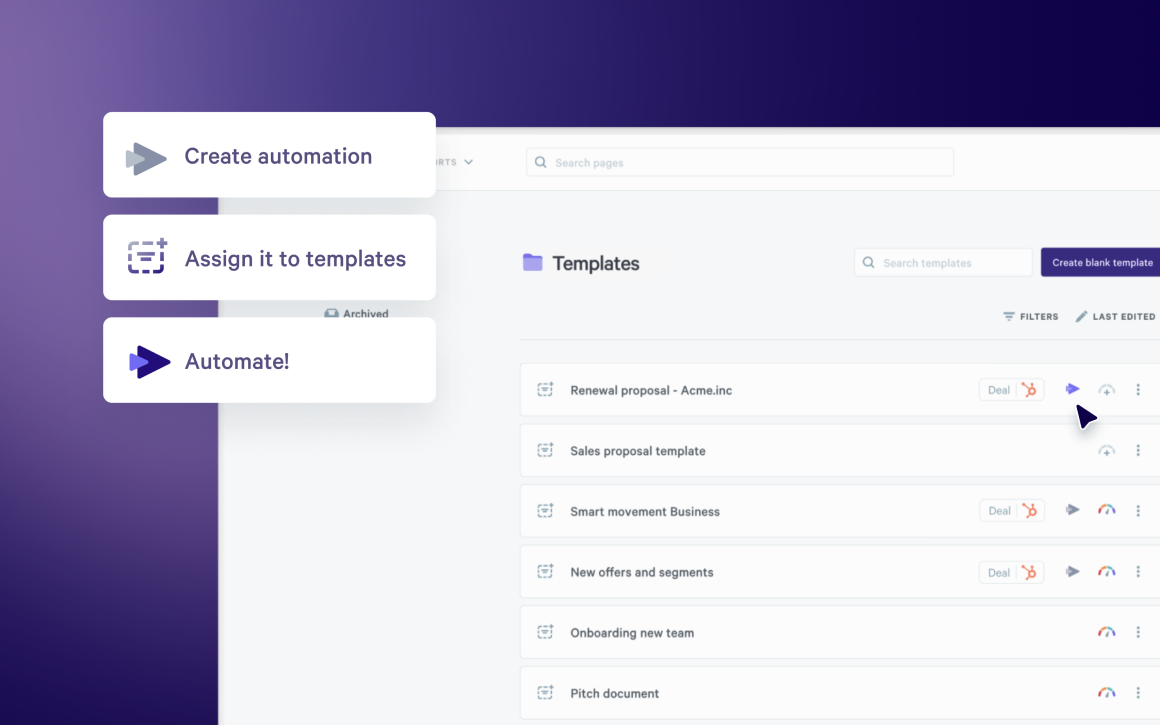
As a proposal automation software, Qwilr streamlines the proposal-to-signature process by letting sales teams create interactive sales proposals, collateral, and contracts and automate the approval and signing steps. Instead of stitching together a proposal tool, a PDF editor, and a separate eSignature platform, Qwilr automates each stage, helping reps move deals forward with less manual work.
The platform connects to HubSpot, Salesforce, Pipedrive, and Zoho through native integrations. Sales reps can generate tailored proposals in minutes by pulling client data from CRM fields automatically.
Primary use cases: Automating proposal creation, generating quotes with dynamic pricing tables, enabling one-click acceptance, and turning proposals into legally binding contracts without exporting PDFs or switching tools. Used by sales teams, marketing teams, RevOps, and startups that want standardized, easily updated proposal and proposal templates.
Standout features
- Automated proposal workflows: Use templates and reusable content blocks so reps can generate tailored proposals in minutes instead of building from scratch.
- Interactive pricing & automated quoting: Reps can build quotes using dynamic pricing tables, optional add-ons, and quantity selectors.
- One-click acceptance with legally compliant eSignature: Signatures are compliant with ESIGN, UETA, and international eSignature laws, and Qwilr auto-generates an audit trail for each contract.
- Automated CRM handoffs: Native integrations with HubSpot, Salesforce, Pipedrive, and Zoho automatically sync proposal activity, update deal stages when contracts are signed, and pass pricing/line-item data back to the CRM.
- Real-time engagement analytics: Sales reps get instant alerts when buyers view, share, sign, or abandon proposals.
- Content library for scalable, repeatable workflows: Centralized templates, pricing blocks, case studies, and legal sections ensure every rep uses consistent, approved content.
Pricing
- Business: $35 per user/month (billed annually) or $39 per user/month (billed monthly)
- Enterprise: $59 per user/month (billed annually) with a dedicated account manager, Salesforce integration, and API access
- 14-day free trial: Test all Business plan features without a credit card
Pros and cons
| Pros | Cons |
|---|---|
Integrated eSignature turns proposals into instant, legally binding contracts | Web-based proposals don’t always export cleanly to PDF |
Real-time engagement analytics help reps prioritize follow-ups | No offline editing |
Dynamic pricing tables automate quoting and reduce manual updates | |
Native CRM integrations eliminate manual data entry and sync proposal activity automatically |
G2 review: “Qwilr has been a lifesaver for me. We used to have a very manual solution for proposal creation that would take upwards of 30+ minutes per proposal. Now I can create a very detailed, tailored proposal in less than 5 minutes. From the very beginning, the implementation was seamless and super easy to use. The integration with Salesforce is also super helpful. Qwilr is the tool I use most often in my day to day and I couldn't be happier with our decision to use it.” (Review collected by and hosted on G2.com.)
Verdict
Qwilr works best when speed matters, and contracts are relatively standard. The CRM integration reduces time spent creating proposals, and the interactive pricing helps when prospects want to adjust scope themselves. For deals requiring extensive negotiation or multiple rounds of legal review, traditional document formats might work better.
Pro tip: Automating proposal creation is just the first step. Understanding what makes those proposals convert matters too. See what data reveals about proposal acceptance patterns.
9. Clari: Best for automating forecasting and pipeline inspection
G2 rating: 4.6/5
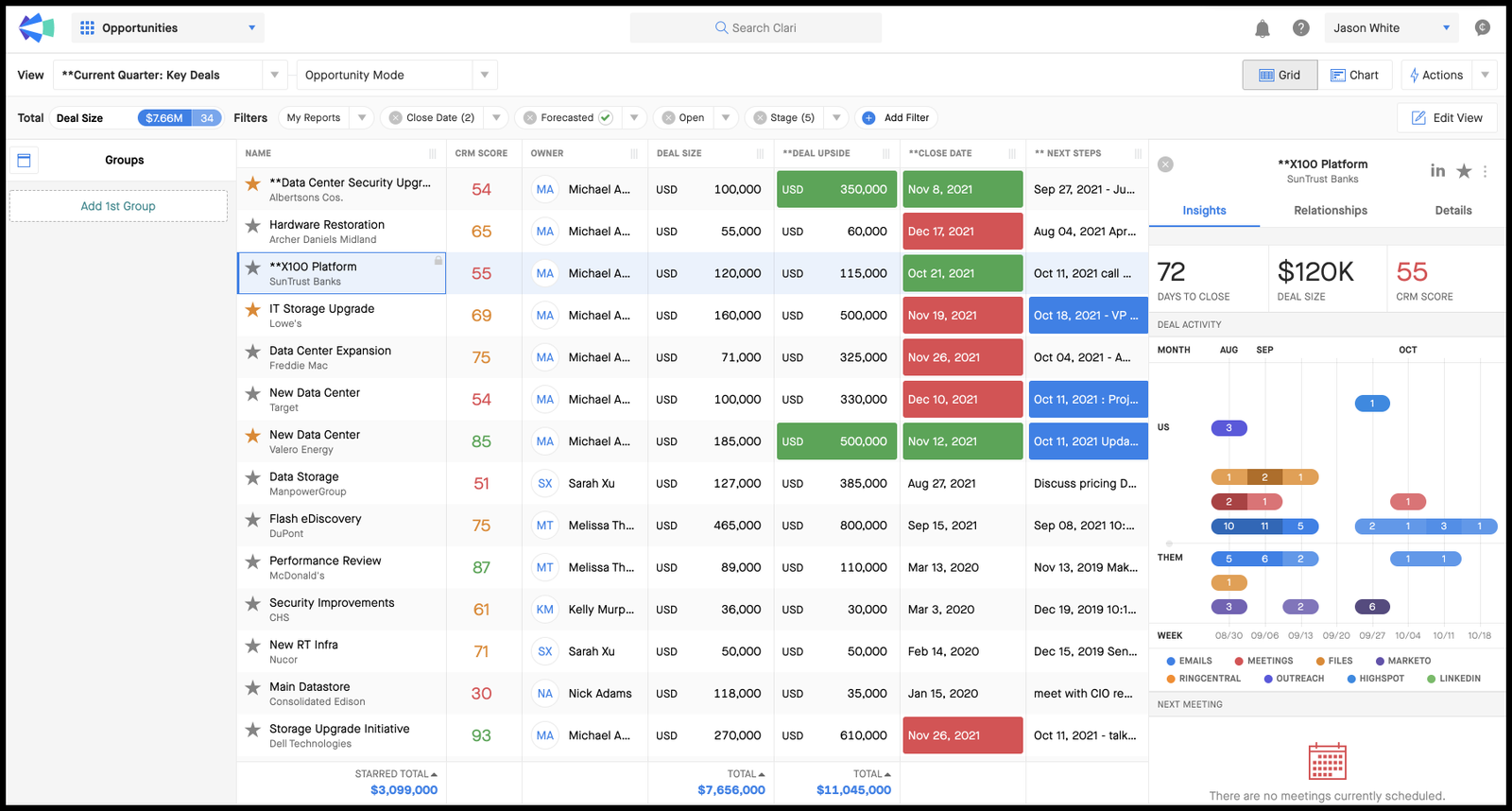
Clari is a sales automation platform that uses AI to automate forecasting, pipeline inspection, and deal risk detection. It automatically pulls in deal activity, buyer signals, and historical patterns to show teams exactly where revenue stands and what actions to take next.
Sales leaders get automated pipeline change tracking that analyzes deals added, removed, slipped, increased, or pushed in real-time. Plus, AI generates health scores for each opportunity based on activity levels, buyer engagement, deal progression, and historical patterns.
Primary use cases: Automating forecast rollups, flagging at-risk deals, analyzing pipeline changes, and giving sales leaders automated insights into deal movement and rep activity.
Standout features
- Automated pipeline change tracking: Automatically analyzes pipeline movement—deals added, removed, slipped, increased, or pushed in
- AI-generated deal and account health scores: Scores each opportunity based on activity levels, buyer engagement, deal progression, and historical patterns.
- Automated forecasting workflows: Forecast submissions, adjustments, and rollups are handled inside Clari, with AI models comparing rep forecasts to historical performance and in-quarter activity.
- Risk alerts & action recommendations: Flags deals with missing next steps, low engagement, or single-threaded communication.
- Scenario modeling (automated projections): AI-generated projections help leaders understand quota coverage, expected outcomes, and the impact of pipeline changes.
Pricing
- Pricing is not public; teams must request a quote.
- Pricing varies by sales team size, automation modules, and forecasting complexity.
Pros and cons
| Pros | Cons |
|---|---|
Automates forecasting and pipeline inspection | Pricing not transparent and geared toward mid-market/enterprise |
AI surfaces deal risks and next-step recommendations | Requires setup and alignment with existing CRM data |
Removes manual CRM comparison and activity tracking | Less focused on outreach—automation is centered on forecasting and visibility |
G2 review: “Clari provides me with a follow-up tool that allows me to provide well-documented forecast input to my VP. Thanks to tooling like trend flow and pulse, I can combine my own estimations with the AI input from the tool. It also helps me to check the coverage ratio needed for my different sales professionals and their hygiene in SFDC. Furthermore I get info from the activity tab that invites me to ask very specific questions as to deal progress.” (Review collected by and hosted on G2.com.)
Verdict
"Clari improves forecast visibility but depends entirely on data quality. The AI analyzes the information in your CRM, so if your team doesn't consistently update deal stages, activity, and next steps, the insights will be limited. The platform shows which deals might be at risk and what's changed in your pipeline, but it doesn't automatically tell you which issues to address first. Revenue leaders still need to interpret the data and decide where to focus their attention.
I believe it works best for organizations that already maintain good CRM hygiene and need better visibility across large pipelines. The automated rollups help managers running bigger teams, and the risk detection can surface issues earlier. For smaller organizations or teams still working on consistent data entry, addressing those fundamentals first makes more sense.
10. SiftHub: Best for automating RFPs and sales knowledge discovery
G2 rating: 4.6/5
Most teams lose hours hunting down information that already exists somewhere in the company. SiftHub tackles this by acting as a specialized knowledge brain for your sales and presales teams. Instead of forcing you to migrate everything to a new system, it connects to the tools you already use, like Google Drive, SharePoint, Slack, and your CRM, to create a single source of truth.
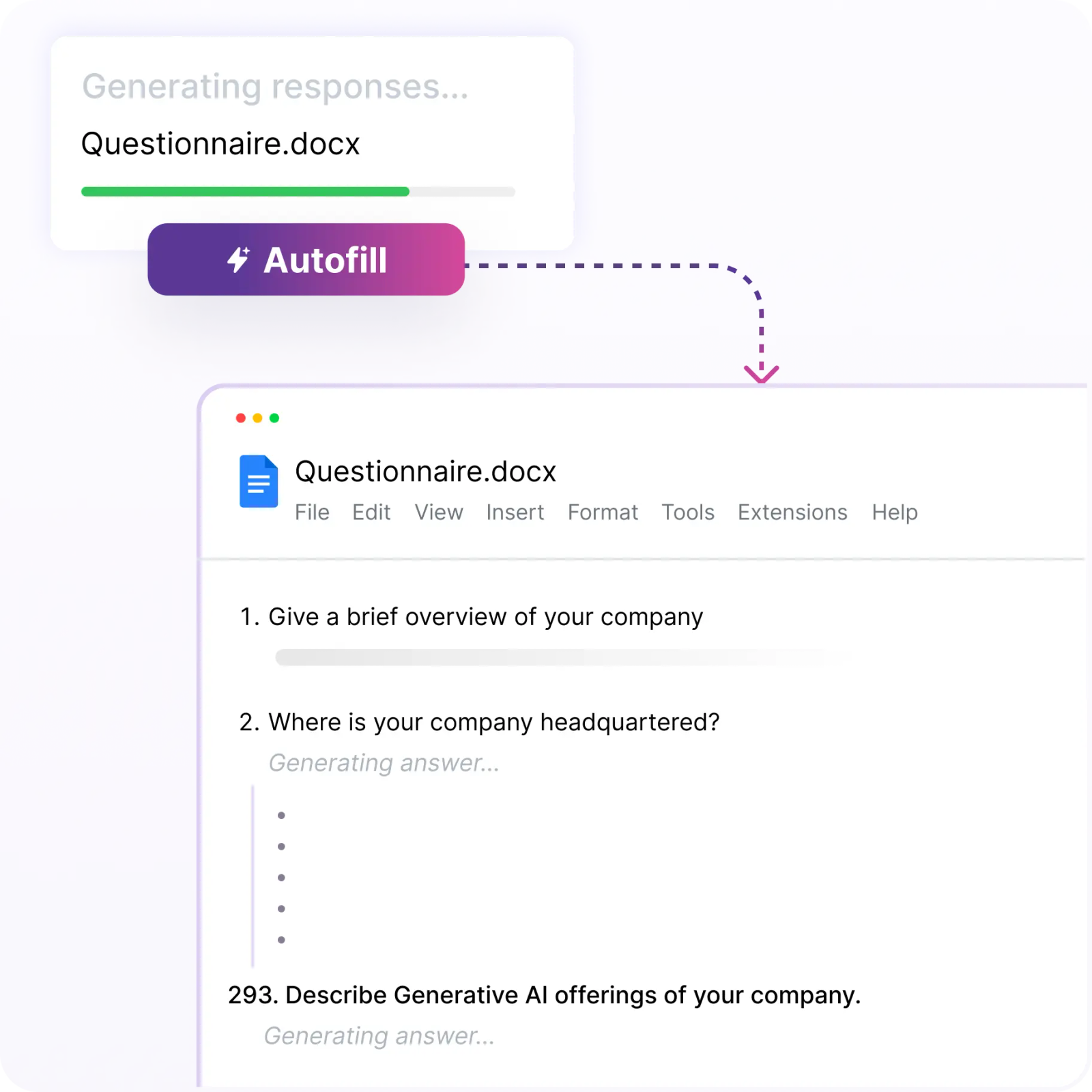
The platform lives up to its name by "sifting" through your historical data to instantly generate accurate answers for RFPs, RFIs, and security questionnaires. It turns a process that usually takes days into a few minutes of review. Since it sits directly inside communication hubs like Slack and Teams, sellers can grab verified technical answers without constantly switching tabs or bugging a sales engineer.
Standout features
- Automated Response Handling: Takes the heavy lifting out of RFPs and security reviews by using context from your existing docs to auto-complete questionnaires.
- Unified Search Engine: Hooks into your fragmented repositories (Salesforce, Confluence, etc.) so your team can search everything at once using natural language.
- SiftAI Assistant: A smart companion that rides along in your browser or email, offering up approved content and answers right when you need them.
- Freshness Guarantee: The system flags outdated info, ensuring the AI never serves up stale or incorrect data to a prospect.
Pricing
Public pricing is not available: SiftHub customizes packages based on team size and requirements. You’ll need to chat with their team for a quote.
| Pros | Cons |
|---|---|
Massive time-saver for teams buried in manual data entry for RFPs and questionnaires. | Pricing isn't transparent on the site; requires a demo or call to get started. |
The integration capability means the AI actually "learns" from where your work lives, rather than an empty database. | Its niche focus on response management means it might overlap with broader enablement platforms if you don't do many RFPs. |
Clean, intuitive interface that sales reps can pick up without a steep learning curve. |
G2 review: “SiftHub makes it much easier and faster to work on RFPs. The search is accurate, and it quickly pulls up past answers, documents, and details we need without wasting time. It helps our team stay consistent, avoid repeated work, and finish responses much faster. The shared workspace and organized content library are genuinely helpful in day-to-day use.” (Review collected by and hosted on G2.com.)
Verdict
If your organization deals with a high volume of security questionnaires or RFPs, SiftHub effectively removes the bottleneck. It doesn’t try to be a CRM; it solves the specific, headache-inducing problem of chasing down technical answers. By handling the repetitive paperwork, it frees up your presales engineers to get back to the high-value work—like building strategy and running demos—rather than copy-pasting answers all day.
Setting up your sales automation software stack
The right automation stack eliminates repetitive tasks and frees your team to focus on closing deals.
Start with one or two tools that address your biggest bottlenecks—whether that's email sequences eating up mornings or proposals taking hours to customize. Add integrations between your CRM and automation platforms so data flows automatically. As your team grows comfortable with the initial tools, layer in additional automation for prospecting, pipeline management, or conversation intelligence.
Qwilr automates proposal creation with CRM integrations that pull client data automatically, pre-built templates your whole team can customize, and one-click e-signature capabilities that turn proposals into signed contracts in minutes instead of days. Book a demo to see how Qwilr fits into your automation stack.
About the author

Kiran Shahid|Content Marketing Strategist
Kiran is a content marketing strategist with over nine years of experience creating research-driven content for B2B SaaS companies like HubSpot, Sprout Social, and Zapier. Her expertise in SEO, in-depth research, and data analysis allow her to create thought leadership for topics like AI, sales, productivity, content marketing, and ecommerce. When not writing, you can find her trying new foods and booking her next travel adventure."
Frequently asked questions
Identify which manual tasks consume the most rep time—prospecting, data entry, proposal creation, or follow-up tracking. Test tools with free trials before committing to annual contracts. Prioritize platforms that your team can start using within days, not weeks, and verify they work with your current CRM and communication tools to avoid creating data silos.
Adoption fails without proper training. Sales reps won't use tools they don't understand, no matter how powerful the features. Data quality matters too—automating outreach to outdated or unqualified contact lists damages deliverability and wastes budget. Budget time for onboarding, validate your contact data before automation, and monitor results closely in the first 30 days.