
Sales reps at B2B companies report working about 41.8 hours per week, but only 44% of that time is spent on customer-facing activities—the rest goes to non-selling work like CRM updates, internal reporting, and coordination. Administrative tasks are the single biggest drag on productivity: 61% of sellers cite them as a top challenge, alongside inefficient processes and time management issues.
This imbalance shows up in performance. Gong’s 2024 State of Sales Productivity report found that 64% of sellers fell short of their most recent quota, and more than 100 revenue leaders named “minimizing time on non-revenue-generating activities” as their number one initiative.
Sales automation is how teams claw that time back. AI-powered workflows now handle call summaries, email generation, note-taking, and even proposal and document creation. Whether your team is implementing sales automation for the first time or optimizing workflows in an existing CRM, this guide will break down what sales automation actually means, why AI and automation have gone from “nice to have” to table stakes.
What is sales automation?
Sales automation uses CRM platforms like Salesforce and HubSpot, email tools like Mailchimp and ActiveCampaign, and proposal software like Qwilr to eliminate manual tasks, including data entry, lead scoring, email follow-ups, and document generation.
It applies to every stage of the sales funnel. For example:
- Prospecting gets handled by tools like ZoomInfo and LinkedIn Sales Navigator that source contact data automatically
- Qualification happens through HubSpot workflows and Salesforce lead scoring rules that prioritize hot prospects based on behavioral triggers
- Presentation becomes faster with Qwilr proposals that pull customer data from your CRM and generate personalized quotes in under two minutes
- Closing speeds up through e-signature tools that eliminate the back-and-forth of paper contracts
Most modern sales automation platforms offer automation features as part of core functionality, and setting up your first workflow usually requires no coding. The goal is simple. Remove manual work that slows down deals and burns out reps, so your team can focus on activities that actually close revenue.
Why implement sales automation
Sales teams implement automation to solve three core problems: inconsistent processes that vary by rep, time wasted on repetitive manual tasks, and missed opportunities due to slow follow-up or poor data visibility. Without a clear sales methodology, these problems multiply as teams scale.
Automation addresses each of these by standardizing workflows, eliminating low-value administrative work, and surfacing the right actions at the right time through triggers, notifications, and pipeline alerts.
Here's how automation improves sales efficiency across teams.
1. Gives you control over the sales process
CRM workflow automation in platforms like HubSpot Sales Hub, Salesforce Sales Cloud, and Pipedrive standardizes your sales process. They automatically route leads, trigger follow-up emails via sequences, and update deal stages based on customer actions such as email opens, link clicks, and form submissions.
When automation runs the process, it follows the exact flows that sales leaders pre-built. No more reps skipping steps, forgetting follow-ups, or handling objections differently depending on their mood or workload. Technology performs each task the same way every time.
This consistency helps most when teams are growing fast or struggling with the adoption of a new sales framework. Automation makes them repeatable, measurable, and easier to improve over time because the data shows exactly where deals stall or convert.
2. Increases sales productivity
This time savings allows sales teams to increase focus on customer calls, deal negotiations, and relationship building. For example, proposal automation tools like Qwilr reduce document creation time by pulling customer data, pricing, and case studies directly from your CRM.
But productivity gains go beyond just time saved. Automation reduces the cognitive load of remembering which prospects need follow-up, when to send the next email, or which deals are at risk of going cold. CRM systems track this automatically and surface the right actions at the right time through task queues, pipeline alerts, and sequence triggers.
Most importantly, automation prevents employee burnout by removing the repetitive, low-value work that makes sales feel like an admin job instead of a relationship-building role. This directly improves sales productivity across your entire team. When reps spend less time on data entry and more time solving customer problems, job satisfaction improves alongside quota attainment.
3. Aligns marketing and sales
Marketing automation platforms like HubSpot Marketing Hub, Marketo, and Pardot integrate with CRM systems to sync lead data, MQL scoring based on behavioral triggers, and campaign attribution from first touch through closed deal.
This integration gives both sales and marketing teams visibility into the complete customer journey. Marketing sees which content assets and campaigns generate qualified pipeline. Sales sees which marketing touchpoints influenced a prospect before they booked a demo. Instead of operating in silos with conflicting definitions of "qualified lead" or "pipeline contribution," both teams work from the same dataset.
The operational benefit is immediate. When lead scoring is automated through shared criteria (website visits, content downloads, email engagement, firmographic fit), sales teams only receive leads that meet minimum qualification thresholds. Marketing gets feedback on lead quality through closed-loop reporting that shows which sources and campaigns drive actual revenue.
According to LinkedIn's 2024 B2B Marketing Benchmarks report, companies with strong sales and marketing alignment see 36% higher customer retention rates and 38% higher sales win rates compared to organizations where teams operate independently.
Automation creates this alignment by centralizing data from multiple sources (website analytics, email platforms, CRM, advertising channels) into workflows that both teams can access, measure, and optimize together.
4. Creates a better customer experience
Sales automation platforms like HubSpot, Salesforce, and Microsoft Dynamics 365 collect behavioral data, including email opens tracked through pixels, website visits tracked through cookies, content downloads, form submissions, and CRM activity history.
This data allows sales teams to personalize outreach based on what prospects have actually done, not generic assumptions.
Say a prospect downloads a pricing guide—automation can trigger a personalized email from their assigned rep with a calendar link to discuss pricing. This automated touchpoint becomes part of your broader sales cadence.
When that rep creates a proposal, Qwilr pulls company details, relevant case studies, and personalized pricing directly from CRM fields, ensuring every prospect receives content tailored to their specific needs and use case.
According to Salesforce's 2023 State of the Connected Customer report, 73% of customers expect companies to understand their unique needs and expectations. Automation makes this possible at scale by surfacing the right context to reps before every interaction and delivering timely communication without delay.
5. Boosts conversion rates
All the outcomes of sales automation, including a consistent sales process across reps, engaged sales teams with less burnout, aligned marketing and sales data, and personalized customer communication, directly impact conversion rates at every stage of the funnel.
According to McKinsey's 2023 sales automation study, companies implementing workflow automation see sales uplift potential increase by up to 10% by eliminating friction from the buyer's journey and speeding up the entire sales cycle from first contact to closed deal.
The mechanism is straightforward. When leads get routed to the right rep within minutes instead of hours through automated assignment rules, response time improves and more prospects convert to qualified opportunities. For example, embedded e-signature and payment processing reduce the steps between 'yes' and 'closed deal,' allowing buyers to explore pricing options interactively and commit without leaving the proposal page.
How to implement sales automation in your business
The tools have gotten simpler. Most platforms let you build workflows by dragging and dropping boxes on a screen and even come with AI features that let you describe what you need and the tool sets up the workflow for you.
The hard part, though, is figuring out which repetitive tasks are burning the most time, getting your team to actually use the new tools, and rolling out changes without breaking what already works.
Here's how to do it:
1. Identify areas requiring automation
Map out your sales process from first contact to closed deal. Look for repetitive tasks that take significant time each week.
Ask three questions: Where does manual work slow things down? Where do deals get stuck? Where are reps doing work that software could handle?
Here's how the standard B2B sales process break down:
- Preparation: Finding contact info, researching companies, mapping accounts
- Prospecting: Sourcing leads, getting email addresses, identifying decision-makers
- Approach: Sending outreach emails, booking calls, qualifying interest
- Presentation: Creating proposals, building decks, generating quotes
- Handling objections: Following up on stalled deals, addressing concerns, sharing case studies
- Closing: Sending contracts, collecting signatures, processing payments
- Follow-up: Onboarding customers, spotting upsell opportunities, tracking renewals
Talk to your reps. Ask which tasks feel most repetitive. Ask sales leaders where deals stall or data gets messy. Check with Customer Success about handoff friction points.
This prevents building automation nobody needs.
When prioritizing what to automate first:
- Find the biggest pain points
- Estimate time savings per task
- Check implementation costs
- Pick high-impact, low-effort wins first
2. Check your current CRM system’s automation features
Check what your current tools can already do before buying new ones. If you're already running sales activities, you likely have a CRM or email platform where contacts live and communications get tracked. Open it up and look for automation features you might not be using yet.
Here's what to look for:
- Lead management: Can you capture leads from your website, social media, and email campaigns automatically? Does it score leads based on behavior so reps know who to call first?
- Email automation: Can you set up templates, schedule sends, and track who opened what?
- Pipeline management: Does it track deals automatically, flag when they move stages, and sort by priority based on deal size or likelihood to close?
- Forecasting: Can it predict revenue based on pipeline data and historical close rates?
- Proposal management: Can you create and send sales documents automatically with consistent branding?
- Integrations: Does it connect to your other tools without manual data entry? Check for native connections, connection tools, or API options.
List what your current sales tech stack can and can't do. Separate "must have" from "nice to have." You might need just one complementary tool instead of replacing everything.
Figure out if you need new tools or just better use of what you already have before making the switch.
3. Add the necessary technology to your tech stack and integrate it
Pick the best sales tools that won't price you out as you grow. Many platforms start cheap but become unaffordable fast.
A tool that costs $50/month for 5 users might jump to $800/month for 20 users. That's a 1,500% increase for adding 15 people. If you're planning to scale your sales team, these surprise costs force you to switch platforms later, which means losing months of setup work, retraining your team, and migrating all your data.
Before committing to any tool, check the pricing at 10 users, 20 users, and 50 users. Make sure the math works for where you're headed, not just where you are today.
Once you've picked tools that fit your budget at scale, connect them to your CRM. Link your prospecting tools, email platforms, proposal software, and communication channels to the CRM.
When everything syncs automatically, reps see the full story in one place: which ads brought a prospect in, what content they downloaded, how long they spent reviewing the proposal, and what questions they asked support.
4. Build automated workflows, step-by-step
Finally, you begin your automation journey. Just don’t rush and take a phased approach.
As you build each workflow, be sure to test it thoroughly to ensure that it works as expected. You may need to make adjustments along the way to optimize the workflow for maximum efficiency.
The best sales automation tools
These sales automation tools handle the most time-consuming parts of the sales process: managing contacts, scheduling meetings, creating proposals, and finding prospects.
Each platform specializes in a different stage of the sales cycle. Some cover everything from lead capture to closed deals in one system. Others focus on specific pain points like proposal creation or prospecting.
Here are the top picks for different automation needs.
Best in all-in-one CRM: HubSpot
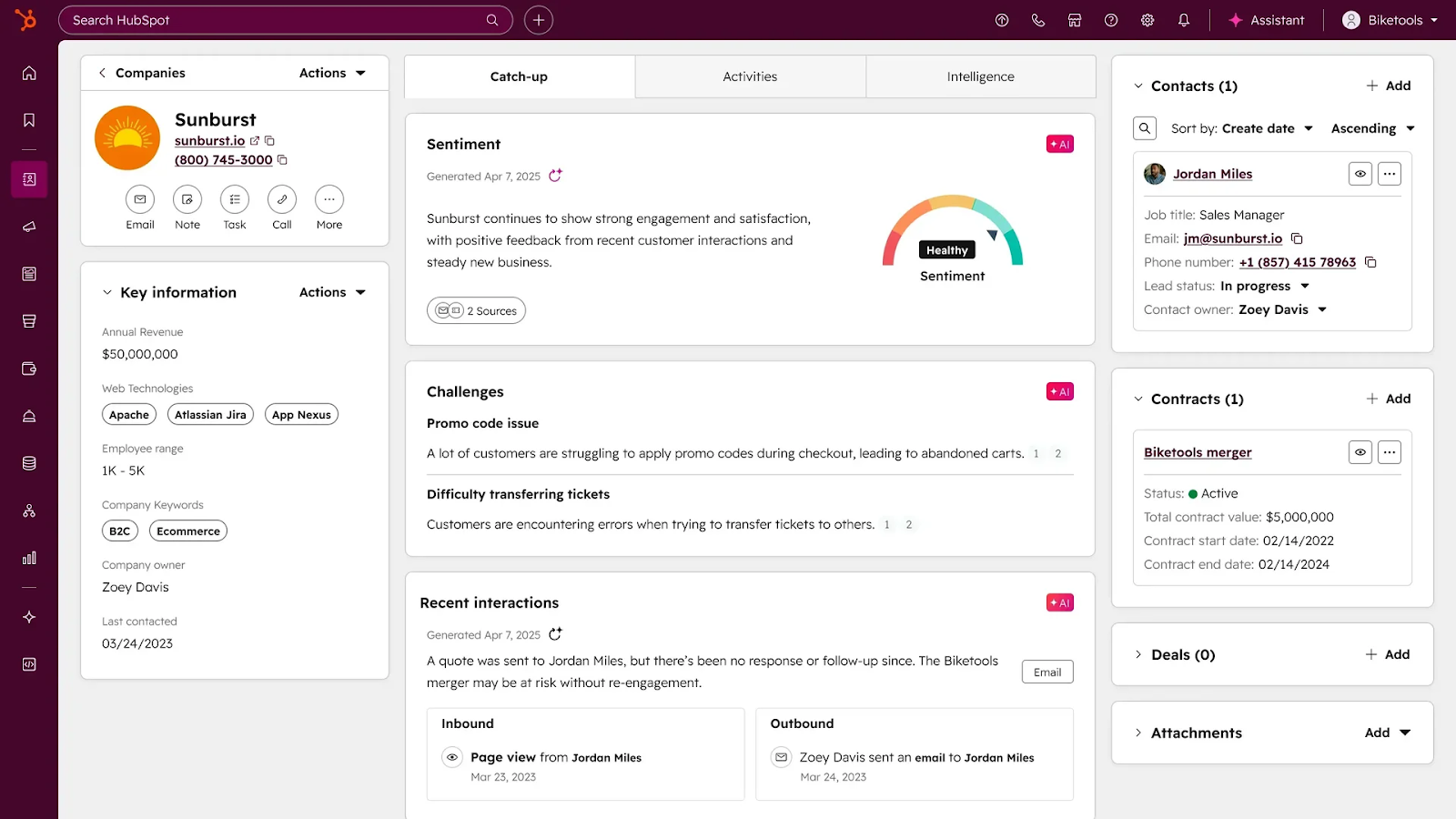
HubSpot combines lead capture forms, email marketing automation, lead scoring, sales pipeline management, and workflow builders in one interface. Sales teams work from a single screen instead of jumping between multiple tools.
Note: Learn the specifics of how to use HubSpot automations to set up your first workflows.
HubSpot's Smart CRM’s AI-powered features automatically enrich contact records with data from emails, calls, and web activity. The platform unifies structured CRM data with unstructured conversations and external signals, giving reps complete context before every interaction.
Pros
- Intuitive drag-and-drop workflow builder requires no coding
- 1,000+ native integrations through HubSpot Marketplace
- Free plan includes automation features and unlimited contacts
- AI automatically enriches records and detects duplicate contacts
- Unified data model connects contacts, companies, deals, and tickets
- HubSpot Academy provides free training and certification courses
Cons
- Automation action limits on lower tiers restrict high-volume workflows
- Custom reporting and advanced AI features require the Professional tier or higher
Pricing
- Free Plan: $0/month for unlimited users. Includes contact management, email tracking, meeting scheduling, basic workflows, up to 1 million contacts.
- Professional: $50/month/seat. Adds email sequences, quote templates, sales automation, and conversation routing. Additional users cost $25/month each.
- Enterprise: $75/month/seat. Adds custom objects, predictive lead scoring, advanced permissions, single sign-on.
Best for proposal management: Qwilr
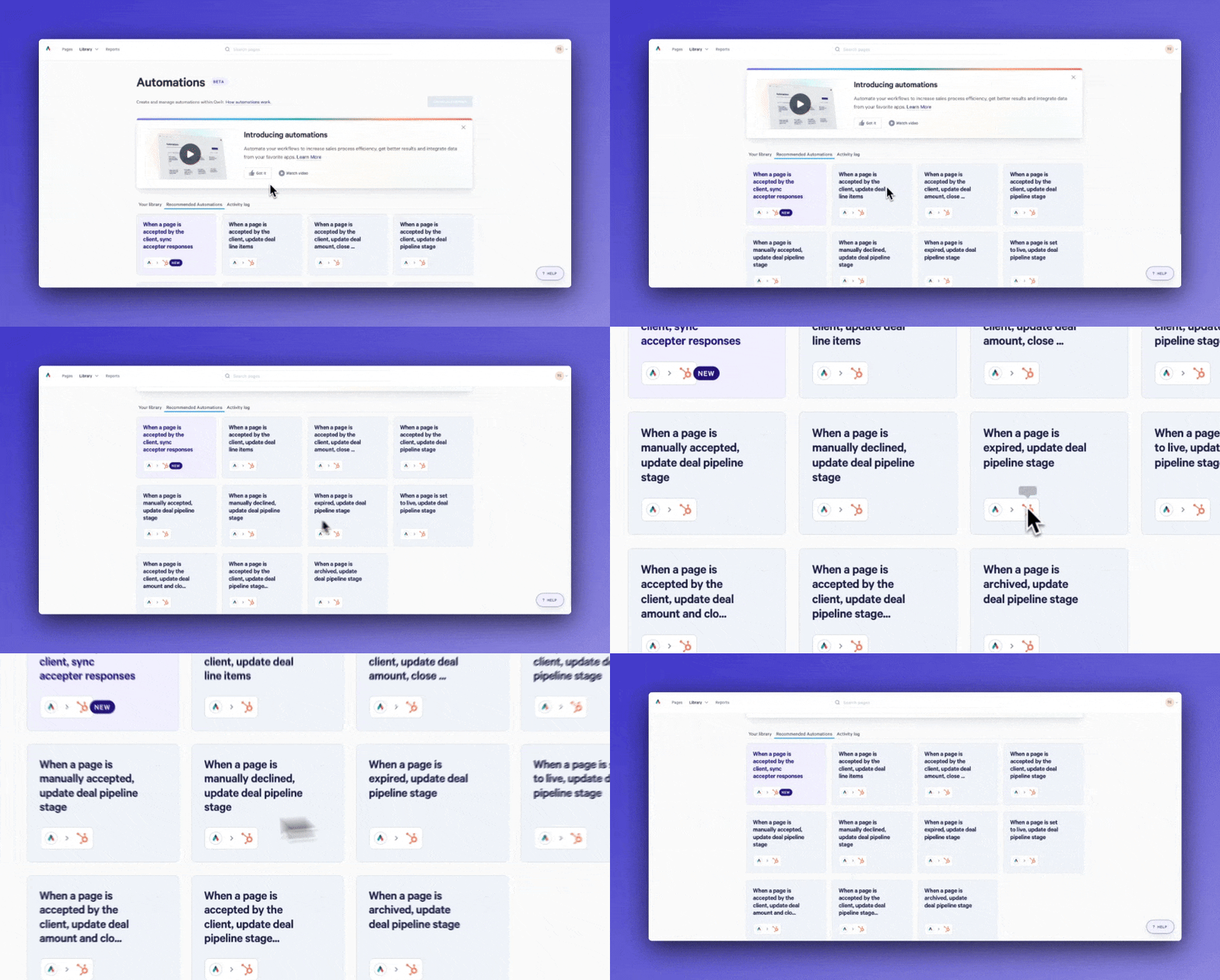
Qwilr automates proposal creation for sales teams. Instead of building quotes, pitch decks, and pricing pages from scratch in Word or PowerPoint, Qwilr pulls customer data directly from your CRM and generates personalized documents in minutes.
The platform connects to HubSpot, Salesforce, and Pipedrive. When a deal reaches the proposal stage, reps click one button and Qwilr automatically fills in the customer's name, company details, pricing, and relevant case studies based on CRM data.
Prospects can interact with proposals instead of just reading them. They select pricing options, add line items, and see totals update without emailing back and forth.
“It was really the integration with Salesforce that sold it for us. We’re very Salesforce-savvy here, and Qwilr made that connection seamless. I’d say it’s probably 60/40 on what the benefits are – mostly the time saved, but also fewer errors. It’s just far more efficient.”
Nick Vian, IT Systems Administrator, BELAY
When they're ready to move forward, they sign contracts and process payments directly from the proposal page.
Qwilr also tracks engagement automatically. Reps get notifications when prospects open proposals, which sections they spend time on, and when they share documents with colleagues.
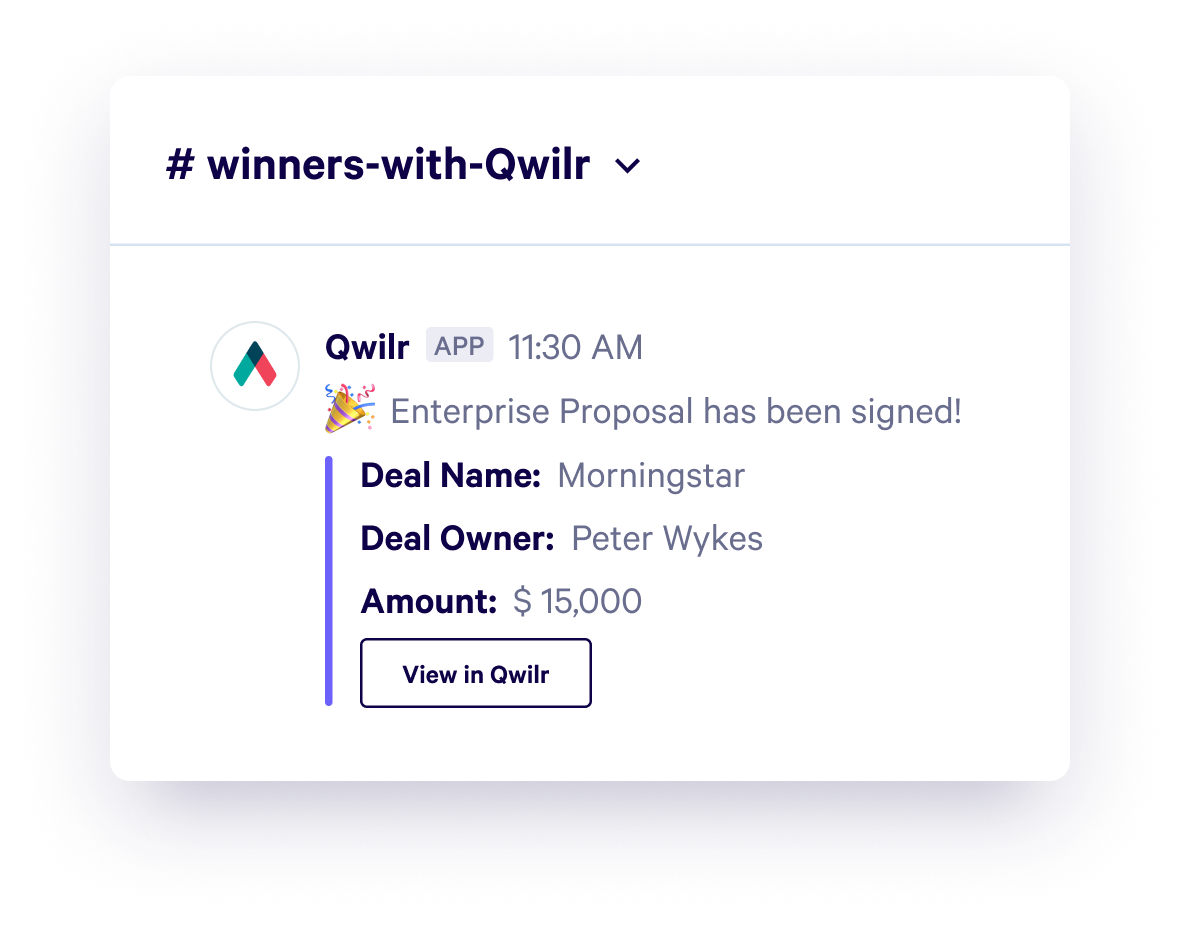
“Our team loves it when a deal has gone cold, and is seemingly lost, and then we suddenly get alerted that there’s someone revisiting a Qwilr page weeks later. That’s our signal to re-engage. We’ve revived many deals thanks to these notifications.”
- Dilshi Gunasekara, Business Operations, Lorikeet
Pros
- Generates proposals automatically from CRM data
- Prospects can adjust pricing options themselves
- Sign contracts and pay invoices from the same page
- Shows when prospects open and read proposals
- Add videos and testimonials to proposals
Cons
- Costs increase quickly as team size grows
- Advanced features take time to learn
- Business: $35/month per user (billed annually). Includes unlimited proposals, CRM integrations (HubSpot, Salesforce, Pipedrive), e-signature, payment processing, analytics, content blocks library.
- Enterprise: $59/month per user (billed annually). Adds custom branding (remove Qwilr branding), advanced permissions, SSO, and a dedicated customer success manager.
- Free Trial: 14-day trial with full Business plan features, no credit card required.
Best for meeting management: Calendly
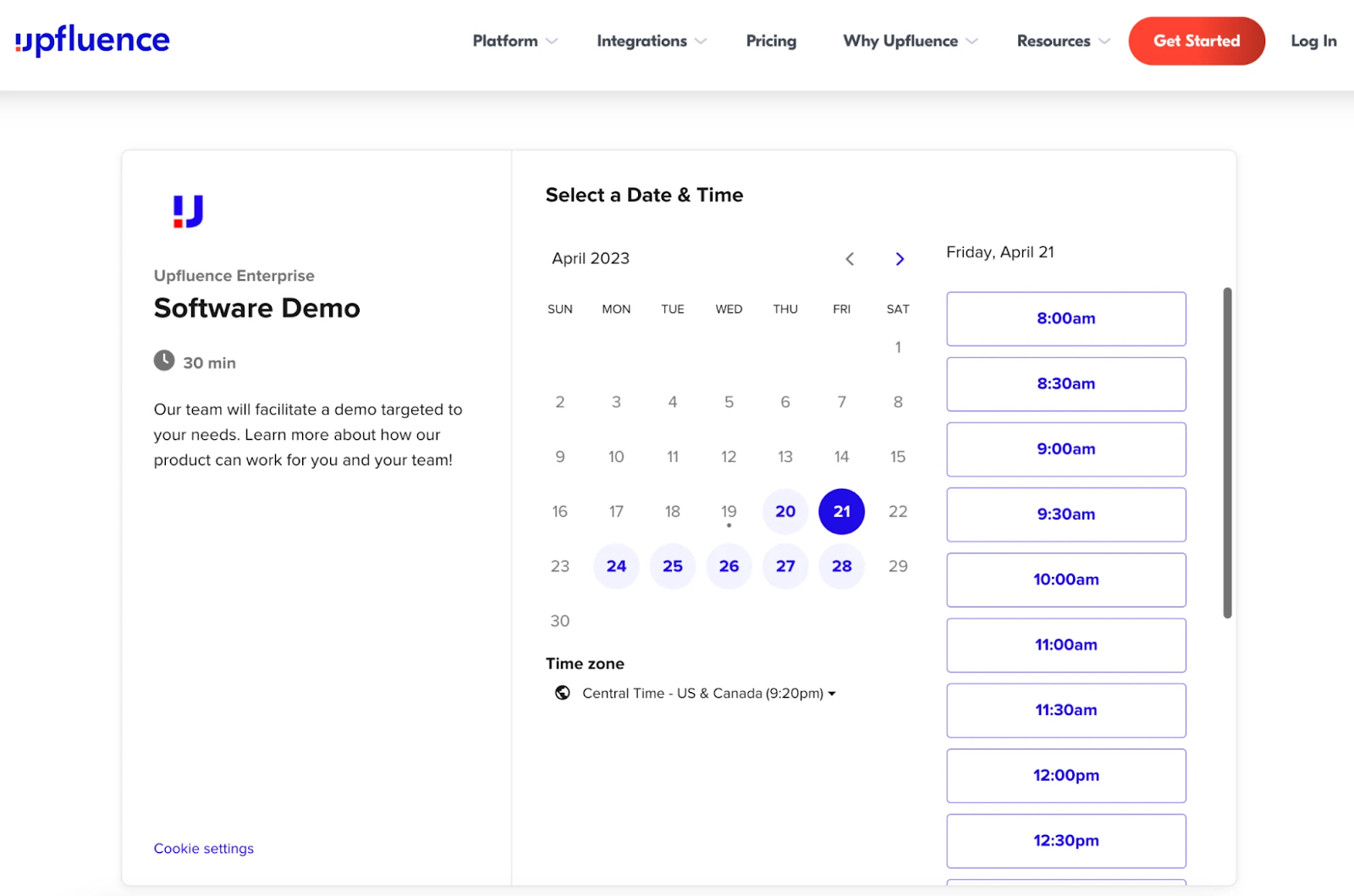
Calendly automates meeting scheduling by syncing with Google Calendar, Outlook, and iCloud to check availability in real-time. Sales reps share a personalized Calendly link with prospects through email, LinkedIn messages, or embedded on website pages. Prospects select available time slots that work for both parties without the "does Tuesday at 2 PM work for you?" email thread.
Pros
- Eliminates scheduling back-and-forth
- Automated reminder and follow-up emails
- Timezone detection for international prospects
- Custom routing rules for team distribution
- Video conferencing integration (Zoom, Google Meet, Teams)
Cons
- Limited customization on free and basic plans
- No native CRM integration on lower tiers
Pricing
- Free: $0/month for 1 user. Includes unlimited 1-on-1 meetings, one calendar connection, email notifications, basic customization.
- Standard: $12/month per user (billed monthly). Adds unlimited event types, multiple calendar connections, custom branding, automated workflows, payment collection.
- Teams: $20/month per user (billed monthly). Adds round-robin assignments, collective event scheduling, admin controls, integrations.
- Enterprise: Custom pricing. Adds advanced security (SSO, SCIM), admin management tools, priority support, dedicated account management.
Best for prospecting: Apollo.io
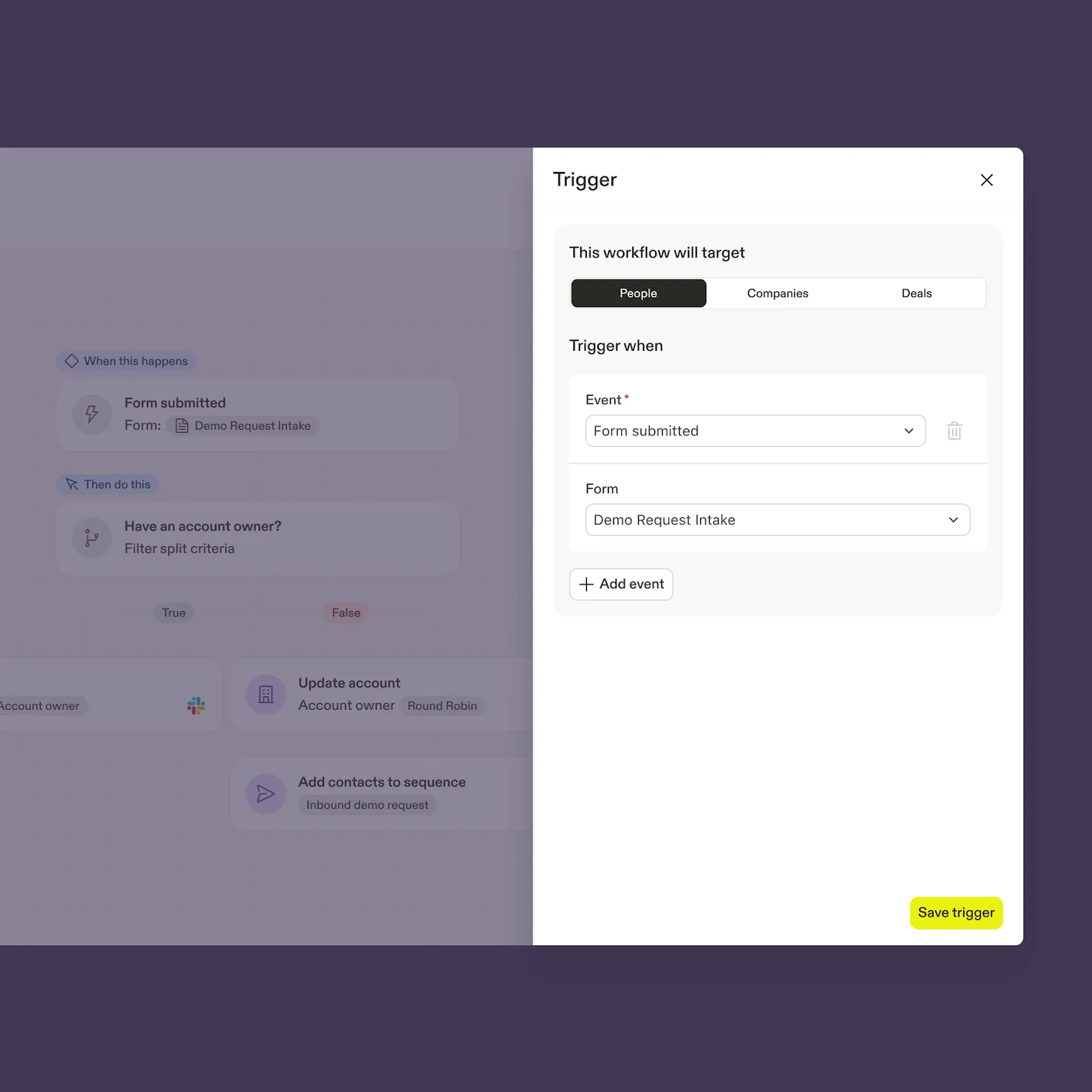
Apollo.io automates B2B prospecting and outbound outreach. The platform searches a database of 250+ million contacts and 60+ million companies, then automatically enriches records with verified email addresses, direct phone numbers, and LinkedIn profiles.
Sales teams set search criteria—job title, company size, industry, location, technology stack, funding rounds—and Apollo builds prospect lists automatically. The platform then runs email sequences that send personalized outreach, track opens and clicks, and create follow-up tasks when prospects respond.
Pros
- No manual list building or contact research
- Email sequences run without separate tools
- Contact data syncs to CRM automatically
- One-click LinkedIn contact extraction
- Search by 65+ criteria simultaneously
Cons
- Data accuracy varies by region and industry
- Free and Basic plans limit daily email sends
Pricing
- Free: $0/month for unlimited users. Includes 100 credits per month, AI Assistant, AI Research, extensions.
- Basic: $59/month per user (billed monthly). Includes 2,500 credits, advanced filters, unlimited sequences, CRM integrations.
- Professional: $99/month per user (billed monthly). Includes 4,000 credits, unlimited meeting events, automated workflows.
- Organization: $149/month per user (billed monthly). Includes 6,000 credits team, SSO, domain, and mailbox purchasing, advanced security
Start implementing sales automation
Sales automation helps teams of any size build consistent, repeatable processes that scale as the business grows. Whether you're a solo seller or managing multiple regional teams, automation reduces manual work, speeds up deal cycles, and frees up time for customer conversations.
Start with the highest-impact opportunities first. Automate the tasks that consume the most time each week—prospecting, follow-up emails, meeting scheduling, or proposal creation.
For proposal automation specifically, Qwilr generates personalized quotes and pitch decks in minutes by pulling data directly from your CRM. Track which sections prospects engage with and follow up based on real behavior instead of guessing. Sign up now to automate your proposal process.
About the author

Kiran Shahid|Content Marketing Strategist
Kiran is a content marketing strategist with over nine years of experience creating research-driven content for B2B SaaS companies like HubSpot, Sprout Social, and Zapier. Her expertise in SEO, in-depth research, and data analysis allow her to create thought leadership for topics like AI, sales, productivity, content marketing, and ecommerce. When not writing, you can find her trying new foods and booking her next travel adventure."
Frequently asked questions
Sales automation eliminates manual tasks such as data entry, meeting scheduling, and email follow-ups, allowing sales teams to increase time spent on customer calls and deal negotiations. This productivity gain improves both quota attainment and job satisfaction by reducing repetitive work that causes burnout.
Teams get started with sales automation by identifying the most time-consuming manual tasks (prospecting, follow-ups, proposal creation), selecting two to three tools that address these pain points (typically a CRM, meeting scheduler, and one specialized tool), building simple workflows using drag-and-drop builders, testing thoroughly with fake data, and training reps with documentation and hands-on sessions before full rollout.
A common sales automation workflow uses lead management technology to capture new leads from website forms, landing pages, and LinkedIn ads, store lead data in a CRM like HubSpot or Salesforce, enrich contact records with firmographic data from Clearbit or ZoomInfo, score leads automatically based on behavioral triggers including email opens and website visits, and assign qualified leads to sales reps through round-robin rules.
Sales automation does not replace sales reps. It eliminates repetitive manual tasks like data entry, meeting scheduling, and email follow-ups so reps can focus on high-value activities that require human judgment, including understanding customer needs through discovery calls, handling complex objections, negotiating contract terms, and building long-term relationships that drive retention and referrals.