

More and more of a seller’s workday now happens inside their AI tool of choice.
Reps are researching prospects, drafting emails, scoring leads and more, all in tools like Claude, ChatGPT and Gemini.
So why should proposal work be any different?
With the release of the Qwilr MCP, it doesn’t have to be.
Now, salespeople can work in Qwilr from their favorite AI tool, integrating with their other connected tools and making them more efficient.
What is an MCP?
MCP stands for Model Context Protocol.
The simple version is: an MCP is what lets an AI tool (like Claude or ChatGPT) securely read and act on your Qwilr data, without you needing to copy anything across by hand.
Think of it as a direct line between your AI tool and Qwilr, so one can talk to the other.
What can you do with the Qwilr MCP?
Unlocking analytics
Until now, taking a deep look at the performance of your proposals has only really been visible one deal at a time.
The Qwilr MCP changes that.
You can now prompt AI to look analytics across multiple proposals and timeframes, giving you a clearer picture of how your proposals are performing, what’s engaging prospects and what they’re skimming over.

Suggested prompts to test out:
- Who has viewed my proposal for ACME Co., and tell me which sections they spent the most time on?
See exactly who you need to speaking to and what they’re focused on, so you can tailor your follow-up to their priorities.
- Which deals should I focus on this week?
This is one of our favorites.
Check which proposals have buyers actively engaging and where they’ve gone quiet. Use this info to get hot deals over the line and to catch stalled ones before they go cold.
- Look at my 5 proposals with the highest engagement, which 3 sections are getting the most views?
Get a view of which sections are actually engaging buyers across your best-performing proposals, so you can double down on what’s working in future.
Creating and managing proposals
You don’t have to log into Qwilr to create outstanding proposals anymore!
Creating a proposals from scratch isn’t possible today, but you’re able to use your existing templates to build personalized proposals simply by prompting your AI tool of choice.
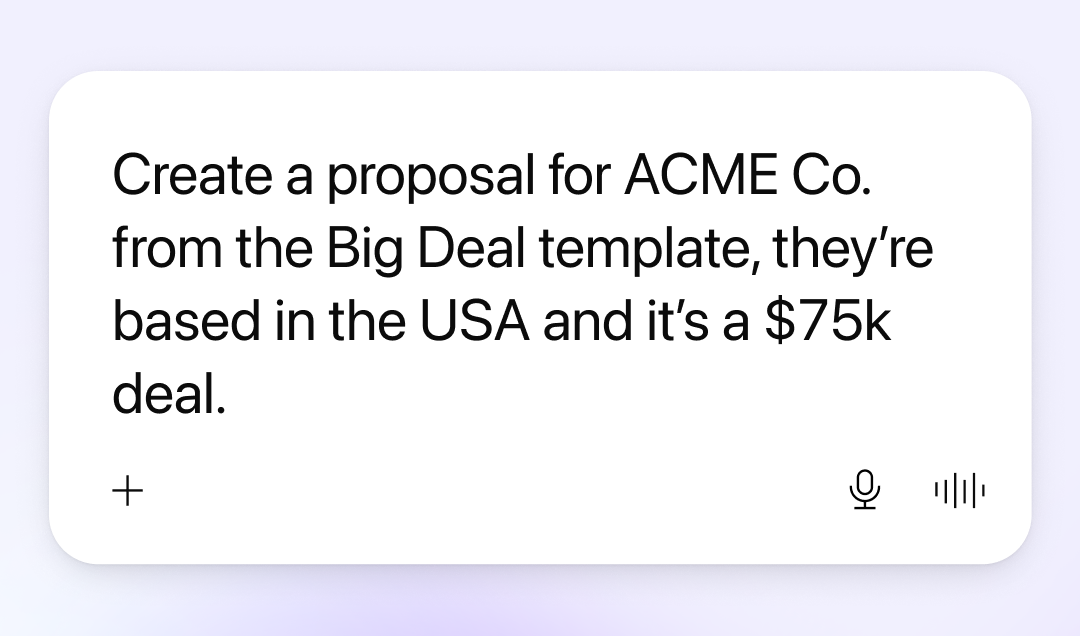
Suggested prompts to test out:
- Create a proposal for ACME Co. from Big Deal template, they’re based in the USA and it’s a $75k deal.
Describe the deal in plain English and get a new proposal created with the company name, region, and deal value already filled in. (You just need those set up as variables on your template first!)
- Set the proposal for ACME Co. live, and send me the shareable link.
Got a proposal that’s ready to send? Set it live and get the link ready to share with your prospect, all without touching Qwilr.
- Send me the PDF download link for the proposal that I created for ACME Co.
Not every prospect wants a live link, sometimes they just want the PDF. Grab it in one line, no hunting through your pages required.
Working with your tech stack
One of the beautiful things about an MCP is the ability to have your tools talk to each other.
Ask it to pull deal details straight from your CRM into a new proposal, or set up a weekly check-in that lands in Slack telling you which deals need your attention.

Suggested prompts to test out:
- Find the HubSpot deal for ACME Co. and create a Qwilr proposal from my "Enterprise Proposal" template, filling in their contact name, company name and deal value.
No more copy-pasting between your CRM and Qwilr. Your AI agent reads the deal info from your CRM and drops the right values straight into your template's variables, so the proposal is ready to review and send in one step.
- Every Monday at 8am, check my Qwilr proposals and send me a Slack message on which deals need my attention this week.
Set this up once as a scheduled task and get a standing Monday briefing waiting in Slack. Start your week with a clear view of exactly which deals to focus on.
(This one requires the ability for scheduling via your AI agent)
Organizing your account
Nobody likes a cluttered workspace but, equally, no likes the admin of cleaning it up.
The Qwilr MCP makes this an absolute breeze, so you’re not wasting time on busywork and focus on the stuff that matters.

Suggested prompts to test out:
- Delete the old ACME Co. draft proposal.
Clear out the clutter without searching through folders. Just tell your AI tool what needs to go.
- Restore the ACME Co. proposal that I just deleted
Deleted something by mistake? Get it back in seconds with a simple prompt.
- Archive all proposals created before 2024
Bulk tidy-up your account, without needing to go through proposals one by one.
What this means for you?
- Fewer tabs, more selling. Work in Qwilr from wherever you're already working, instead of stopping what you're doing to open another tab.
- Levelled-up analytics. You now have access to Qwilr’s best-in-market analytics across all the proposals in your account, rather than on a proposal by proposal basis.
- Your other tools plug in too. Pull details from a CRM record or a call transcript and hand them straight to Qwilr, no manual copy-paste required.
- Less admin, more time on the deal. The small, repetitive parts of proposal work get faster, so you can spend more time on the parts that actually move a deal forward.
Which AI tools does the Qwilr MCP work with?
The Qwilr MCP works with all major AI agents, including Claude, ChatGPT, Windsurf and Cursor.
How you connect them varies by tool, but you can read more here.
One thing to note
Access to the MCP will be available on all our our plans, including our legacy Business and Enterprise plans.
Creating pages from templates via the MCP, however, is only available on the new plans (Starter, Growth and Scale) and will incur a charge via our credit model.
About the author

Guy Hall|Head of Product Marketing at Qwilr
Guy leads product marketing at Qwilr – tackling things like positioning, messaging, sales enablement and more. Guy has a background in content and communications, and has worked across a variety of industries including tourism, telecoms and tech.