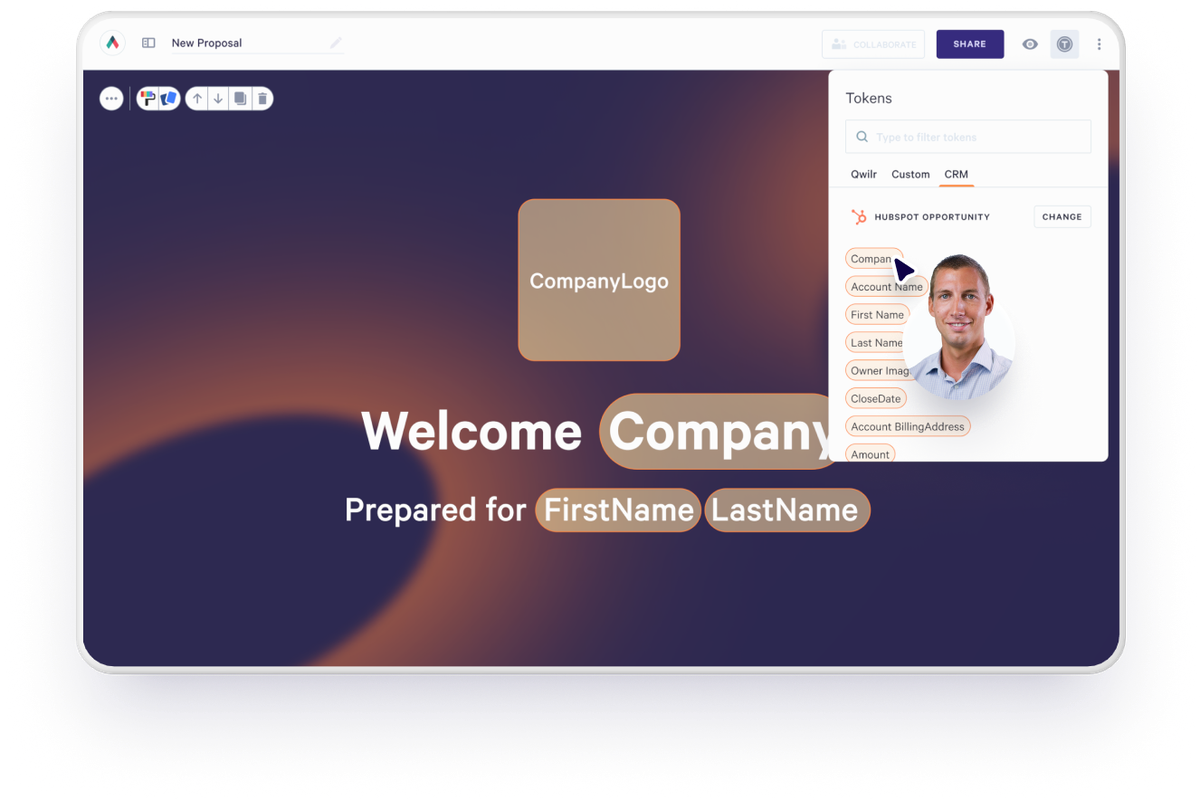
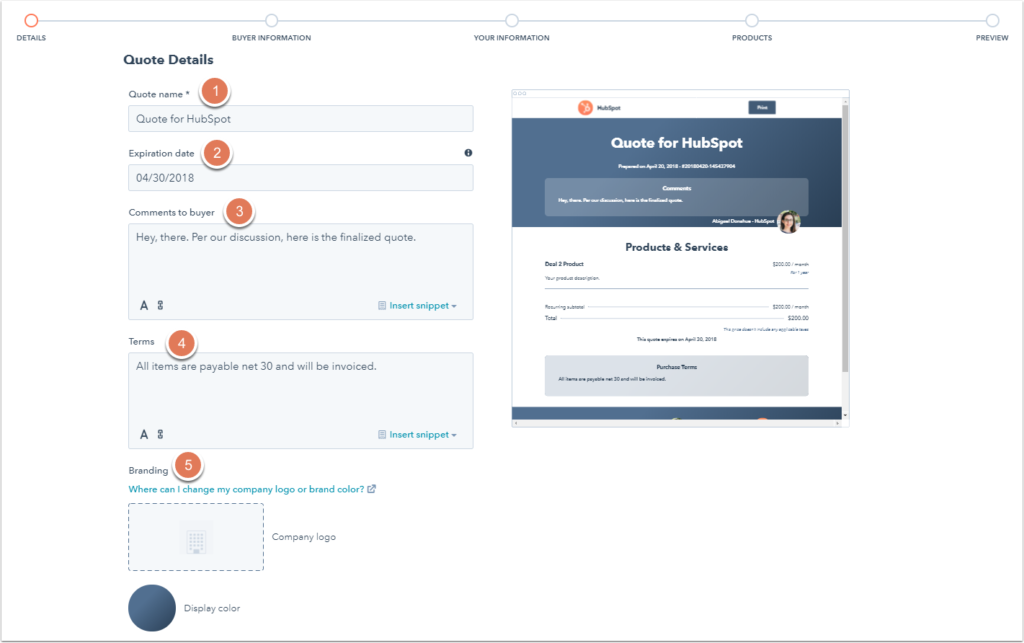
If your sales process feels like a never-ending loop of copy-paste, export, attach, email, update, rinse, repeat, you already know something needs to change. You need speed without sacrificing personalization, precision without adding busywork, and visibility without juggling multiple tools.
This is where HubSpot and Qwilr come together, not just as an integration but as a transformative sales motion. The combination lets your team build, personalize, and track interactive, high-impact proposals directly from HubSpot deal records. It’s not a “nice-to-have” — it’s a strategic cornerstone for modern revenue teams.
From manual busywork to seamless proposal flow
If there’s one thing most sales leaders agree on, it’s that the proposal phase of a deal is one of the slowest and most error-prone stages. A rep generates a proposal outside the CRM, manually fills in pricing and names, exports it as a PDF, sends it out, and then hopes the buyer opens it. Meanwhile, updating the CRM and triggering follow-ups requires yet more manual effort.
The HubSpot <> Qwilr integration changes all of this. Once connected, your team can generate beautiful, interactive proposal pages directly within the HubSpot deal record.
Qwilr’s templates pull in CRM data automatically - from deal values to contact details —eliminating repetitive tasks while dramatically improving accuracy and relevance.
Imagine a sales rep generating a fully branded, highly personalized proposal in seconds, not hours, all while HubSpot stays up to date in real time. No switching apps. No exporting files. No updating spreadsheets. Everything flows from the deal record where it belongs.
What the integration actually does
The HubSpot + Qwilr integration transforms proposals from a slow, manual process into a fast, trackable, and fully connected part of your HubSpot deal workflow. Instead of working in separate documents or spreadsheets, sales reps can create, send, and track proposals directly from HubSpot.
Proposals are generated using Qwilr templates that automatically pull in CRM data: deal names, amounts, contact details, and custom fields. This ensures every proposal is personalized, accurate, and on-brand without extra effort, and dynamic tokens keep them synced with HubSpot updates.
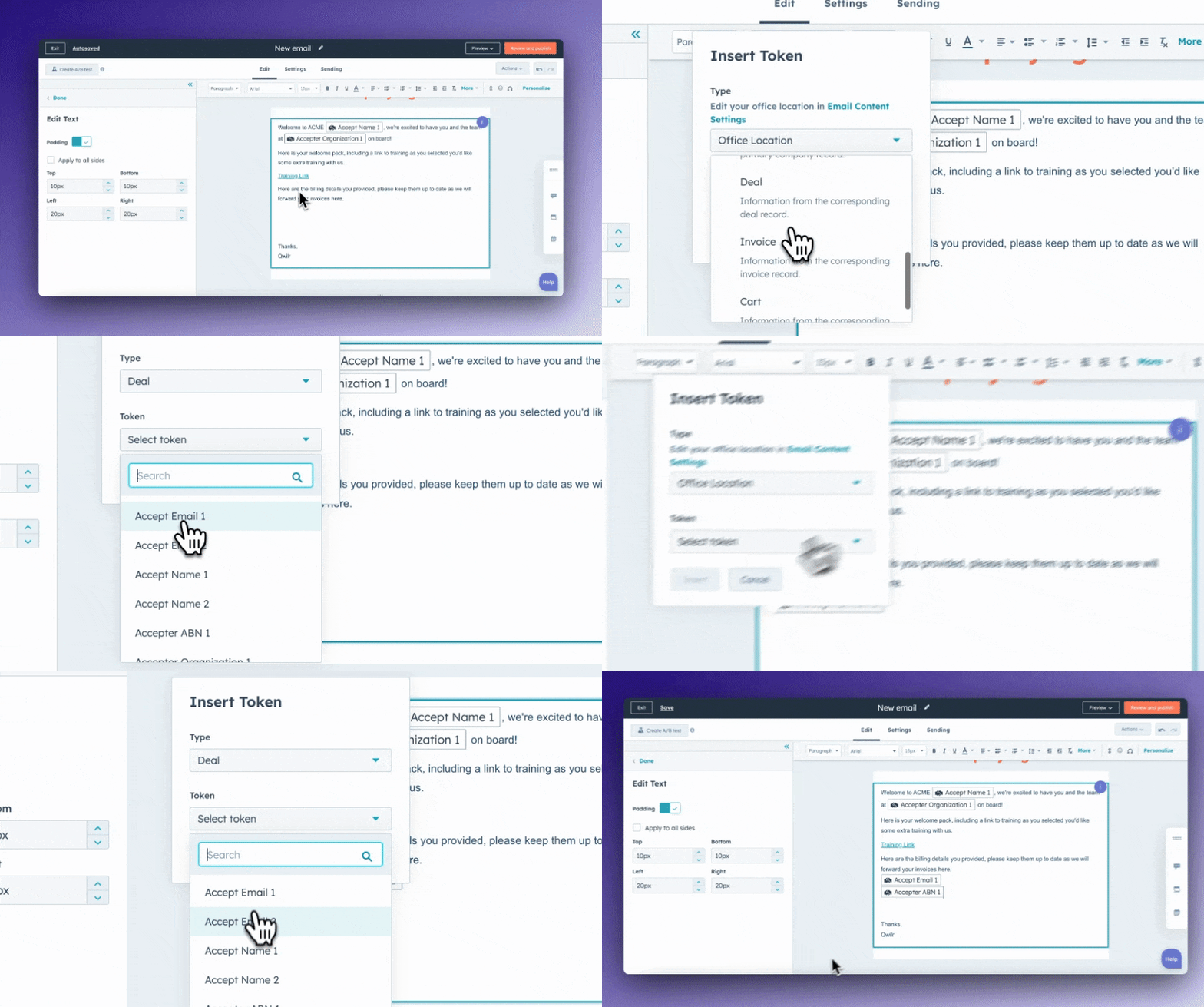
Once sent, proposals aren’t static PDFs. They’re interactive, web-based pages where buyers can review, toggle through options, sign, and even pay without leaving the page. Meanwhile, all activity is tracked and surfaced in HubSpot, turning engagement into actionable insights.
Key capabilities at a glance:
- Proposal creation from HubSpot deal records with pre-populated CRM data
- Interactive, web-based proposals instead of static attachments
- Buyer engagement tracking inside HubSpot: opens, time spent, section interactions, accept/decline status
- Signatures (multiple) and payments collected on the proposal page without additional tools
- Automated CRM updates and follow-ups based on buyer behavior, including deal stage changes, close dates, deal amounts, tasks, and email sequences
By combining these capabilities, the integration doesn’t just handle proposals; it builds a fully operational proposition engine inside HubSpot, connecting buyer engagement directly to CRM data, automation, and sales workflows. What used to take hours and multiple tools now happens in seconds, with visibility and precision at every step.
Why this matters: The modern proposal has changed
Buyers simply don’t engage with static PDFs the way they once did. In a world where every interaction is expected to be fast, immersive, and mobile-friendly, a static attachment feels like stepping back into the dial-up era. Qwilr pages deliver a rich, responsive experience that includes:
- embedded video
- interactive pricing tables
- engagement analytics
- e-signatures
- and even payment processing (QwilrPay), all optimized for any device.

This makes proposals not just documents, but experiences. Instead of hoping someone downloads a PDF and reads it, you can track exactly when they view, which sections they revisit, and whether they’ve signed or paid, all without leaving HubSpot. That level of insight turns guesswork into strategy.
Getting up and running: No pain, all gain
Setting up the HubSpot + Qwilr integration is simpler than it sounds—no complicated IT projects, no long delays, just a few straightforward steps to get your team sending interactive proposals from day one. To get started, you’ll need a few basics in place:
- Admin access in Qwilr so you can authorize the integration.
- Super Admin access in HubSpot to connect your CRM account.
- Matching login emails in both systems to ensure the two platforms recognize the same user.
Once those pieces are in place, connecting the two systems takes just a few clicks. After the integration is live, a Qwilr widget appears inside relevant HubSpot records— Deal, Contact, and Company—giving your team a single place to create and send proposals without leaving HubSpot.
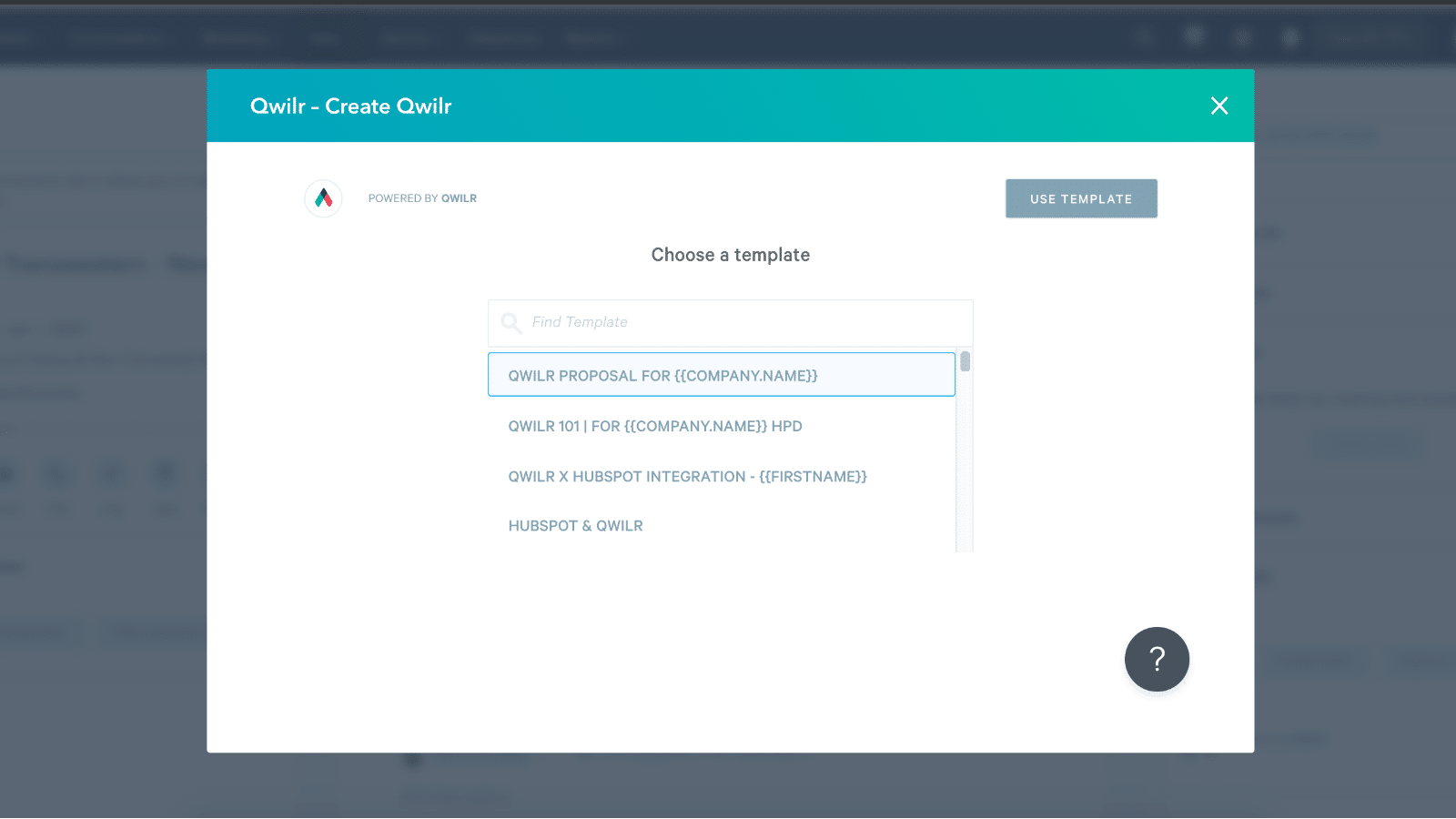
From there, the process is intuitive: select a template, generate a proposal page pre-filled with CRM data, preview it to make sure everything looks perfect, add any personal touches, and send. Every action happens within the context of the HubSpot deal, meaning your pipeline stays accurate, your CRM data stays up-to-date, and your team can focus on selling instead of juggling tools.
In short, the integration is designed to make proposal creation seamless and fast, letting your team start seeing the benefits immediately without headaches or manual workarounds.
Proposal creation: Personalized, fast, and accurate
What separates Qwilr from traditional document tools is how deeply it pulls data from HubSpot. Instead of manually typing names, addresses, prices, and closing dates, Qwilr generates pages using dynamic tokens linked to the specific deal, contact, or company. This means:
- Each proposal reflects the latest CRM data
- Reps don’t waste time on formatting or repetitive edits
- Branding and structure stay consistent across deals
This matters not just for speed but for reliability. There’s no risk of outdated pricing or misaligned terms because it’s all tied directly to the CRM. Consistency and accuracy become systemic, not accidental.
Tracking engagement without leaving the CRM
Once a proposal is sent, the real value begins.
Qwilr provides robust analytics and engagement data, which is then surfaced in HubSpot so reps and managers can see:
- When a proposal was opened
- How much time the buyer spent reviewing it
- Which sections they interacted with most
- Whether the proposal was accepted or declined

This transforms your CRM into a behavioral signal center. You know not just that a proposal was sent, but how it was experienced, and you can act accordingly.
Automations: The real secret weapon
If proposal creation and tracking are the engine, automation is the turbocharger. Qwilr’s HubSpot Automations extend the integration far beyond basic syncs so that activity on proposal pages triggers meaningful updates inside HubSpot - automatically.
These automations remain free for all plans until the end of 2025 while in beta, which means teams can experiment and scale without worrying about hidden costs.
Triggering action from buyer behavior
At the heart of this feature is the idea that changes in a Qwilr page’s state, like accepted, declined, or expired, can now update the corresponding HubSpot deal record. That includes moving the deal to a new pipeline stage, updating close dates, adjusting the deal amount, or filling other standard HubSpot fields.
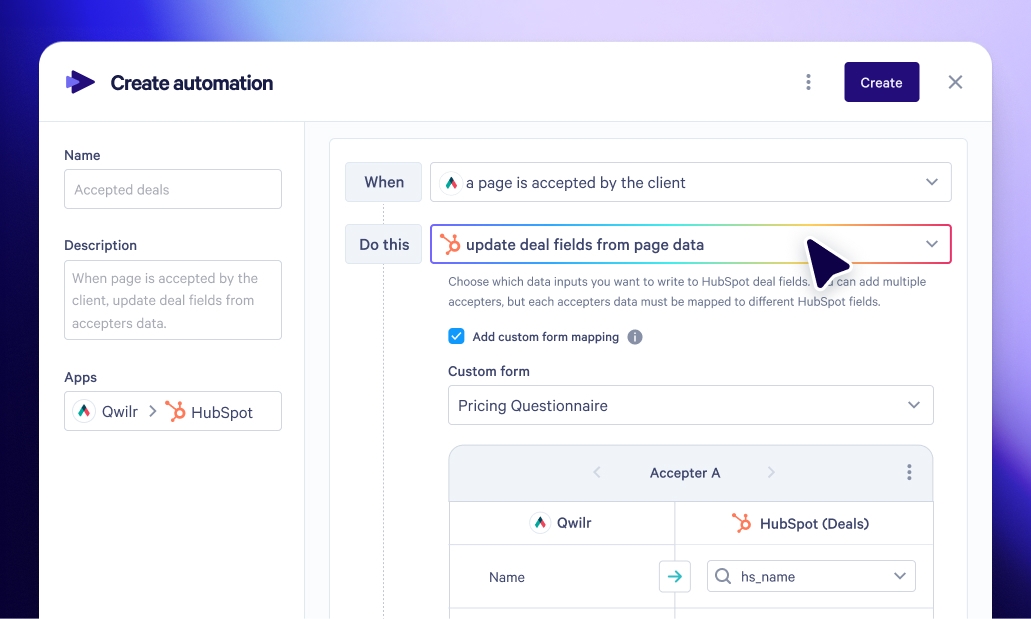
This turns proposal events into CRM signals that steer your sales process. Your CRM stops being a passive repository and becomes an active driver of the pipeline.
Custom accept responses: Beyond yes or no
One of the most powerful additions to the HubSpot Automations feature is the ability to sync custom acceptance form responses back into HubSpot when a proposal is accepted.
Here’s how it works in practice: you add custom form questions on the proposal page (perhaps around billing preferences, implementation dates, or product options) and when the buyer accepts the proposal, those answers can be mapped into specific fields in the HubSpot deal record.
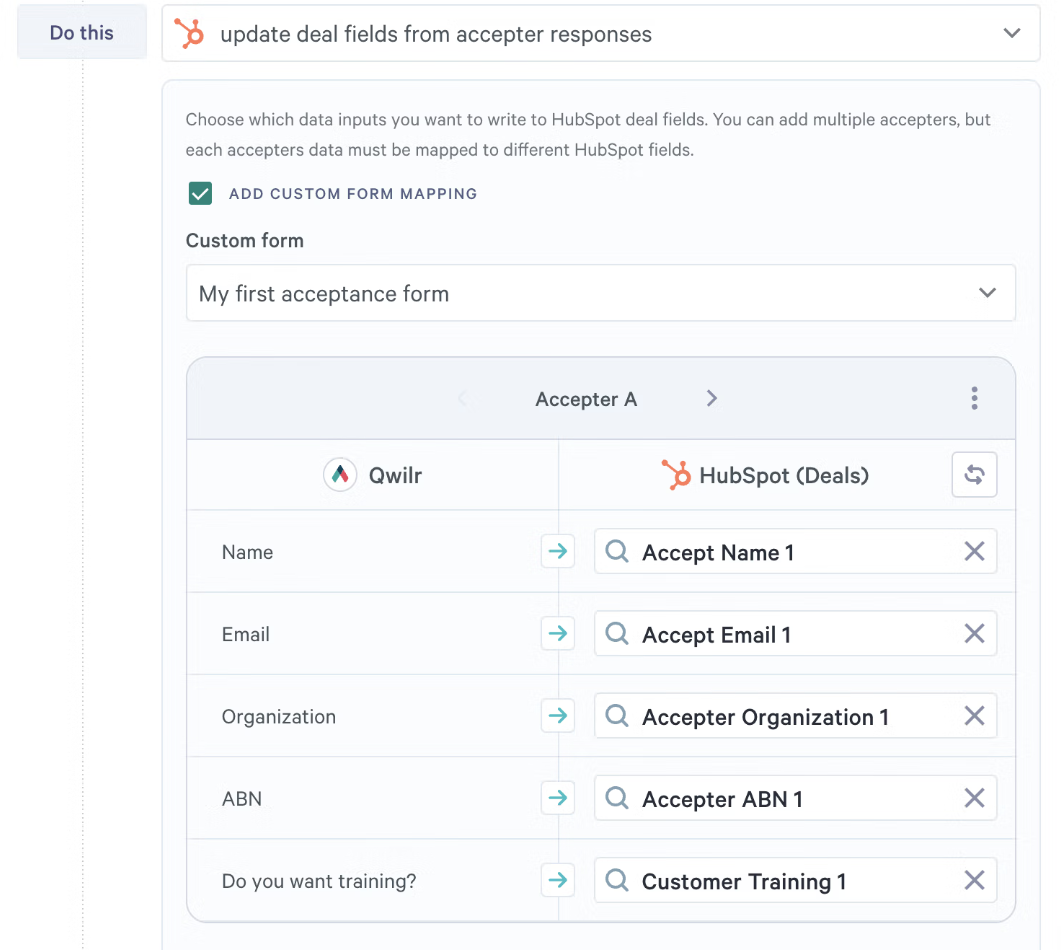
This adds an entirely new layer of intelligence. Instead of simply knowing that a deal was accepted, your CRM captures nuanced buyer intent and preferences, all without manual data entry. That’s not just automation; it’s automated context.
Line item sync back: Pricier deals, more precision
Another standout capability coming out of these automations is the ability to sync line item details back to HubSpot when a proposal is accepted, including quantity, price, and discount.
For teams that build complex quotes with optional items, this is a major deal. Optional or unselected items sync back as zero quantity, ensuring your CRM accurately reflects what the buyer actually committed to.
While billing frequency isn’t synced yet, this deep alignment between proposal content and CRM data is huge for revenue operations and forecasting.
Automations workflow scenarios that drive impact
This isn’t theoretical. When you combine HubSpot Automations with HubSpot workflows, the practical possibilities are profound. Examples include:
- Automatically sending a personalized email sequence when a proposal goes live, complete with reminders tied to expiry dates.
- Creating follow-up tasks for your reps when a proposal is viewed, declined, or expired.
- Triggering onboarding communications immediately upon proposal acceptance.
- Updating pipeline stages or deal amounts without any manual input at all.
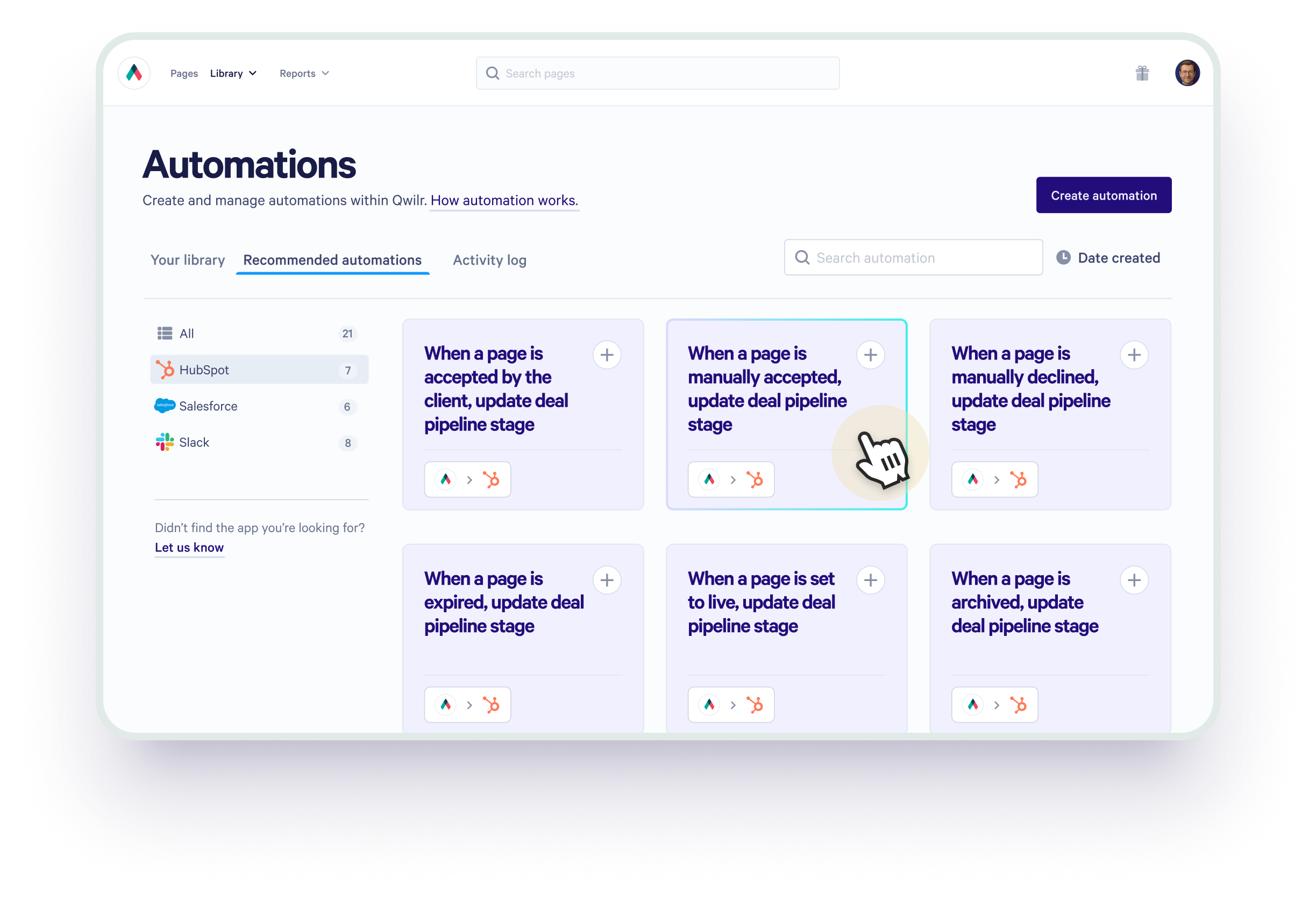
Automations make the CRM actionable and ensure no lead slips through the cracks, even if your reps are juggling multiple deals.
Visibility and debugging: Activity logs and error handling
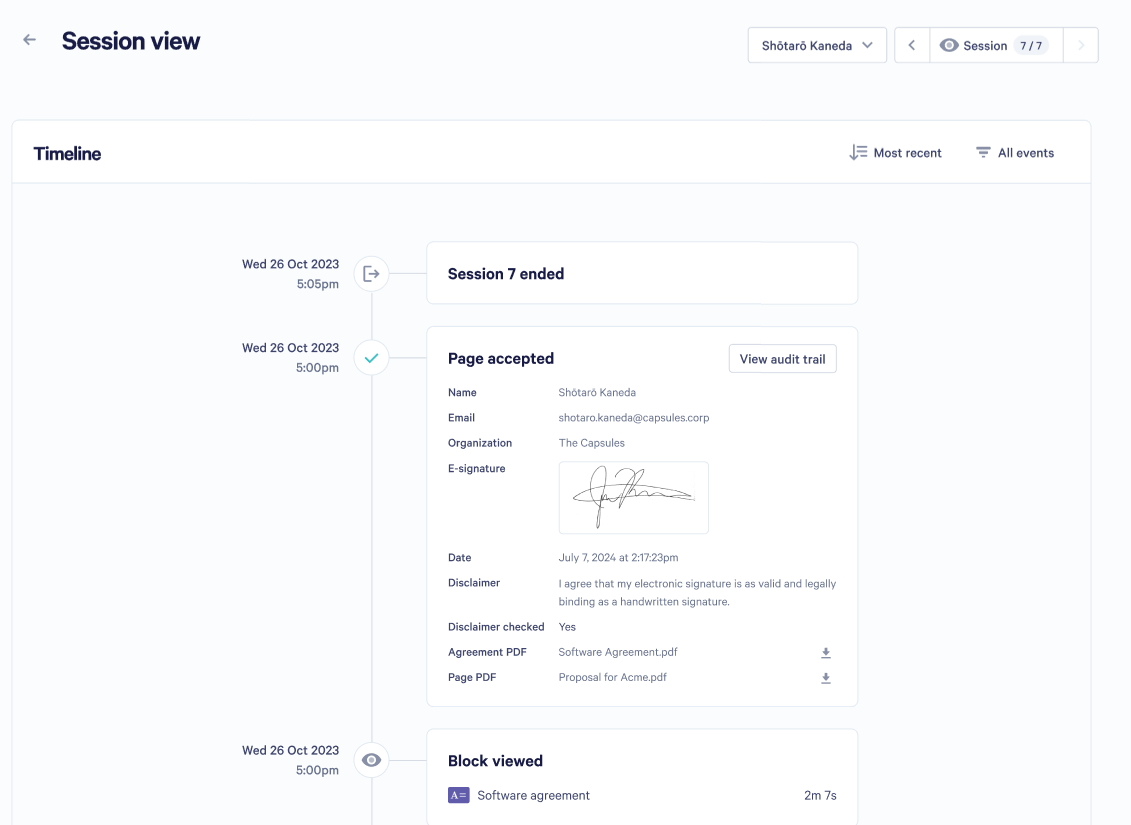
Even the best automations need transparency. Qwilr’s Activity Log gives admins full visibility into every proposal-related event—sends, views, acceptances, declines, and expirations—as well as whether automations succeeded or failed.
If an action doesn’t complete as expected, the log flags the error and provides context, making it easy to correct issues without disrupting the sales workflow. This ensures CRM data stays accurate, pipelines remain reliable, and teams can trust automated processes.
Why it matters:
- Provides a complete audit trail of all proposal activity and automation events
- Flags errors and explains why they occurred
- Enables quick corrective action without manual follow-up
- Builds confidence that proposals and CRM updates are running smoothly
With this level of visibility, teams can monitor, trust, and optimize their automated workflows, keeping deals moving and data accurate.
Best practices for maximum impact
To ensure the HubSpot + Qwilr integration drives real business outcomes:
- Standardize templates before scalingInvest time upfront to build articulate templates with a consistent structure and dynamic tokens. This ensures every rep starts with a winning foundation.
- Design meaningful workflowsUse automation capabilities to reflect your sales cycle, not just surface triggers. For example, pipeline automation should align with your internal stages and follow-up cadences.
- Train your teamTechnology only works when people use it confidently. Host internal sessions to show reps how to generate, send, and interpret proposal engagement data.
- Use analytics as signalsEngagement metrics (views, time spent, actions taken) shouldn’t sit idle. Feed them into follow-up sequences and forecasting conversations.
Who HubSpot + Qwilr is built for
Not every sales team needs proposal automation at this level, and that’s a good thing. The HubSpot + Qwilr integration delivers the most value when proposals are a revenue lever, not a formality.
This setup is ideal for teams that:
- Rely on HubSpot as a single source of truth for forecasting and reporting
- Create proposals frequently and at scale
- Sell variable or configurable offerings, not fixed SKUs
- Care deeply about brand consistency and buyer experience
- Want proposal activity to actively drive pipeline movement, not just document it
For these teams, proposals aren’t an end-of-process artifact. They’re a live sales asset that influences buyer momentum, deal velocity, and close rates.
On the other hand, if your sales motion involves:
- One-page quotes with fixed pricing
- Very low deal volume
- Minimal need for tracking, automation, or post-send insight
…then the full power of HubSpot + Qwilr may be more than you need today.
But as soon as proposals start impacting deal complexity, buyer confidence, or internal efficiency, the integration stops being “nice to have” and becomes operational infrastructure.
Real-World success and strategic advantage
Sales teams that adopt this integration don’t just move faster; they sell smarter. They close deals with fewer errors, respond with perfect timing, and spend less time on manual updates and more time with buyers.
Unlike traditional proposal workflows burdened with attachments, repeated manual entries, and guesswork about buyer engagement, the HubSpot + Qwilr setup ensures every proposal brings with it clarity, precision, and actionability.
That’s not sales enablement. That’s sales acceleration.
Case in point: Resi Media’s success story
Numbers don’t lie - but context matters.
Resi Media, a fast-growing video streaming and distribution company, overhauled its sales process by combining Qwilr and HubSpot, replacing a fragmented quoting workflow with a single, proposal-first motion directly from the CRM.
The results were immediate and measurable:
Each sales rep saved around one hour per deal closed, simply by eliminating manual proposal creation, formatting, and follow-ups. At scale, that added up fast: over 2,000 deals closed using Qwilr, reclaiming thousands of hours that could be redirected back into selling.
Beyond speed, the integration solved a consistency problem. Qwilr templates powered by HubSpot data ensured every proposal was on-brand, accurate, and professionally presented - reducing internal miscommunication and removing friction between sales, ops, and leadership.
As Resi Media’s director put it, the team looked more unified and more professional, and buyers felt it.
That combination - time saved, consistency gained, and confidence reinforced - didn’t just improve efficiency. It created momentum.
And momentum is a competitive advantage.
About the author

Guy Hall|Product Marketing Manager at Qwilr
Guy works on product marketing at Qwilr – tackling things like positioning, messaging, sales enablement and more. Guy has a background in content and communications, and has worked across a variety of industries including tourism, telecoms and tech.
HubSpot + Qwilr FAQs
Yes, Qwilr lets you generate interactive proposals from HubSpot deal records, automatically pulling in CRM data for personalization and accuracy.
Yes - opens, time spent, section interactions, and acceptance or decline status are all logged in the HubSpot timeline.
Yes. Buyers can sign and pay directly on the proposal page, with all activity reflected in HubSpot.
Yes - accepted quantities, pricing, and discounts sync back to keep deals accurate; unselected items sync as zero.
Yes - Qwilr’s HubSpot Automations can trigger tasks, emails, and workflow updates based on proposal views, acceptance, declines, or expiry.
No, with admin access in Qwilr and Super Admin in HubSpot, setup is quick, and proposals appear natively inside HubSpot records.