
All product updates
NEW: Zoho CRM Automations
September 2026
Zoho users, how much time do your reps lose updating Deal stages by hand instead of talking to prospects?
We’ve got great news!
You can now use Qwilr page events (like when a page is set live, accepted, viewed, etc.) to trigger updates and automations in Zoho.
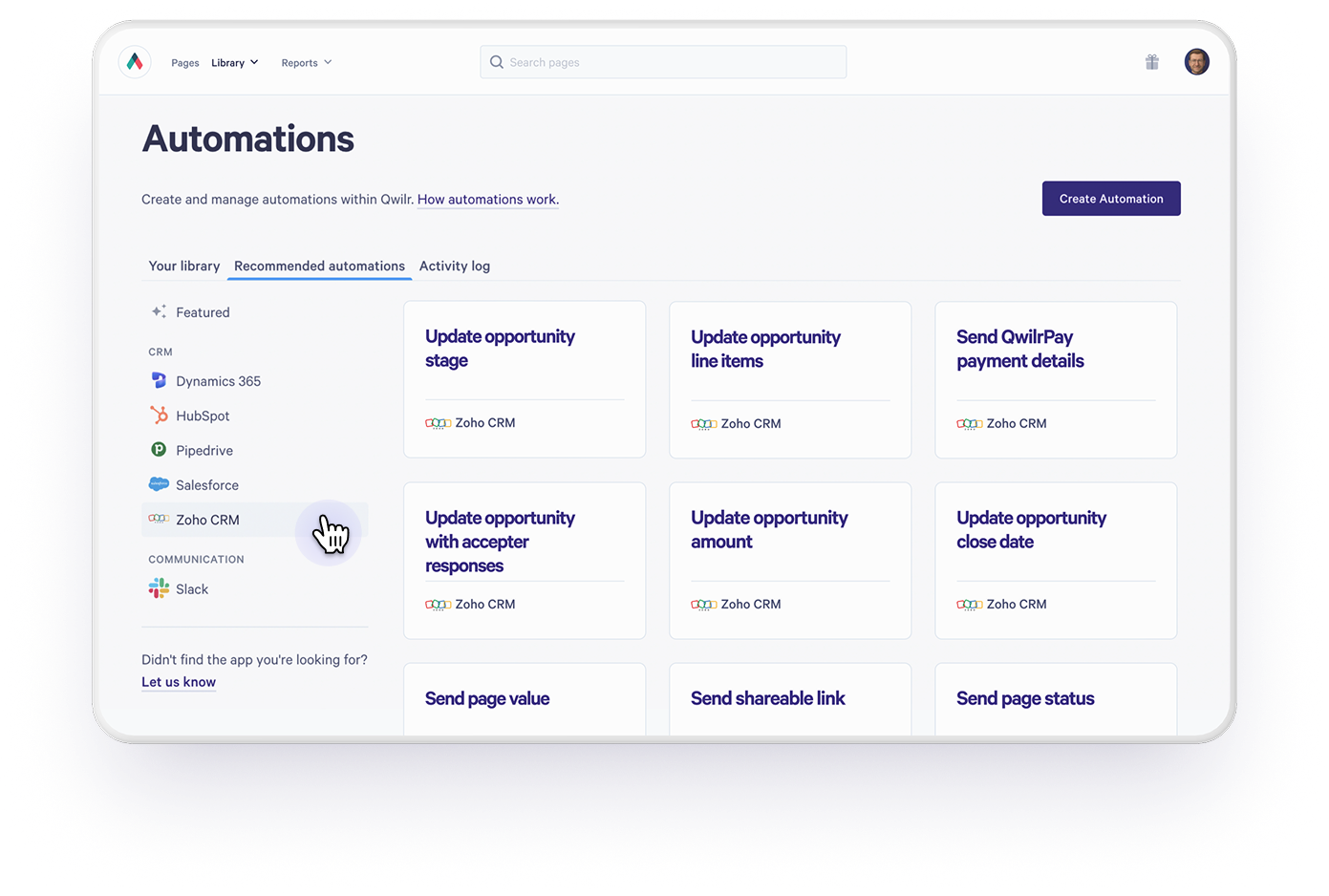
What's new?
- Trigger Zoho Workflow Rules from Qwilr page events: set live, viewed, accepted, declined, and expired
- Sync accepted-page data (name, email, organisation, custom form responses) straight into matching Zoho fields
- Automatically move Deals to Closed Lost, or a custom stage, when a page expires unactioned
- Auto-create tasks for the Deal owner when a page is declined, expires, or goes unviewed for a set number of days
Why this matters
- Reps spend less time on admin, and more time on revenue generating activities
- Your pipeline reflects reality without anyone manually updating stages
- Onboarding sequences, invoices, and welcome emails can all be automatically kicked off the moment a page is accepted
- Reps get nudged automatically when a deal needs a human touch, instead of relying on memory
- Any automation you can build in Zoho's Workflow Rules can now be triggered directly from a Qwilr page
Note: Zoho Automations are not included on our Starter plan.